


If you want to take advantage of Numiron As your digital postman, activate the service e-invoice. Below you will find the complete procedure.
Logging in to the system
- Log in to the system Numiron and open your subject.
- You will be shown General terms and conditions of business. Read them and confirm their acceptance.
Where can I find these settings?
- Open Settings and switch to the section e-invoice.
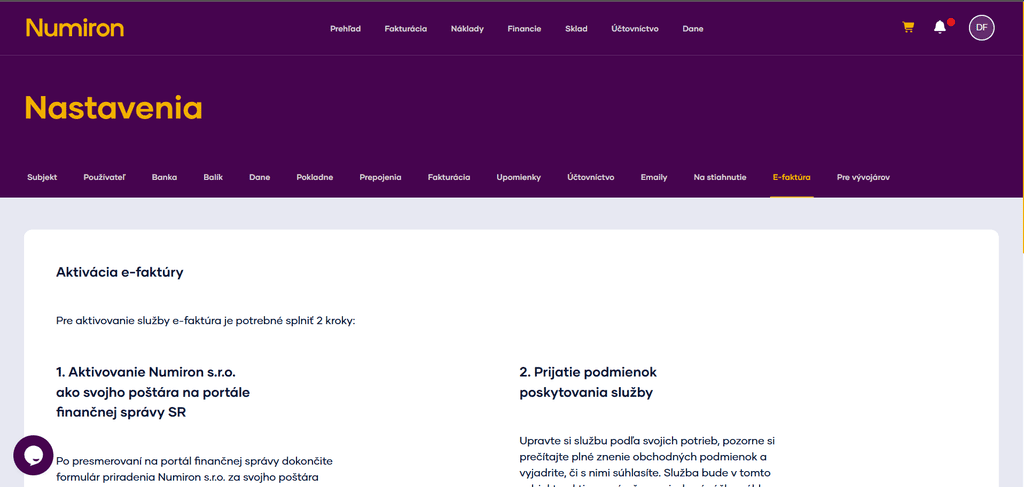
Activation has two steps:
- election of the company Numiron s.r.o. as a digital postman on the financial administration portal,
- acceptance of the terms of service in the system Numiron.
1. Activation in financial management
- In the section e-invoice click Activate in the financial report. You will then be redirected to the financial administration portal.
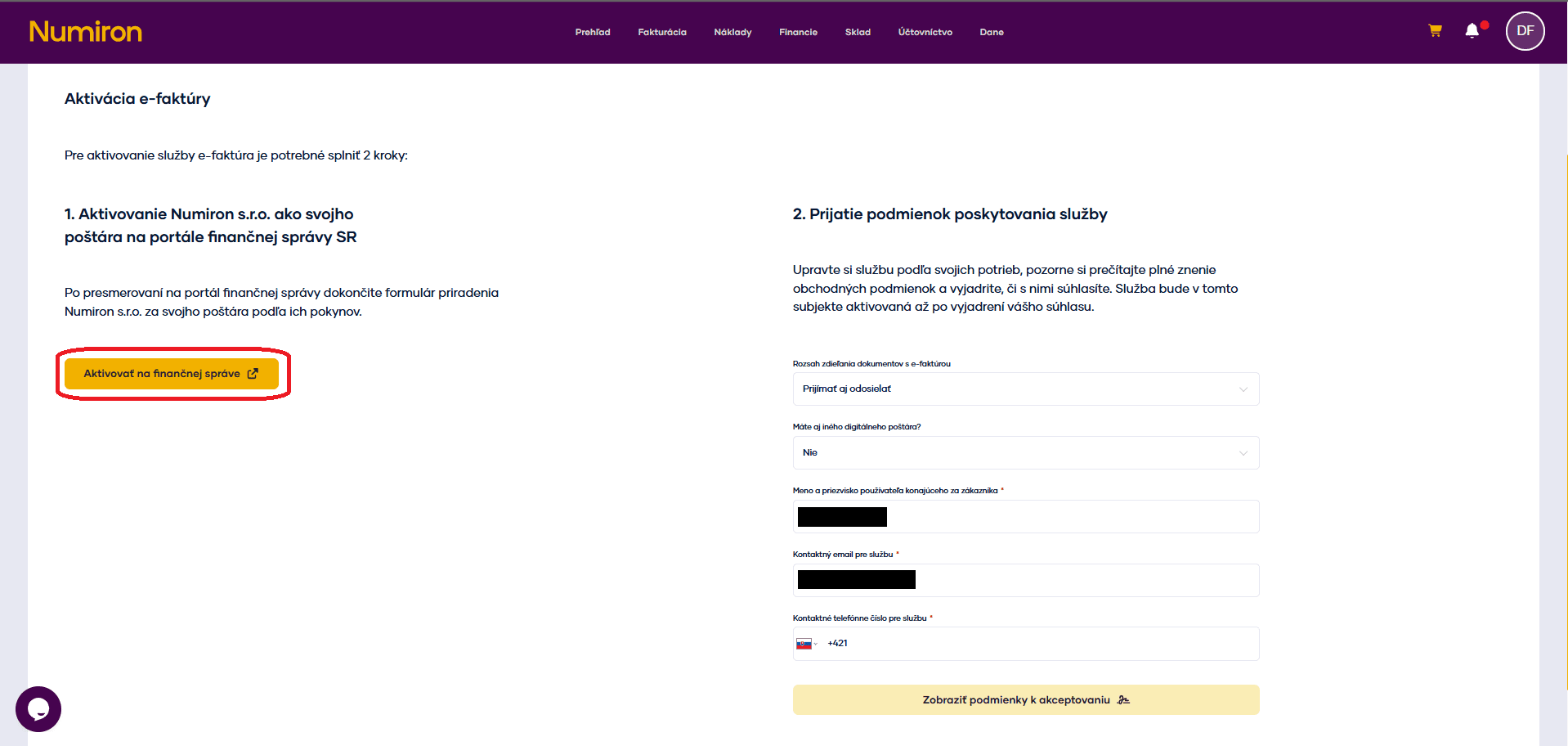
- Click on Continue and log in to your account on the financial administration portal.
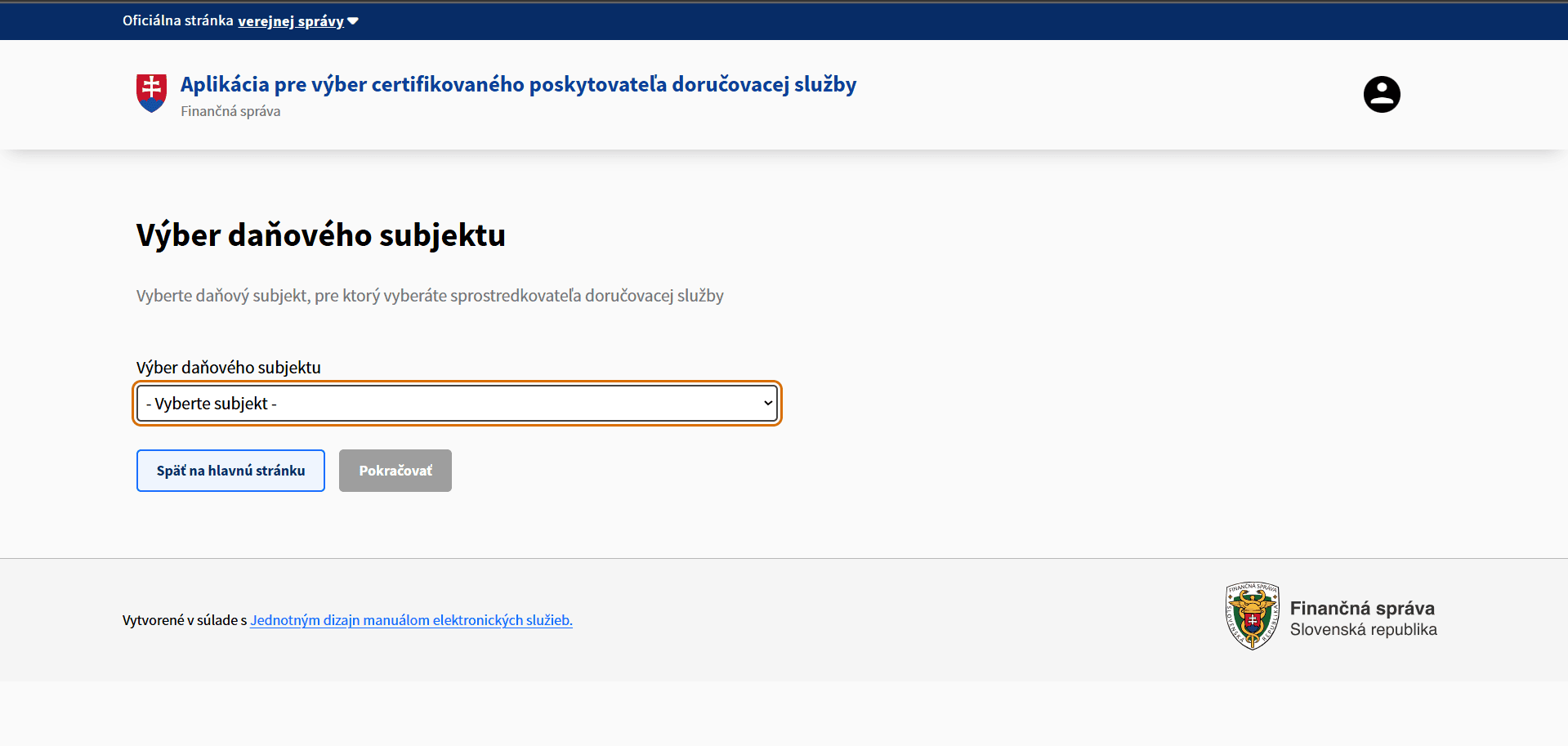
- After logging in, select the entity for which you want to choose Numiron s.r.o. for the digital postman.
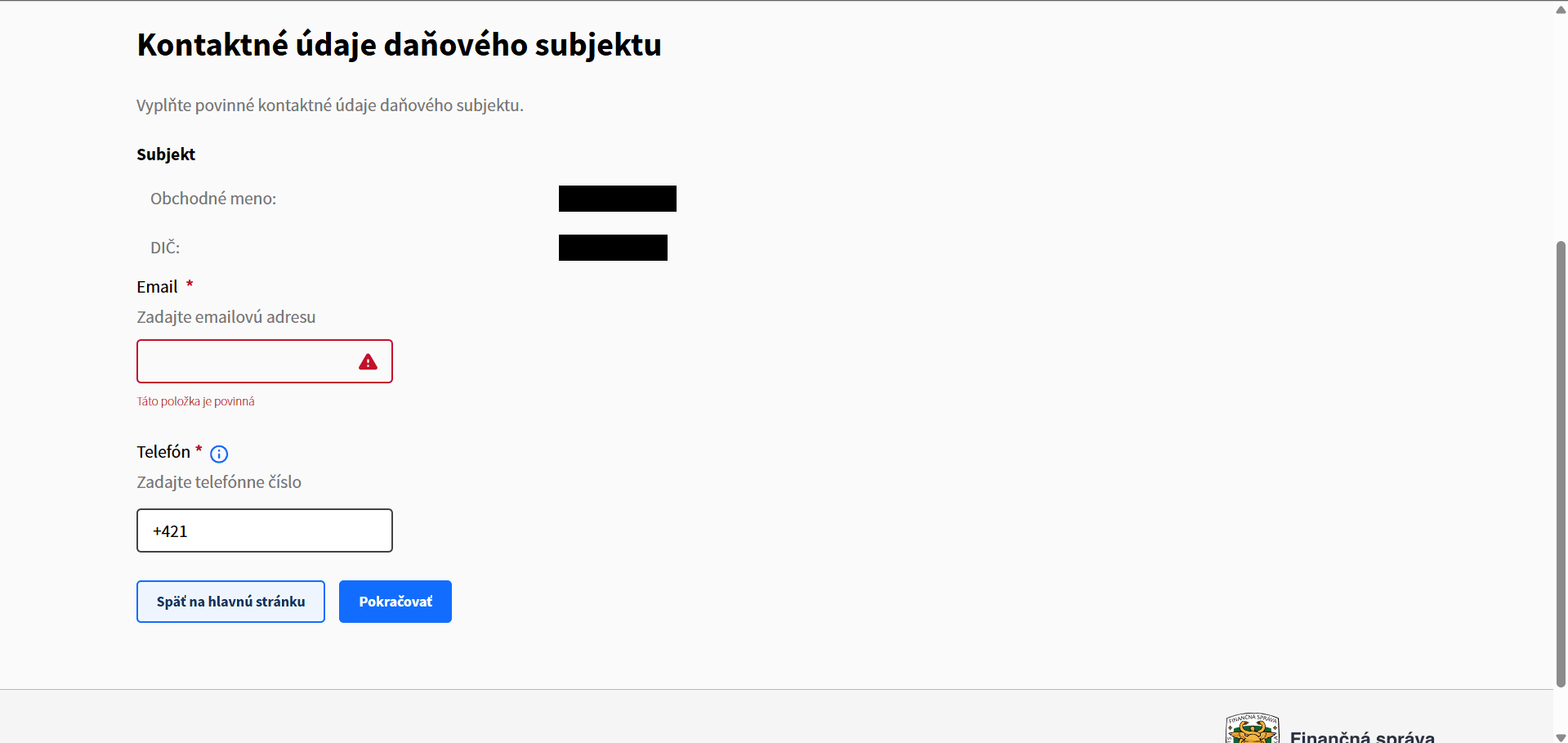
- Fill in the contact details and click Continue.
- Then click on the button Allow.
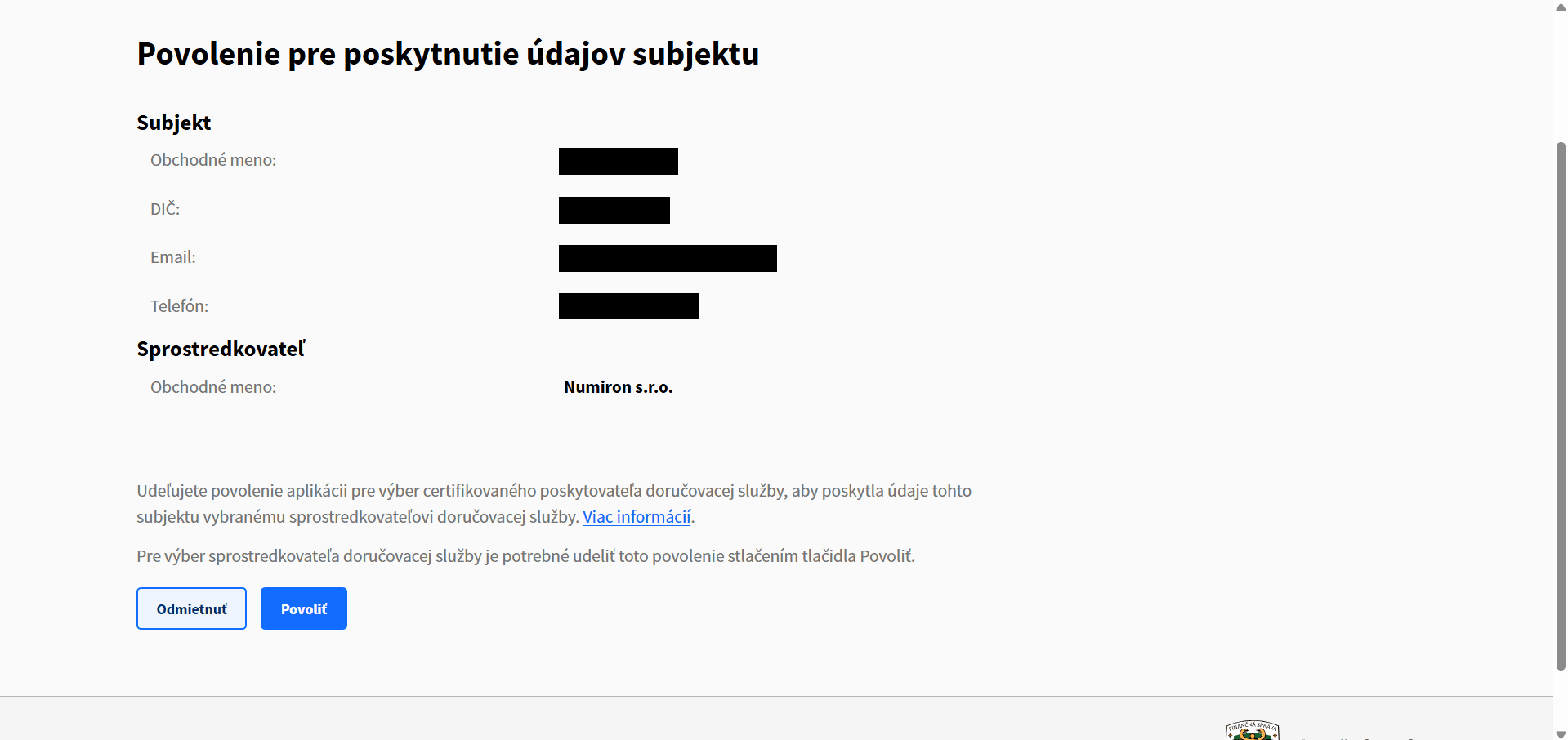
- Click on Continue.
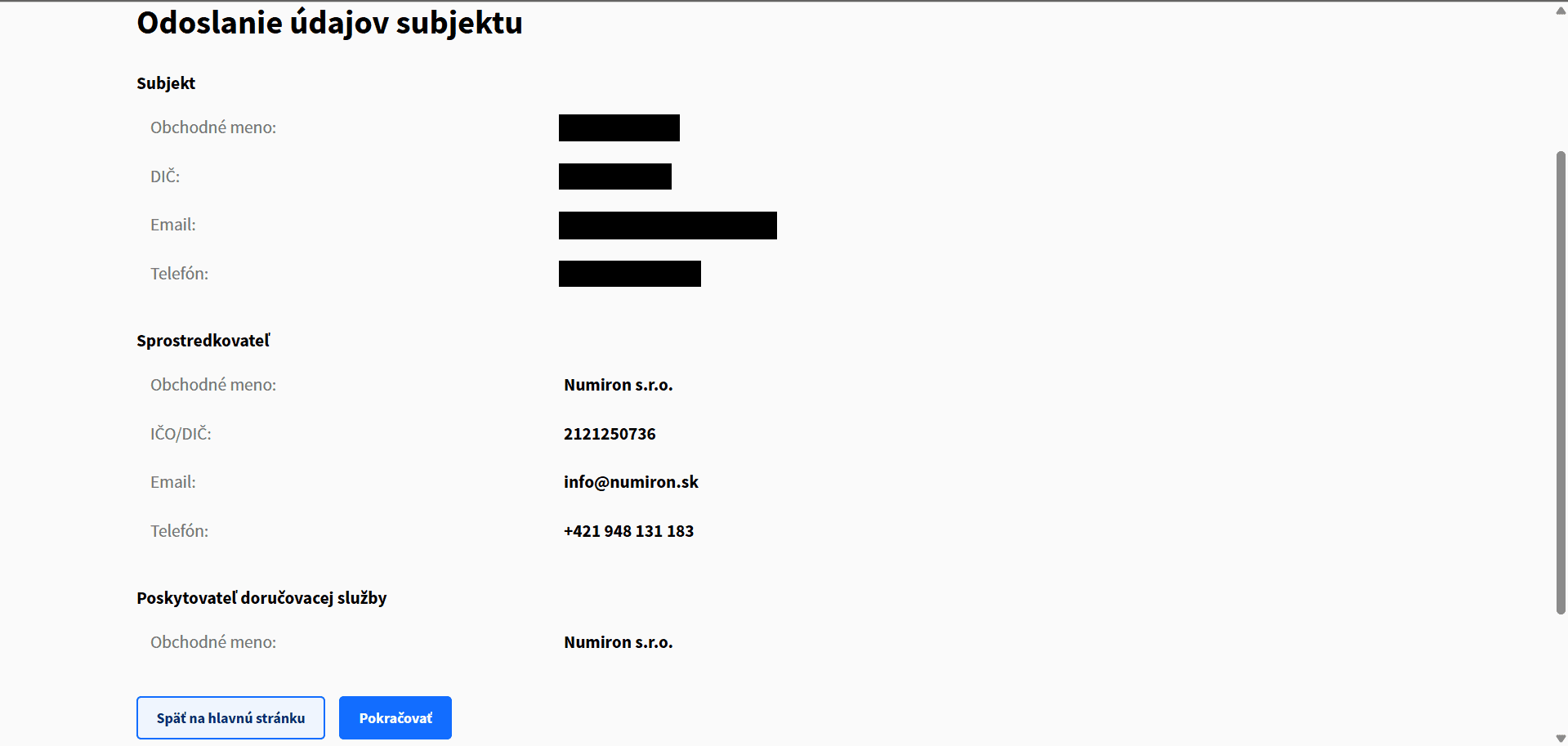
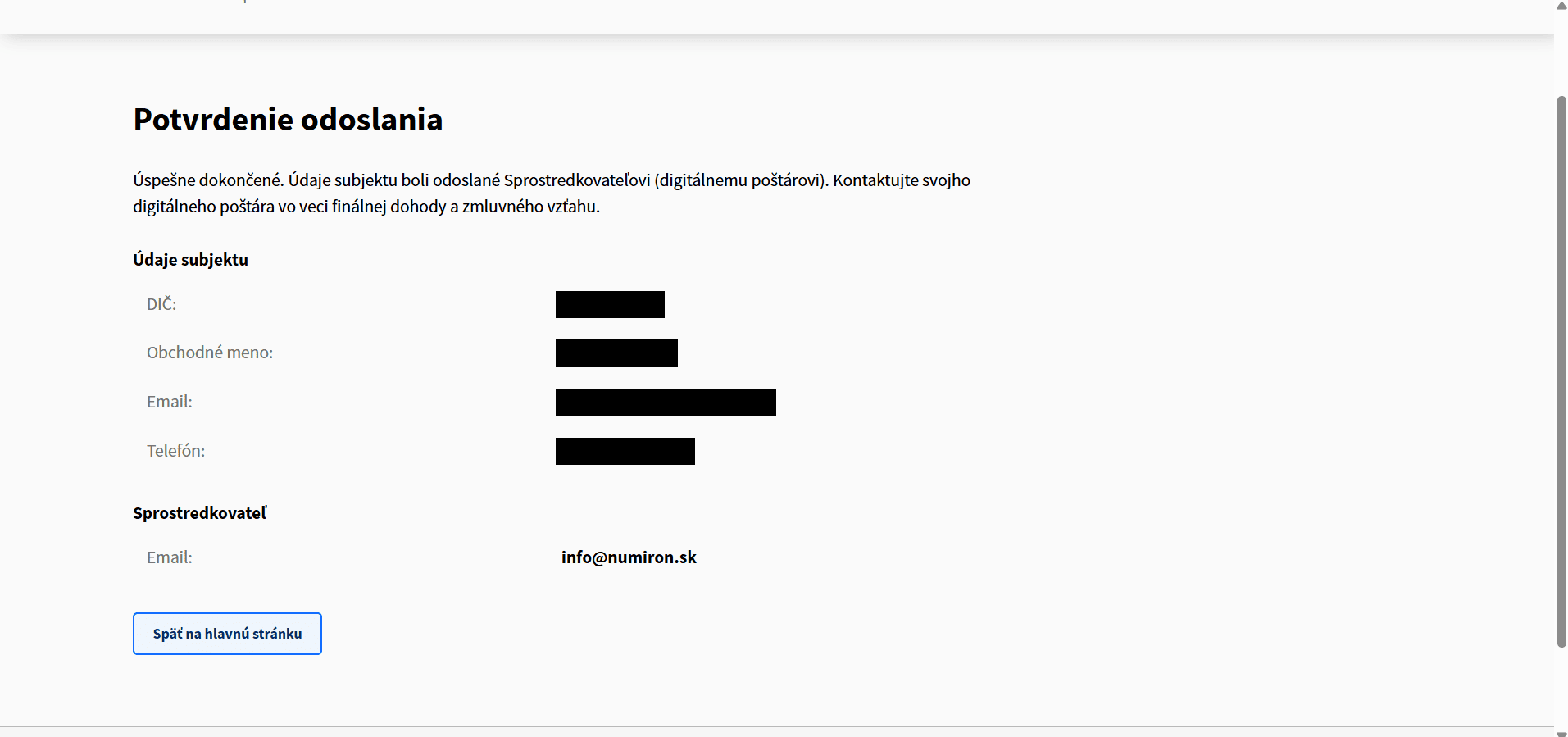
You will be shown a notification that the process has been successfully completed.
2. Acceptance of the terms of service provision
- Log in to the system again Numiron and open it Settings. Then select the section e-invoice.
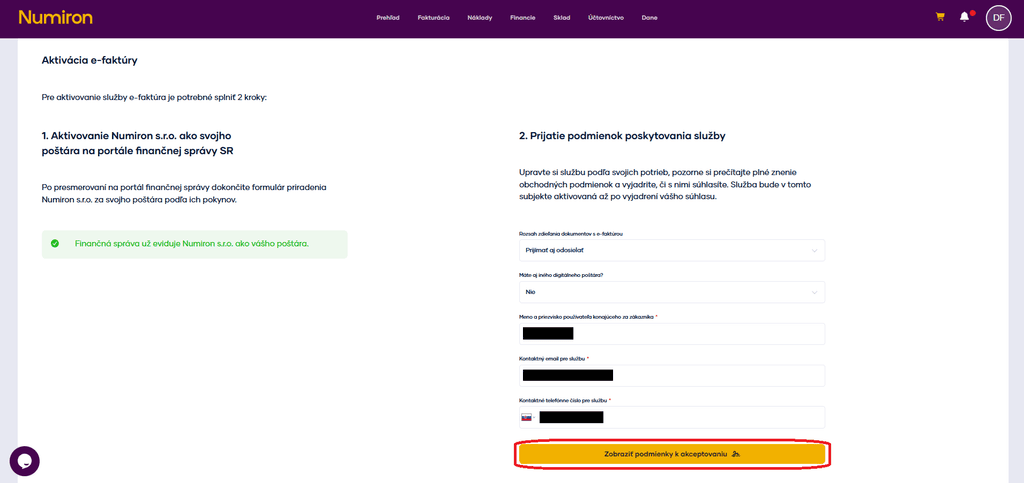
- Fill in your details.
- Choose the range of document sharing.
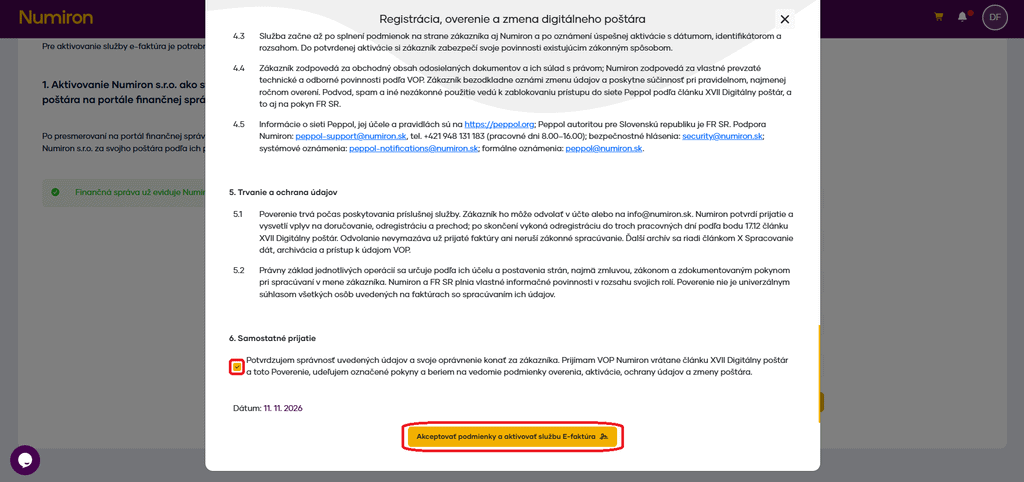
- Click View the conditions for acceptance.
- Mark the confirmation.
- Click Accept the terms and activate the e-invoice service.
Service e-invoice It is activated. Numiron You have chosen me as your digital postman.


