Numiron support
Numiron Support & FAQ


Numiron Support & FAQ
Contact us if you haven't found the answer
Mon - Fri from 08:00 - 16:00
The Virtual Point of Sale (VRP) in Numiron allows you to easily record sales that do not burden the physical POS device, such as online payments, mobile sales or sales from other virtual channels.
1. How do I connect the cash register to Numiron
In the top right corner, click on your profile icon, select Settings and select the section Checkout. Go here to the section virtual cash registers.
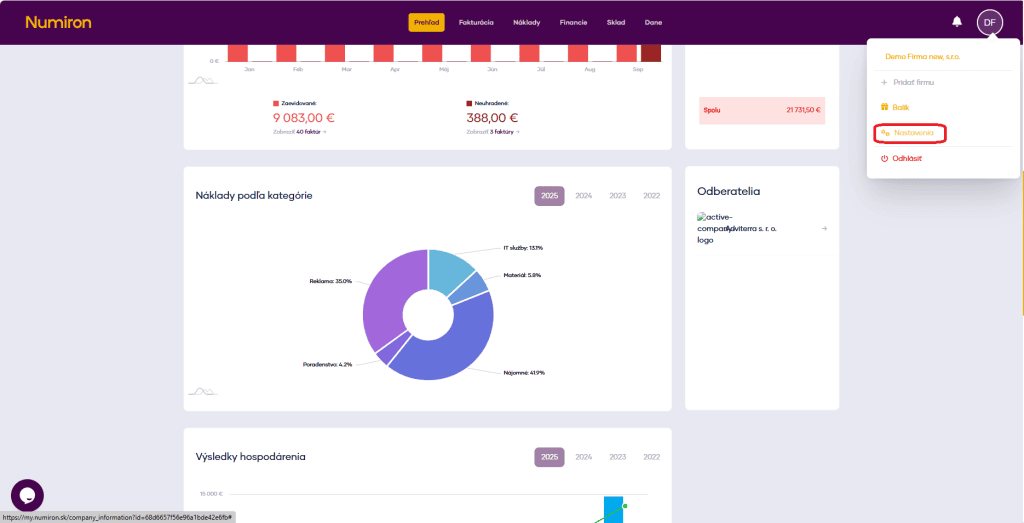
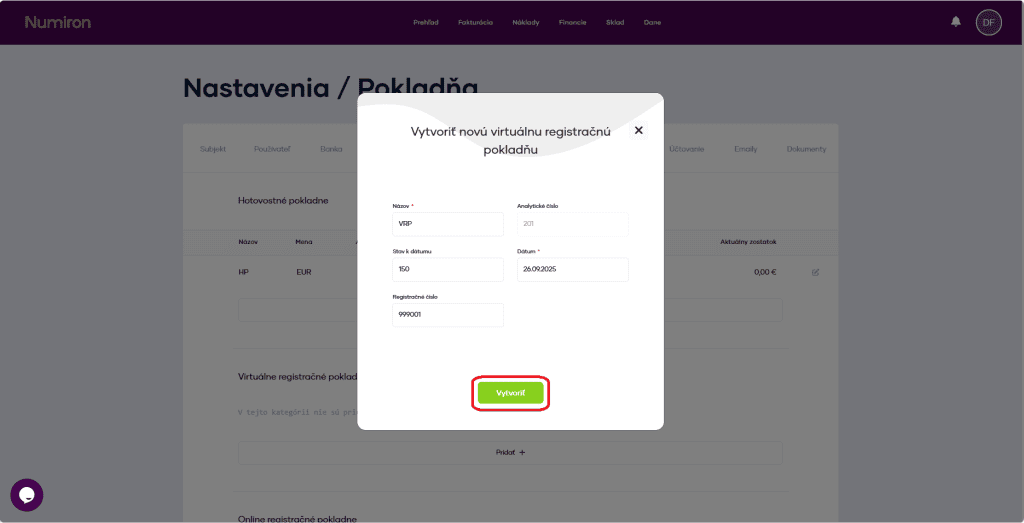
Then click Add and fill in:
To save your settings, click on Create.
2. Creating sales
In the agenda Finance in section Checkout click on New sales.
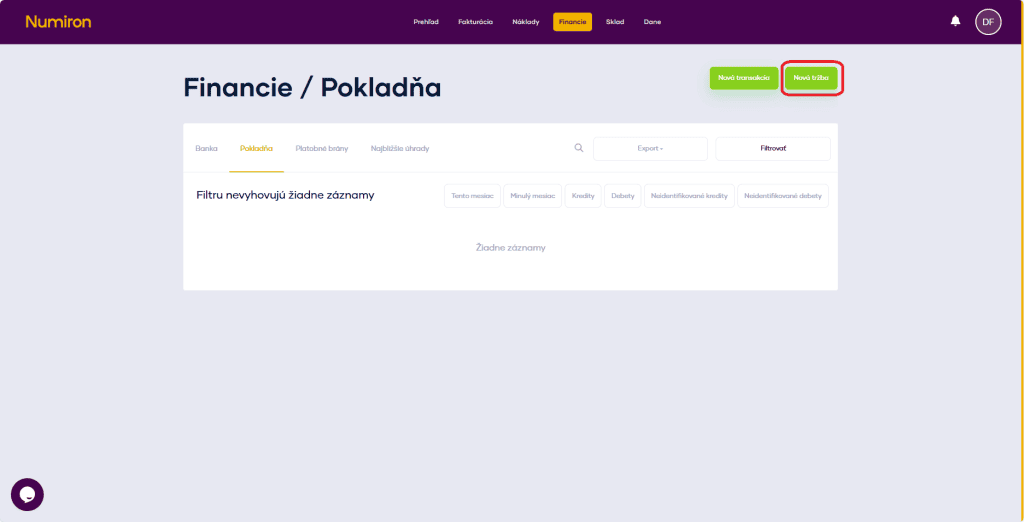
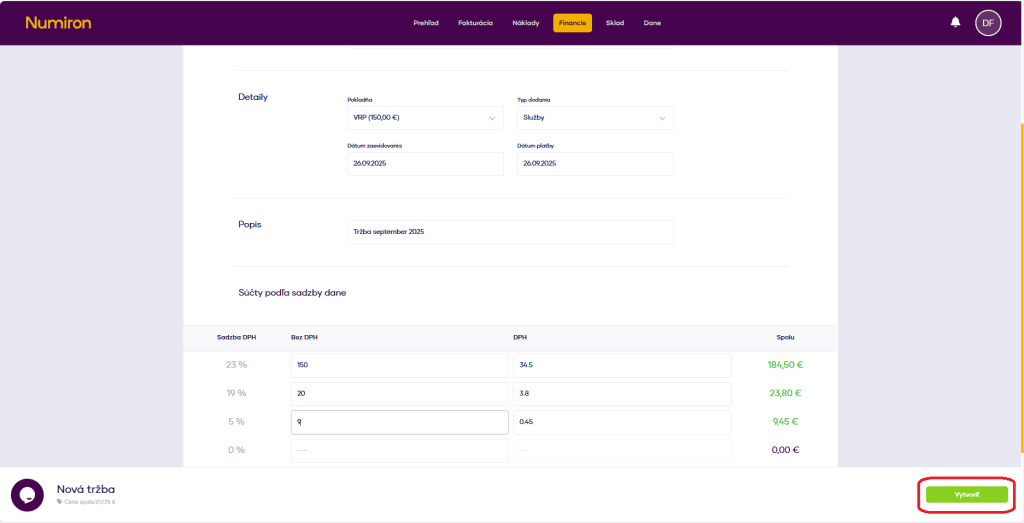
You can upload an original document (PDF of the receipt or export from VRP) and add the following data to the form:
Once completed, click on Create. Sales are saved and automatically booked.
3. Where can I find the sales overview
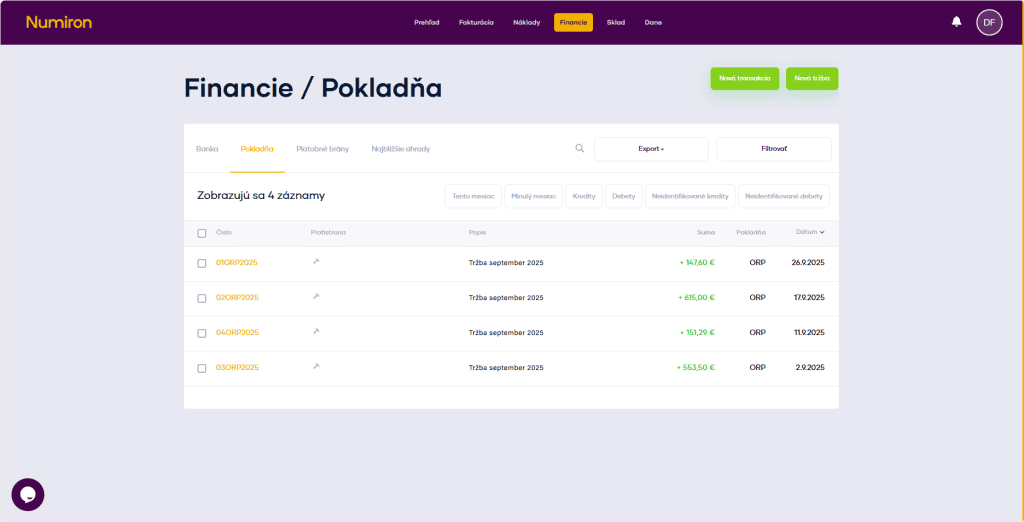
A list of all sales can be found in the agenda Finance in section Checkout sorted by date.
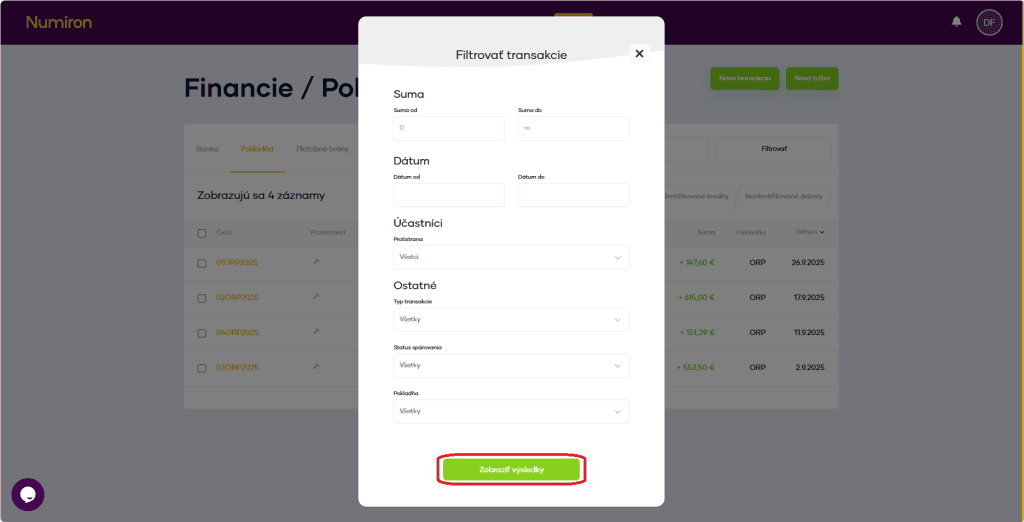
Use the filters to search for sales by cashier, period, payment type or amount.
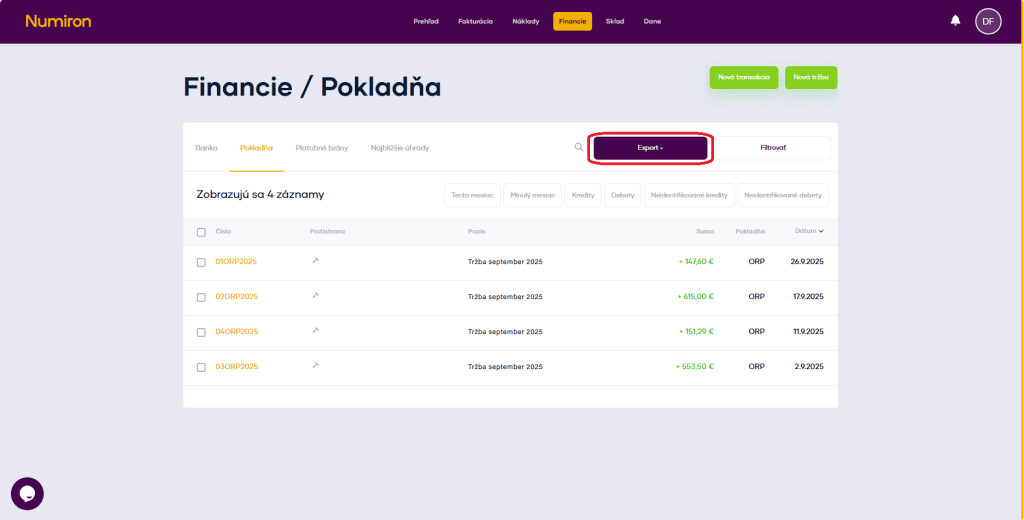
If you need to export the data, click on Export and select the format:
Contact us if you haven't found the answer
Mon - Fri from 08:00 - 16:00


Features
About us
Information

Copyright © 2026 Numiron s.r.o.
Website by


