Numiron support
Numiron Support & FAQ


Numiron Support & FAQ
Contact us if you haven't found the answer
Mon - Fri from 08:00 - 16:00
If you frequently issue documents to the same clients, save time by presetting your subscribers in Numiron. You have two options for this:
Method 1: Saving the subscriber directly when creating the document
1. Fill in the field Customer
When you create a document, type in the fieldSubscriberID number or business name.
The system automatically retrieves data from public registers. If the customer is not in the register, fill in the data manually.
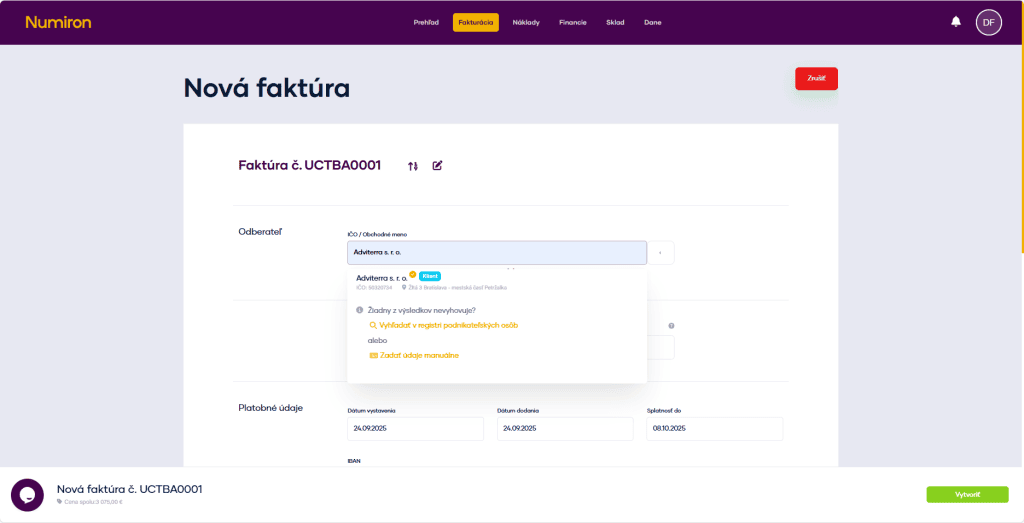
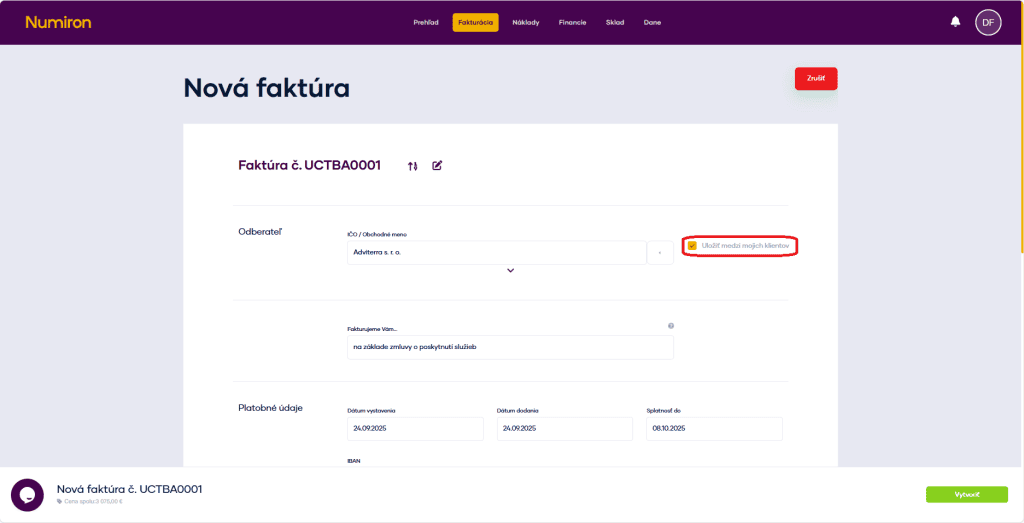
2. Save the client
After the data has been loaded, a button will appear next to the subscriber's nameSave among my clients. It is automatically checked.
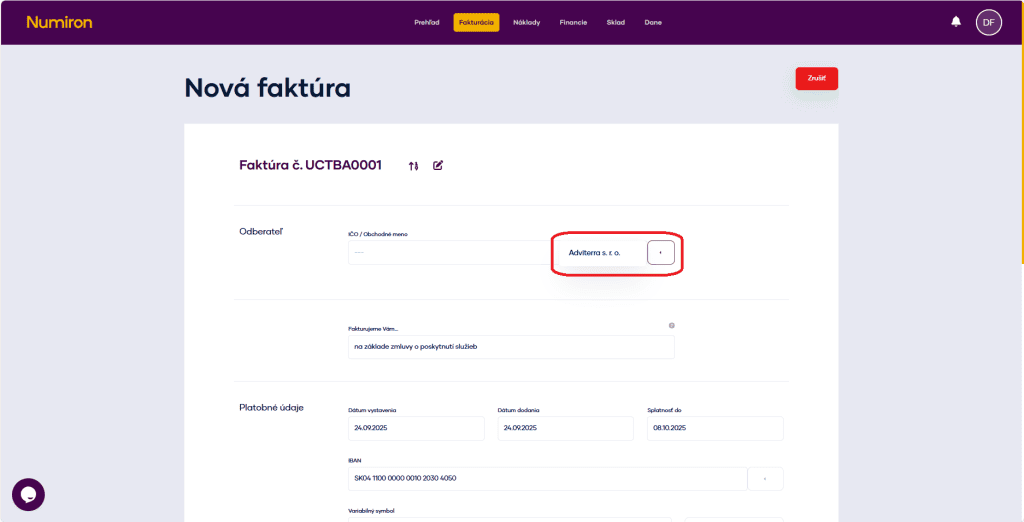
3. Select a saved subscriber
The next time you create a document, just click the arrow next to the typing field and select the subscriber from the saved ones.
Method 2: Subscriber presetting in a separate section
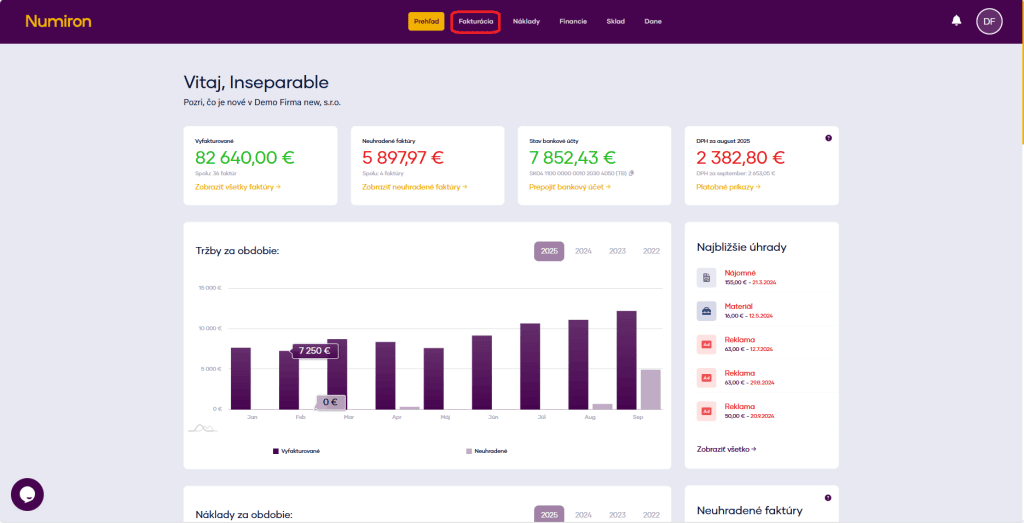
1. Go to Invoicing - Subscribers
In the main menu, click on the agendaInvoicingand select the sectionSubscribers. A list of existing subscribers will be displayed.
2. Add a new subscriber
PressAdd subscriberin the bottom left corner.
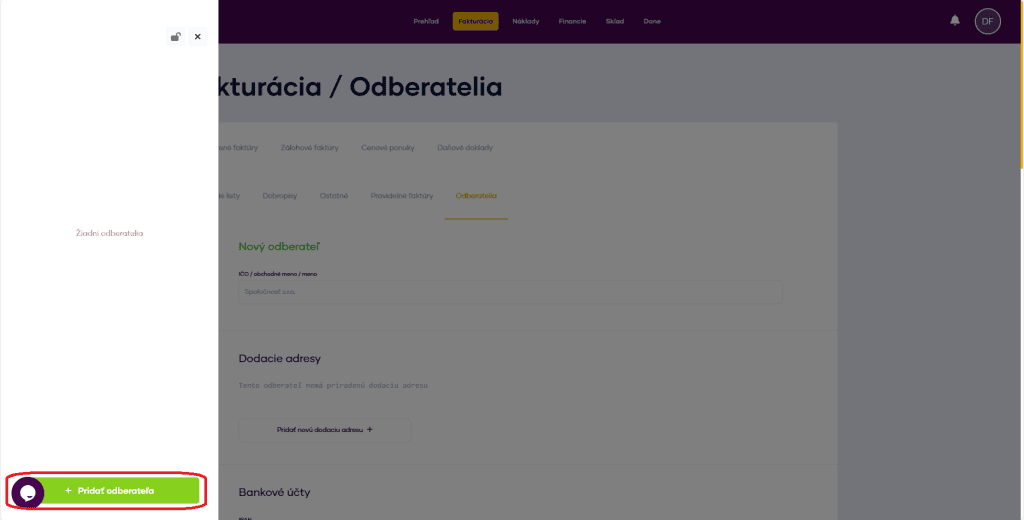
3. Enter basic data
Enter the registration number or business name (the system retrieves the data from the registers). If the customer is not in the register, fill in the data manually.
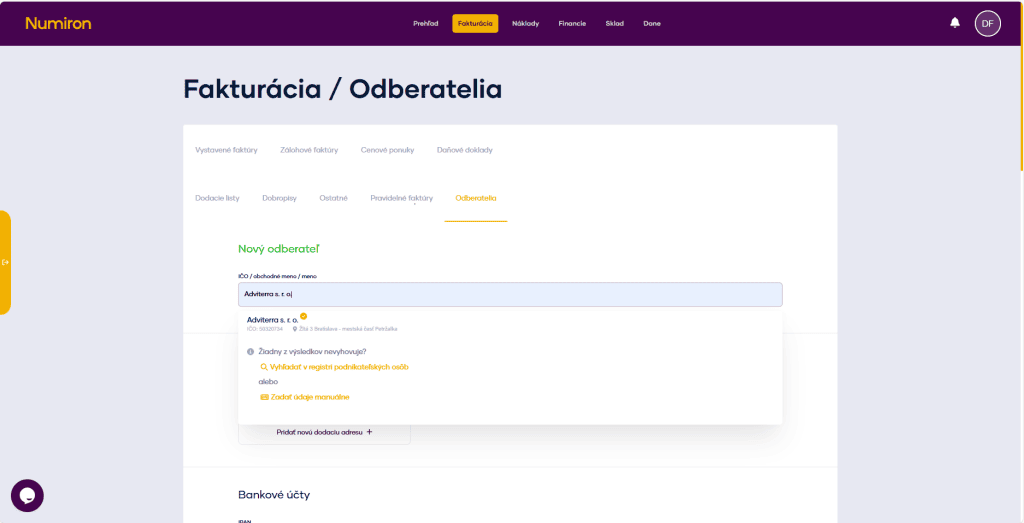
4. Set data for future documents
These preferences are automatically added when creating invoices, quotes or credit notes:
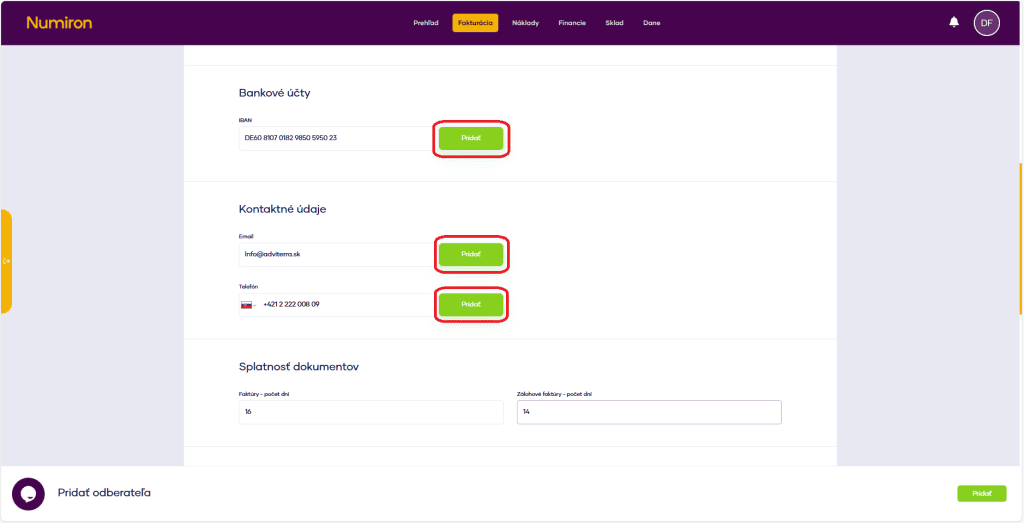
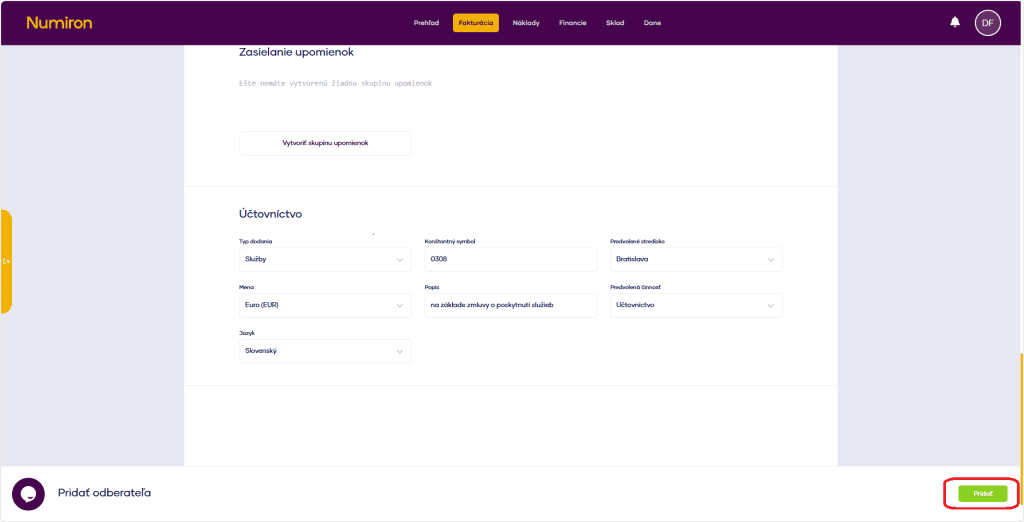
5. Setting accounting preferences
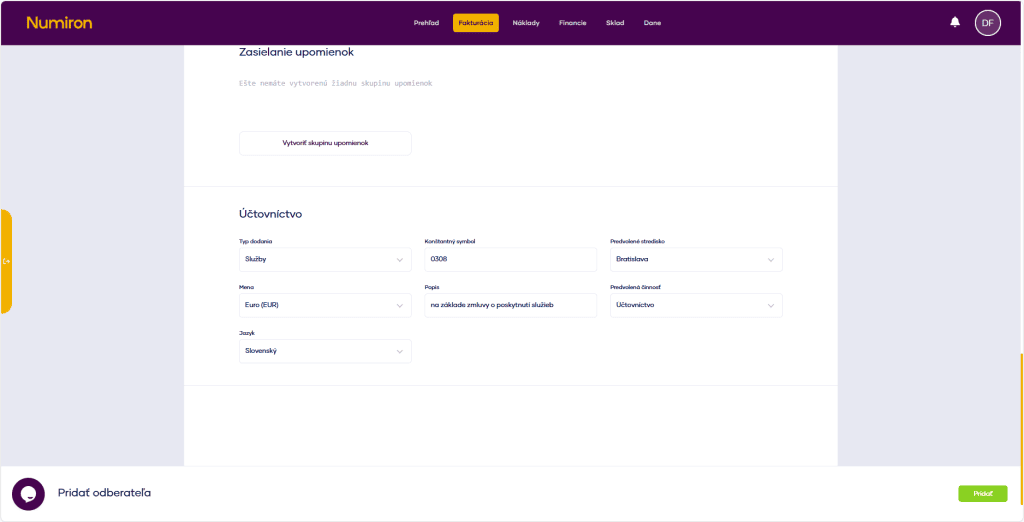
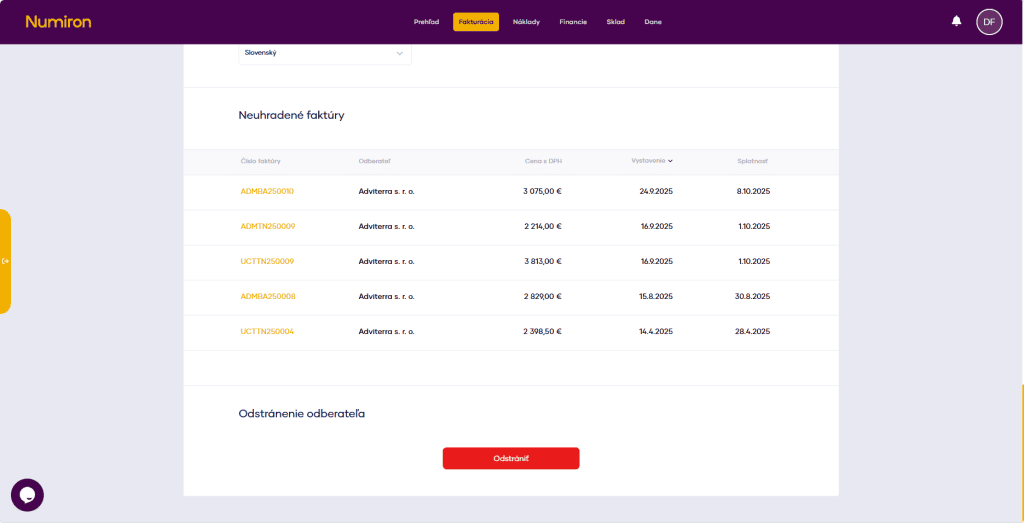
6. Overview of outstanding invoices
You can also see all outstanding invoices of the client in the customer list.
7. After editing, you need to save the changes with the button Add, which will appear in the bottom right corner
Contact us if you haven't found the answer
Mon - Fri from 08:00 - 16:00


Features
About us
Information

Copyright © 2026 Numiron s.r.o.
Website by


