Numiron support
Numiron Support & FAQ


Numiron Support & FAQ
Contact us if you haven't found the answer
Mon - Fri from 08:00 - 16:00
Automatic matching and transaction categorisation saves you hours of manual work and ensures that your income and expenses are always in order. Numiron handles this with its bank connection and proprietary rules system.
Method 1: Automatic transaction matching
After pairing your bank account with Numiron transactions will be automatically matched to documents based on amount, IBAN and variable symbol.
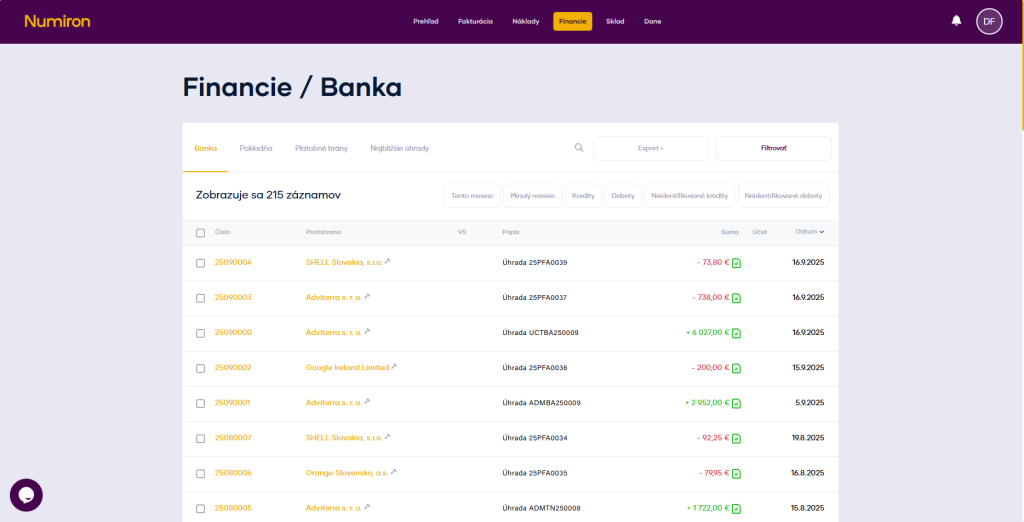
To authorise your bank, simply use the Settings in section Bank. You can also find the detailed procedure in this guide - link to bank authorisation
Method 2: Manual pairing
If the transaction is not paired automatically, you can manually assign it to the document:
Go to the agenda Finance and sections Bank.
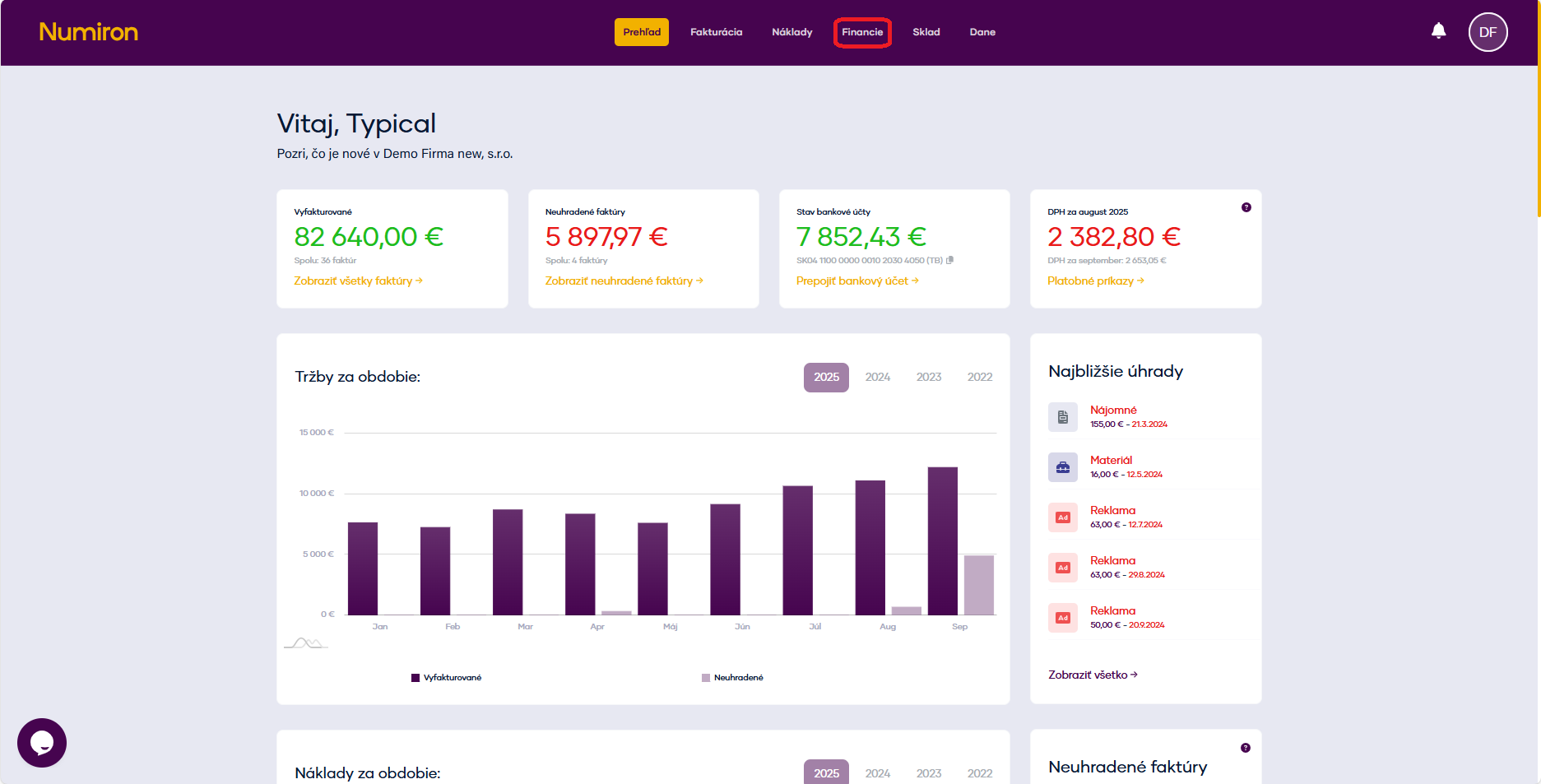
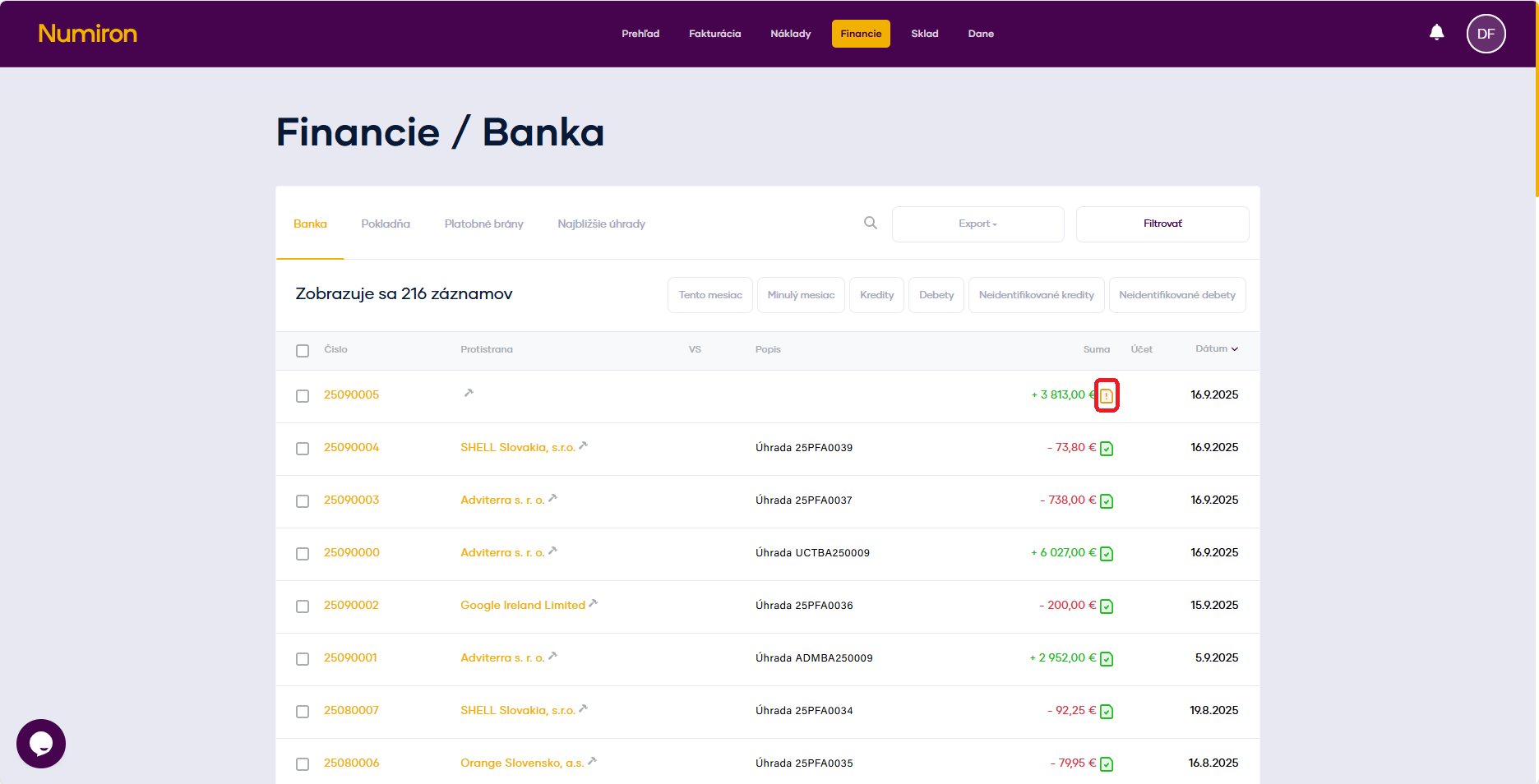
Find the transaction with the yellow exclamation point icon (⚠️).
Click on it and select from the list the document (invoice, deposit, credit note, slip) with which the transaction should be paired.
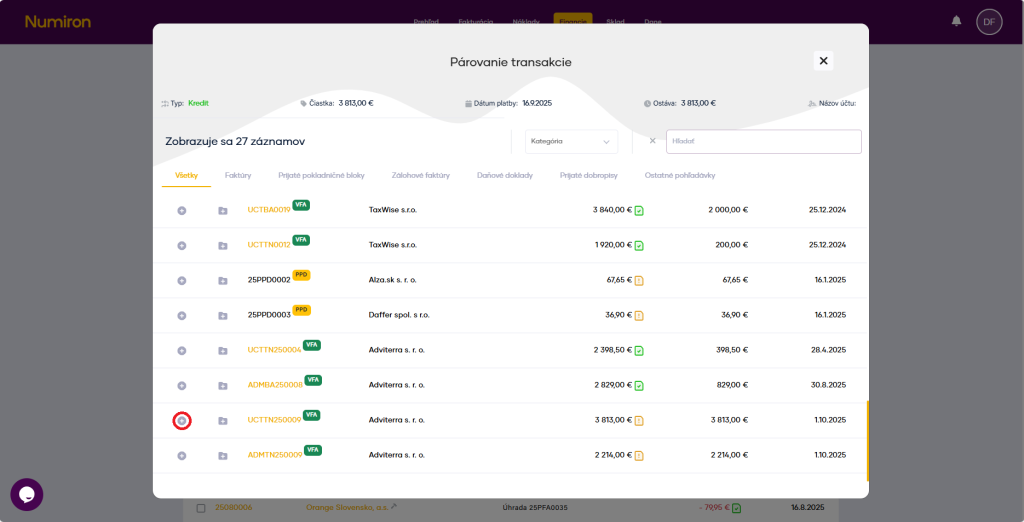
After pressing the button + the system links the transaction to the document and saves it.
How to categorize transactions
To get an even better overview, you can select a category for the transactions.
Go to the agenda Finance and subsequently sections Bank.
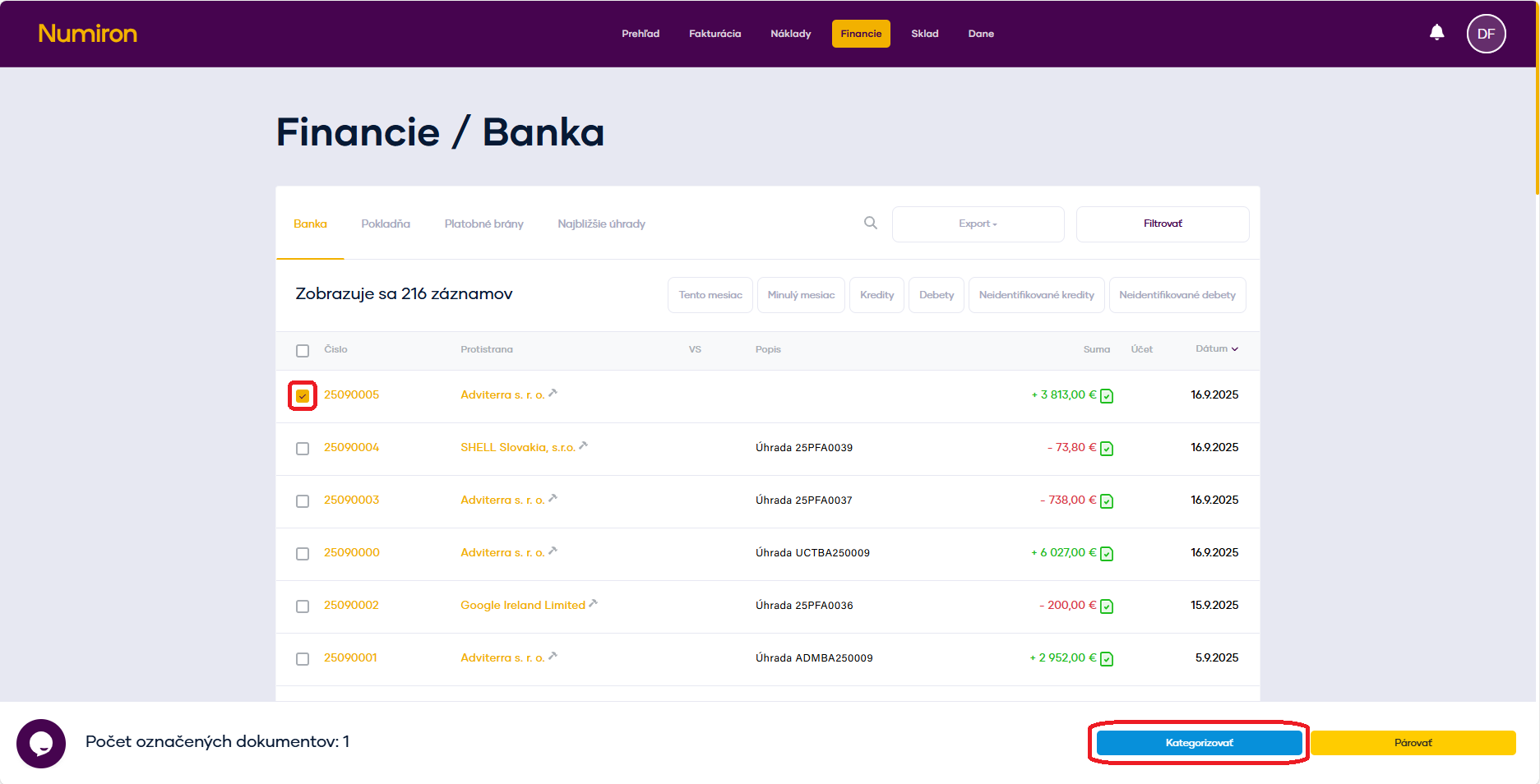
In the transaction list, click on Square for any transaction. You will then see a panel of options at the bottom, here you click on the button Categorize.
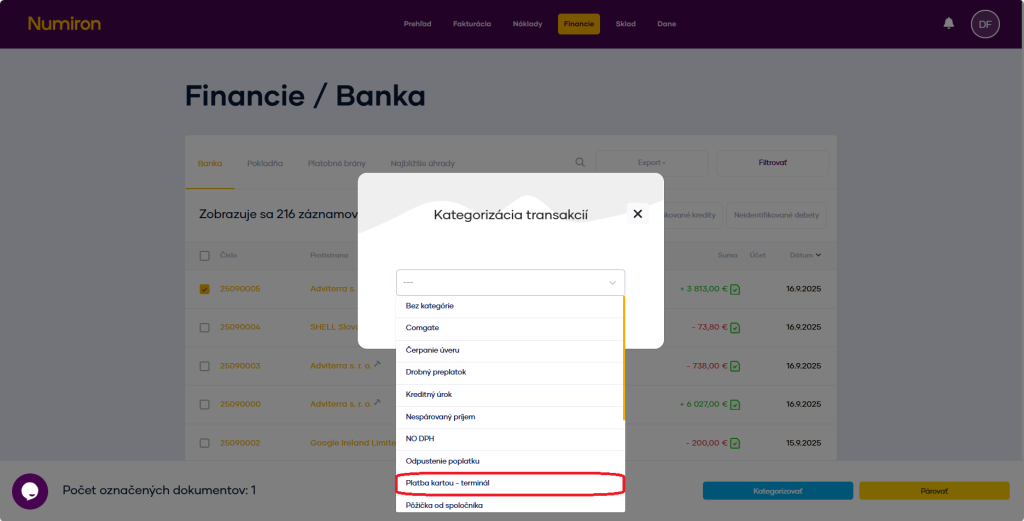
From the list of default categories, select one and the system will automatically save it.
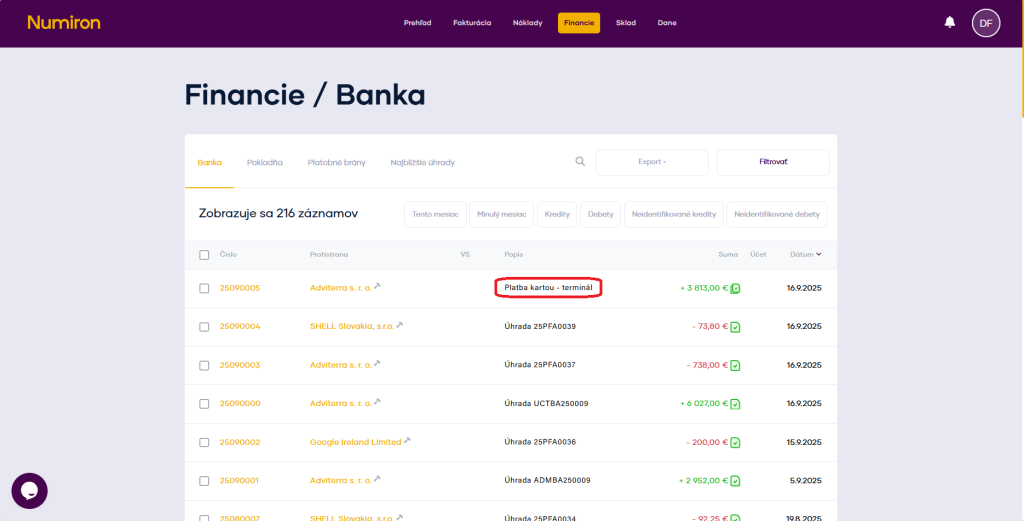
The category is then displayed in the transaction list as Description.
Contact us if you haven't found the answer
Mon - Fri from 08:00 - 16:00


Features
About us
Information
Sign up for our newsletter and receive regular updates on news, useful tips, interesting facts, and important updates directly to your email inbox. We only send content that is truly valuable and will help you not miss anything important.

Copyright © 2026 Numiron s.r.o.
Website by


