Numiron support
Numiron Support & FAQ


Numiron Support & FAQ
Contact us if you haven't found the answer
Mon - Fri from 08:00 - 16:00
1. How do I get Shopify webhook
In the Shopify admin, go to Settings subsequently Notifications, search section Webhooks and create a new webhook for the event Order payment.
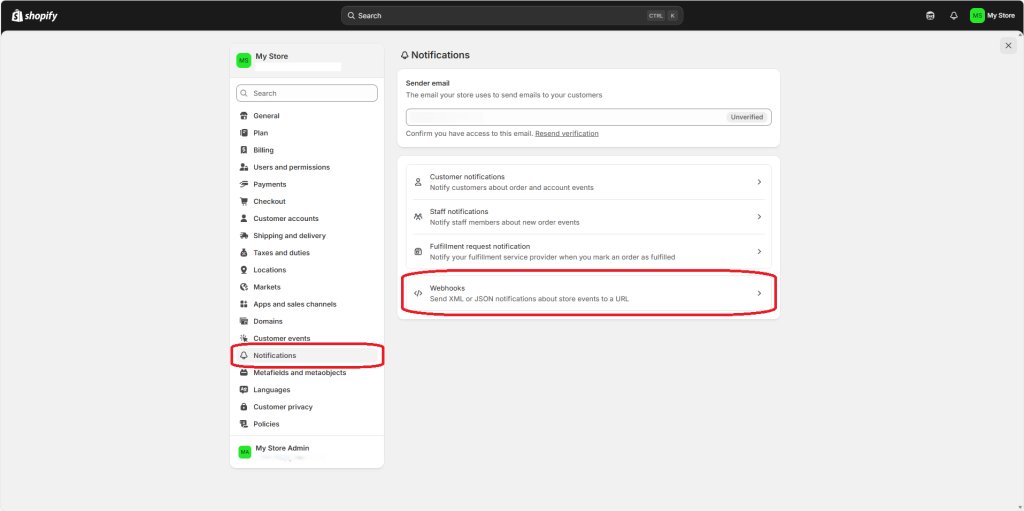
Select as format JSON and enter the address in the URL field: https://my.numiron.sk/api/v4/shopify/receive_webhook_notification
Leave the version set to latest and save the webhook.
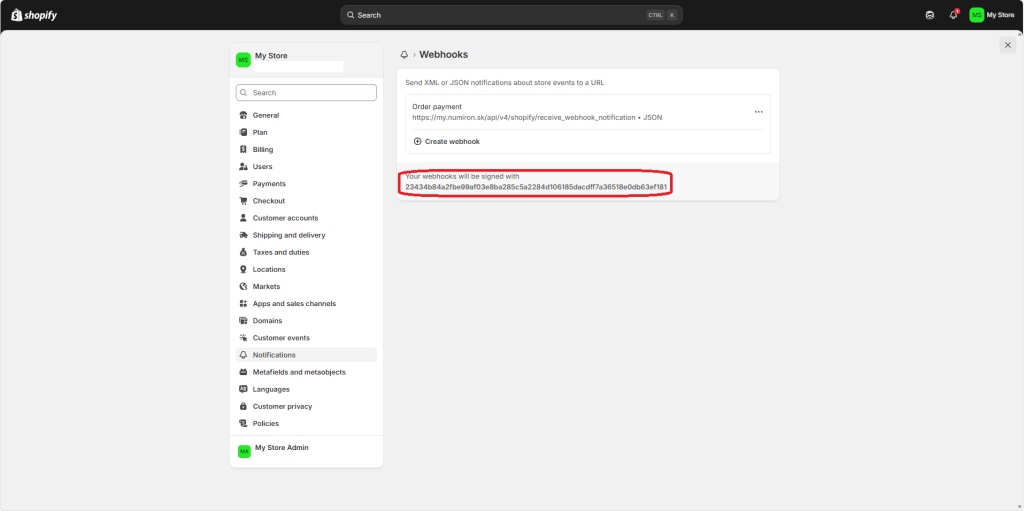
2. How do I get an HMAC key
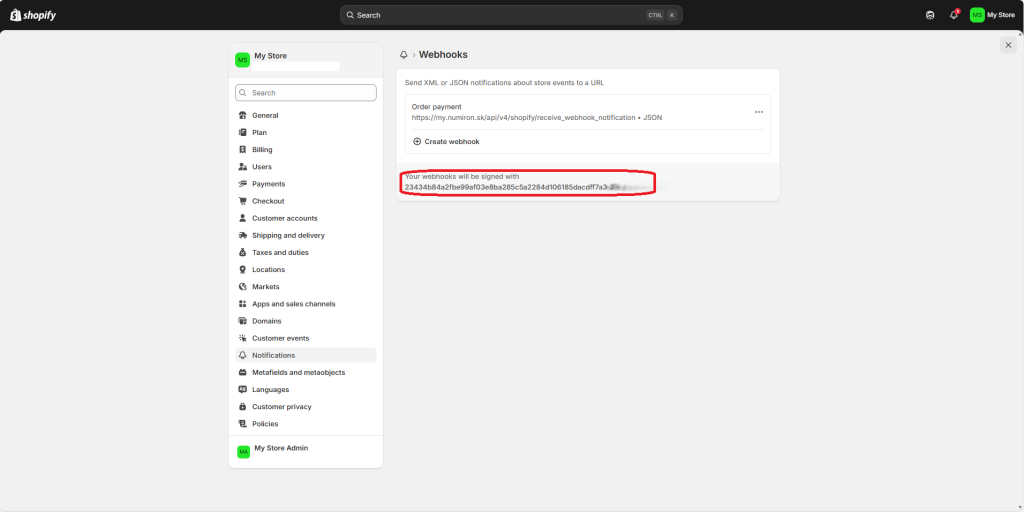
After creating a webhook, Shopify will generate HMAC key, which can be found in the details of the webhook within the red box. Copy this key.
3. Settings in Numiron
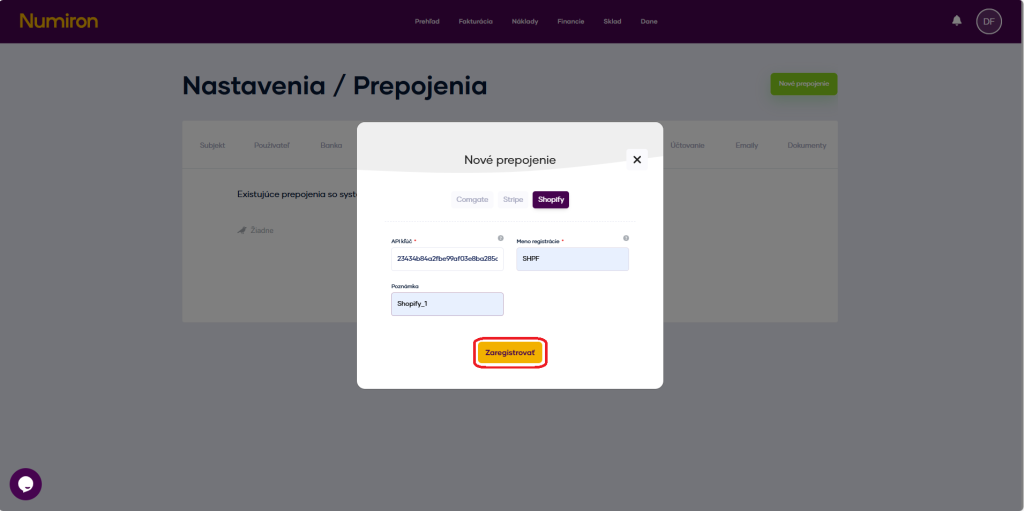
In the agenda Settings in section Links click on the green button New link and select the tab Shopify.
Into the field API key / secret insert the generated HMAC (Shared secret).
Enter an internal registration name, for example „SHPF“, and click on Register.
4. What comes next?
After successful integration, all invoices will be automatically imported into the agenda Invoicing - Sections of Invoices issued and paired with transactions by variable symbol or amount.
If necessary, in the agenda Settings in section Links you can unregister webhooks or API keys or replace them with new ones.
Contact us if you haven't found the answer
Mon - Fri from 08:00 - 16:00


Features
About us
Information

Copyright © 2026 Numiron s.r.o.
Website by


