Numiron support
Numiron Support & FAQ


Numiron Support & FAQ
Contact us if you haven't found the answer
Mon - Fri from 08:00 - 16:00
1. Adding a new member
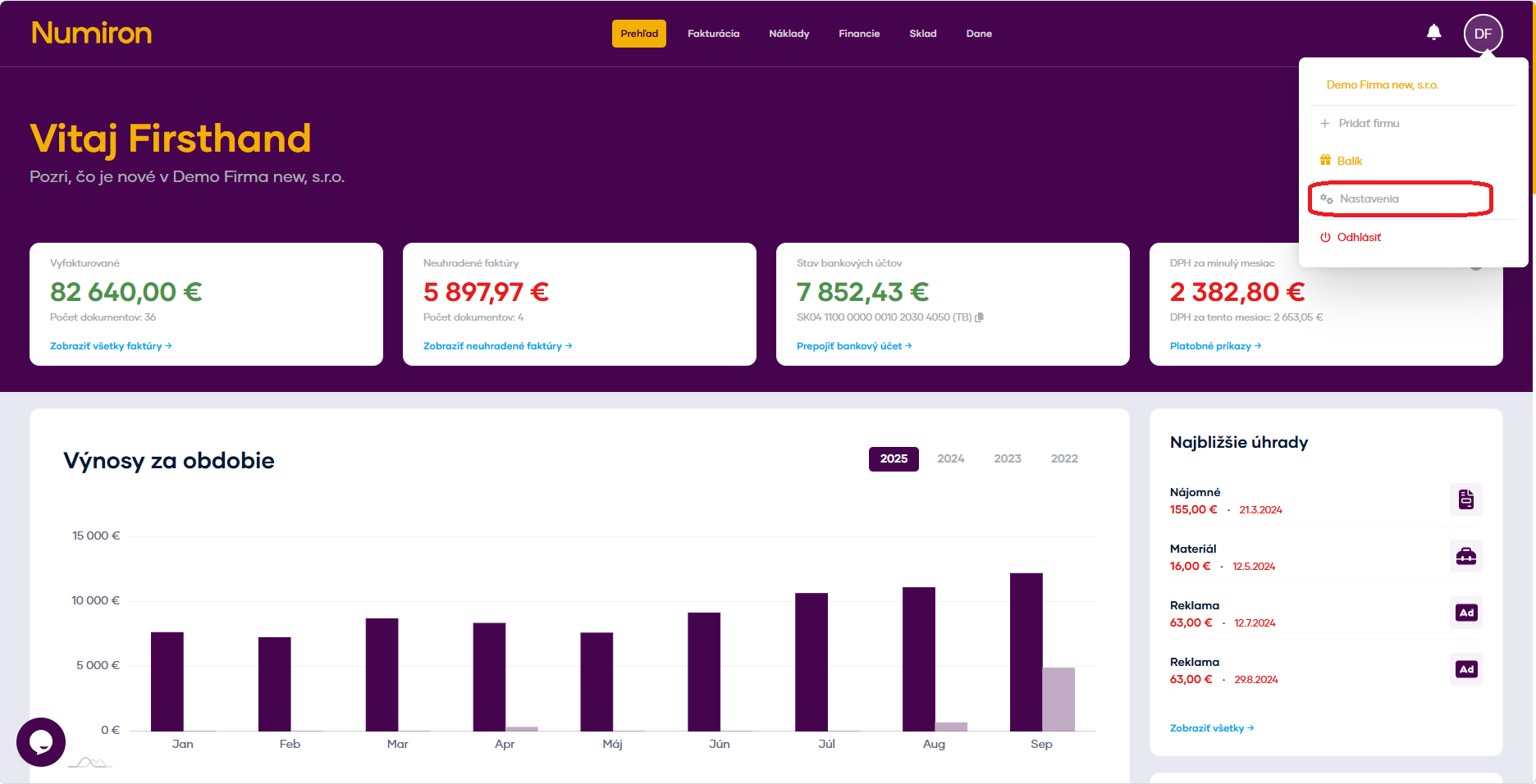
Click on the subject icon in the top right corner. Then in the drop-down menu, click on Settings section will open Entity. Scroll down to the members section.
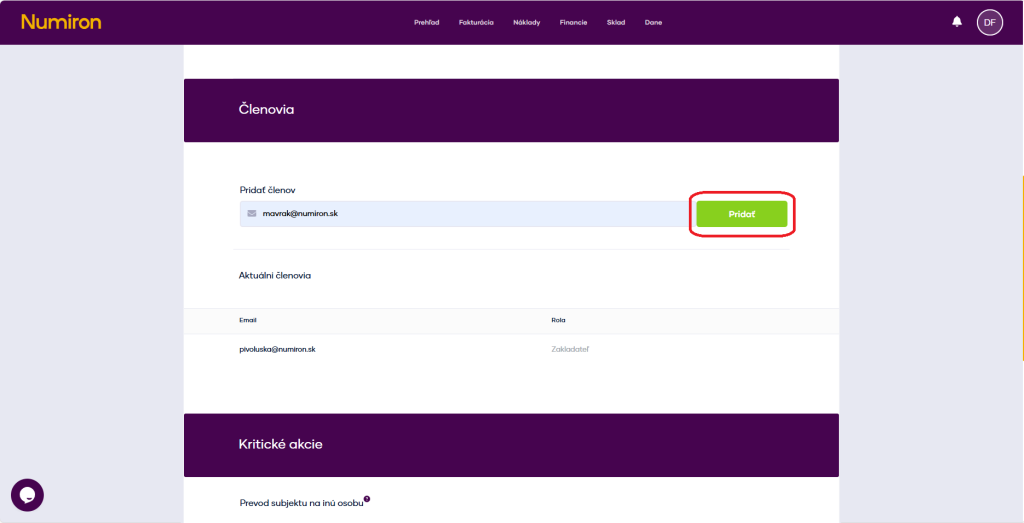
In the Email field, enter the address of the person you want to invite and click Add a member.
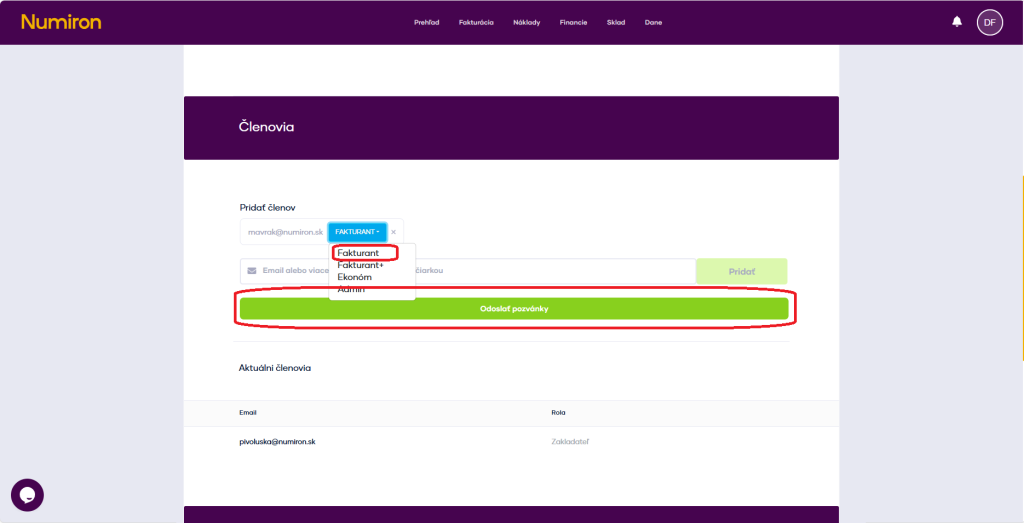
Then select a role:
The system automatically sends an invitation to the specified e-mail address. After accepting it and registering, the new member will be added to your account. It is necessary to create an account in the system to the same e-mail address to which the invitation was sent.
2. Modification or cancellation of membership
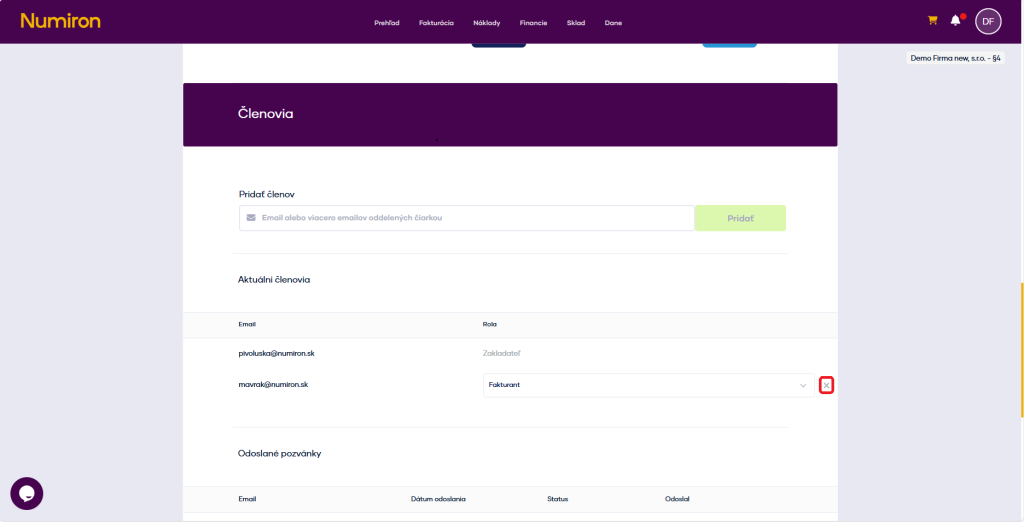
In the section Members you can see an overview of all invited and active users.
Click on the current role to reassign the member to another role.
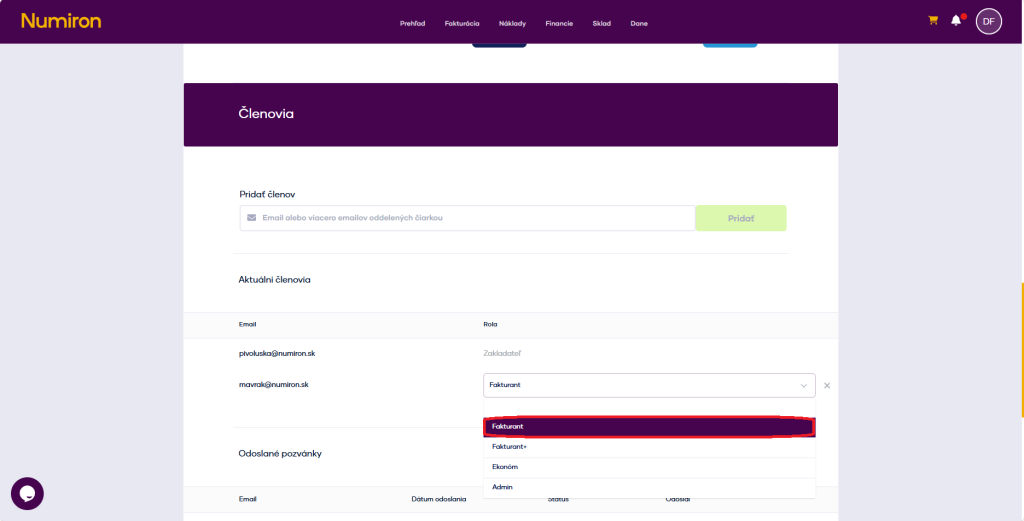
To cancel access completely, click on ❌ by his name.
Contact us if you haven't found the answer
Mon - Fri from 08:00 - 16:00


Features
About us
Information
Sign up for our newsletter and receive regular updates on news, useful tips, interesting facts, and important updates directly to your email inbox. We only send content that is truly valuable and will help you not miss anything important.

Copyright © 2026 Numiron s.r.o.
Website by


