Numiron support
Numiron Support & FAQ


Numiron Support & FAQ
Contact us if you haven't found the answer
Mon - Fri from 08:00 - 16:00
Warehouse records in Numiron allow you to keep track of the status of goods, materials and services. You can easily create and manage items and then use them directly for invoicing.
1. Where can I find a warehouse in Numiron
In the main menu, click on the agenda Warehouse.
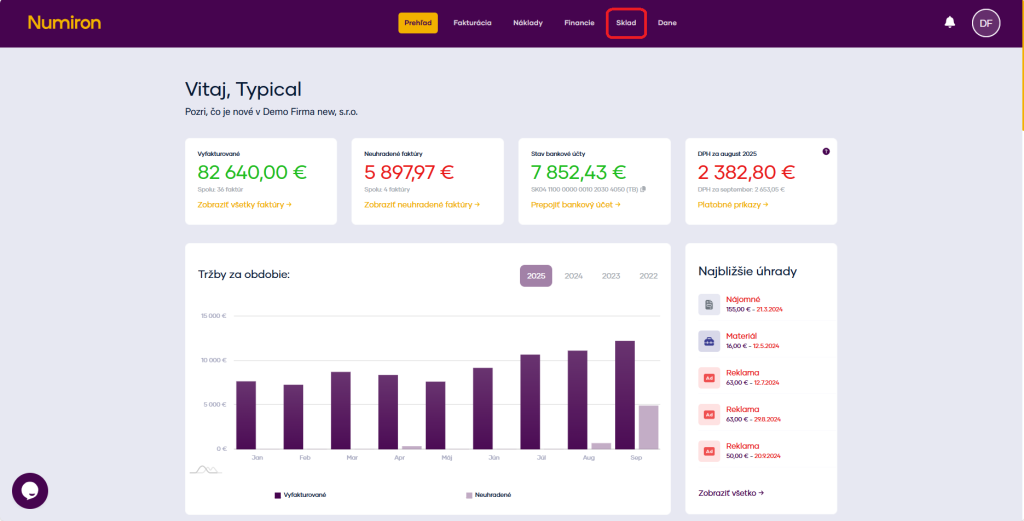
You will see a list of items in the warehouse
2. Create a new item
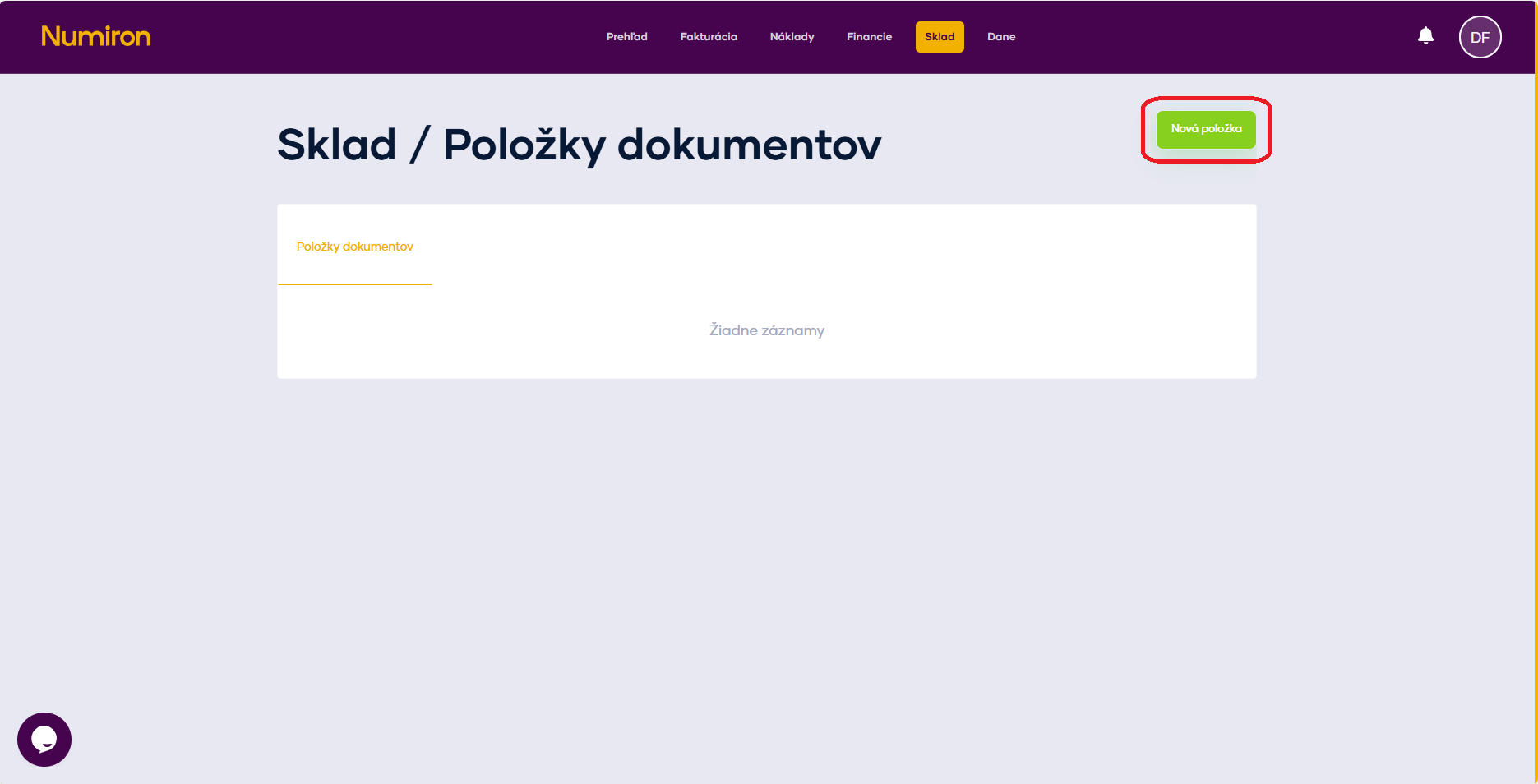
In the top right corner, click the green button New item
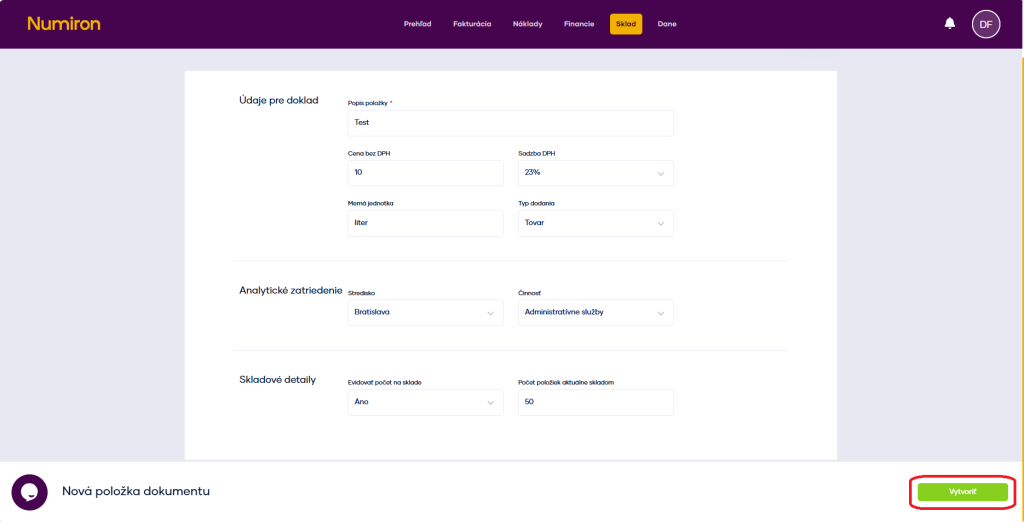
Fill in the form with basic information:
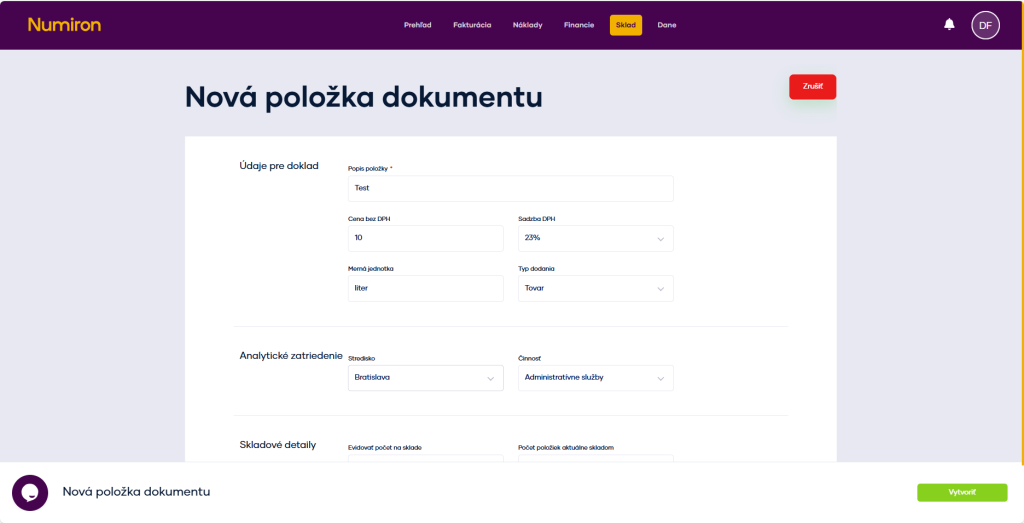
Optionally, you can also assign an item to a centre, contract or activity.
If you want the item to be tracked in the warehouse as well, enable the option Stock records and enter the initial status. Once saved, the item will appear in your warehouse as a new stock card.
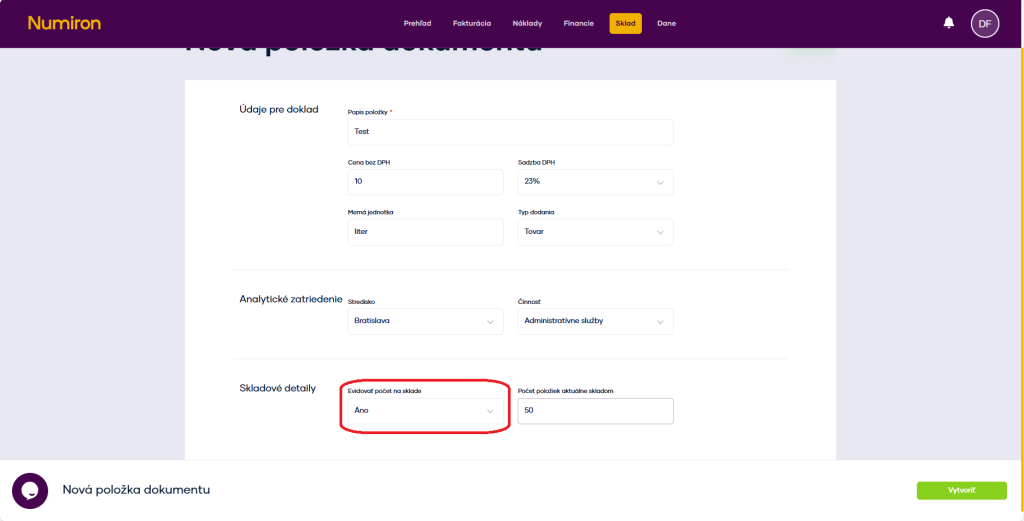
After filling in the details, click on the green button Create to create an item.
3. Use of stock items in invoicing
When issuing an invoice, you can select an item directly from the warehouse.
Just click on the arrow icon next to the item row and search for the corresponding tab in the displayed dialog.
Numiron will automatically add its description, price and VAT rate. You just enter the quantity and after the invoice is issued, the stock of the item is automatically reduced.
Contact us if you haven't found the answer
Mon - Fri from 08:00 - 16:00


Features
About us
Information

Copyright © 2026 Numiron s.r.o.
Website by


