Numiron support
Numiron Support & FAQ


Numiron Support & FAQ
Contact us if you haven't found the answer
Mon - Fri from 08:00 - 16:00
If you need to update your login password, you can do it quickly in your profile.
1. Open User Settings
Click on your profile icon in the top right corner a Select Settings.
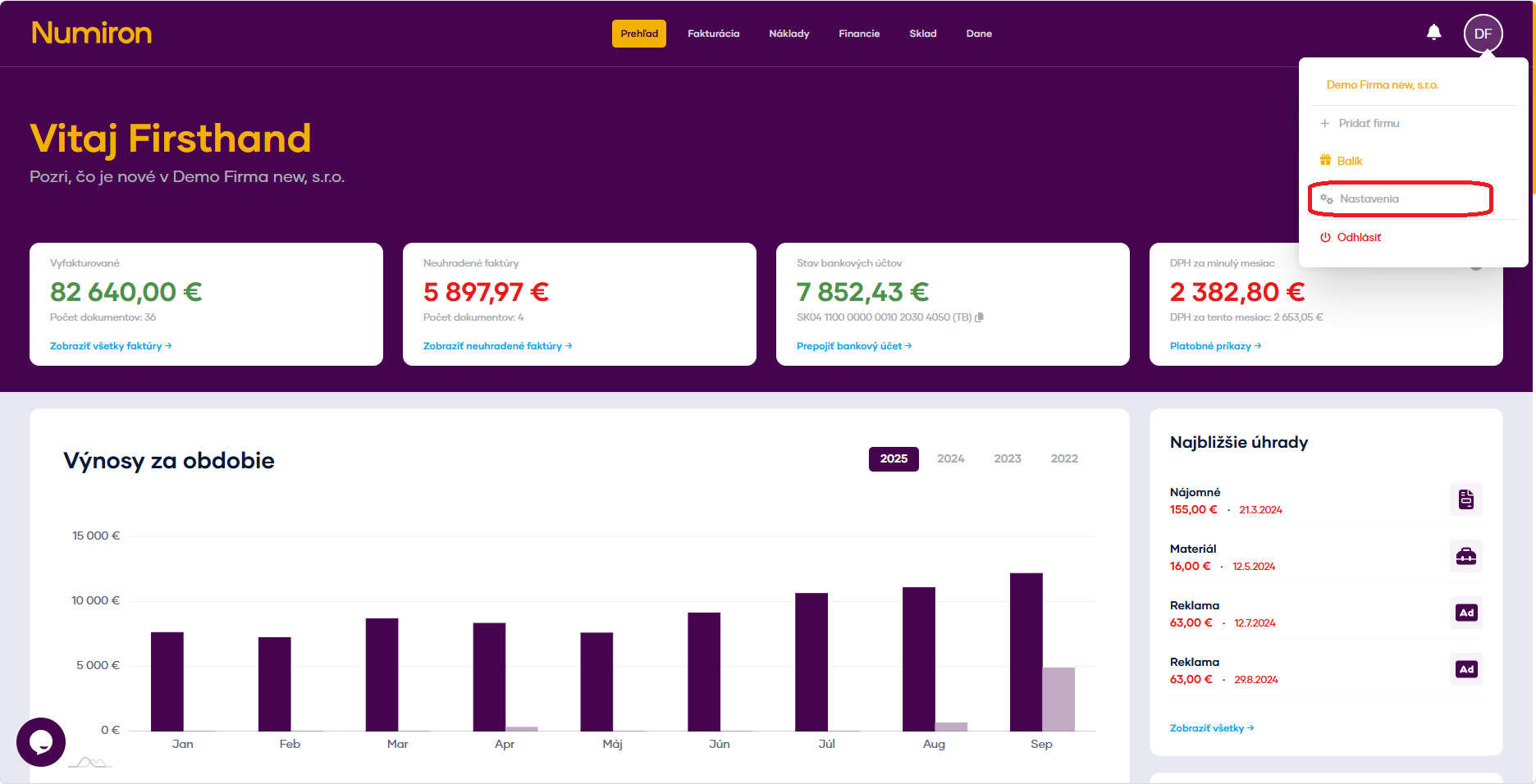
Switch to section User and scroll down to the Change password.
2. Change password
Fill in the fields Old password, New password
Click on Change password.
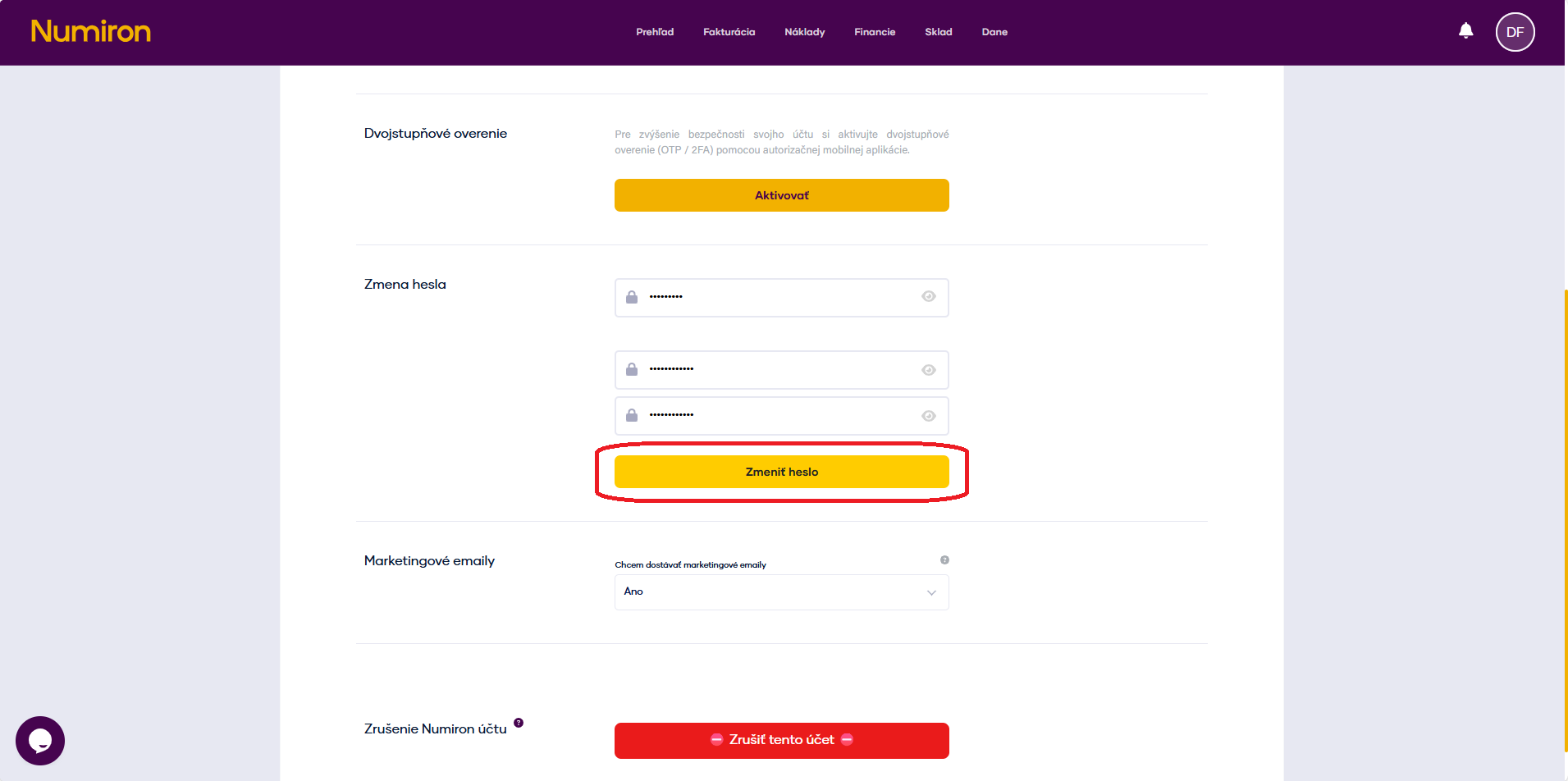
Contact us if you haven't found the answer
Mon - Fri from 08:00 - 16:00


Features
About us
Information
Sign up for our newsletter and receive regular updates on news, useful tips, interesting facts, and important updates directly to your email inbox. We only send content that is truly valuable and will help you not miss anything important.

Copyright © 2026 Numiron s.r.o.
Website by


