Numiron support
Numiron Support & FAQ


Numiron Support & FAQ
Contact us if you haven't found the answer
Mon - Fri from 08:00 - 16:00
1. Where to find advance invoices
In each section of the Invoicing agenda there is a button above the list of documentsFilter.
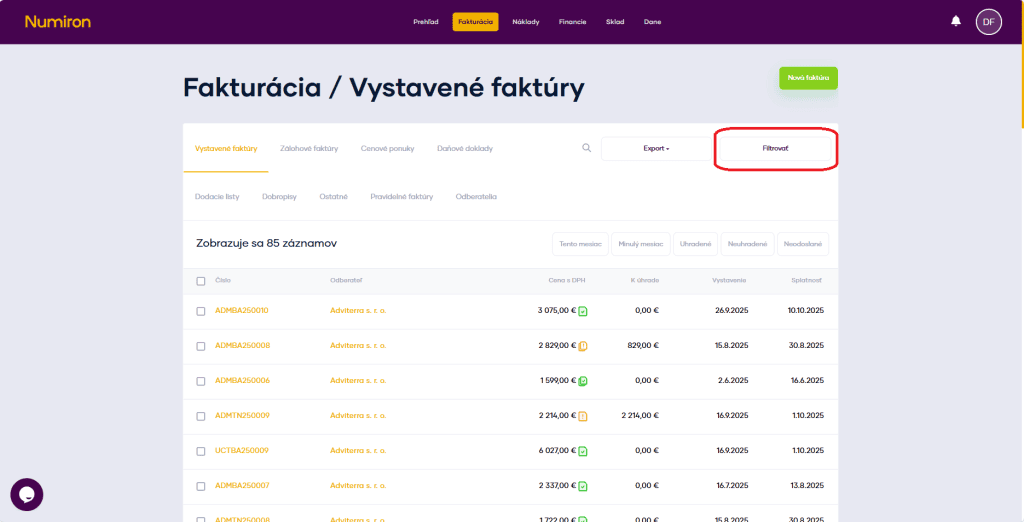
Click this button to open the detailed filter options.
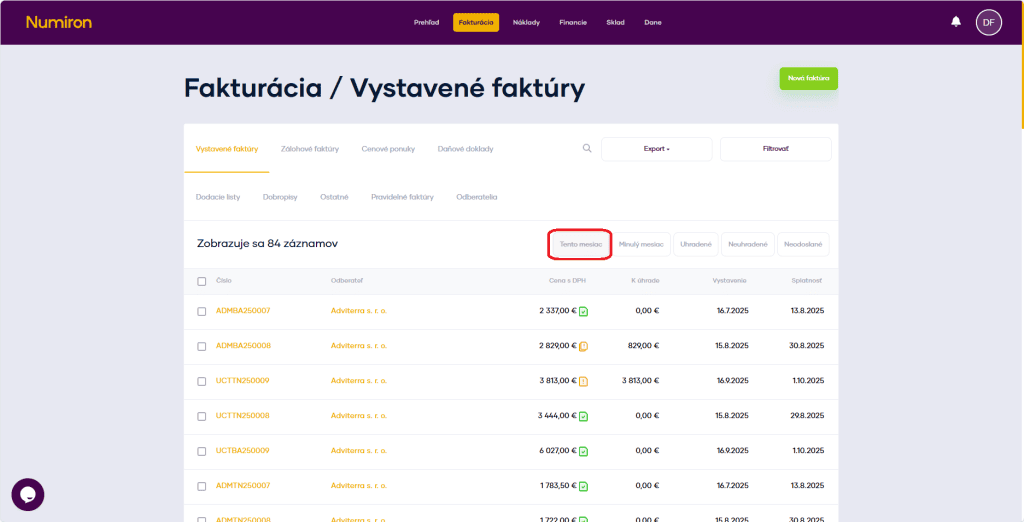
There are also quick filters just above the list of documents that let you filter documents with a single click.
2. How filtering works
Click on the button Filter opens the Advanced Filter mode.
Here you can narrow down the selection by:
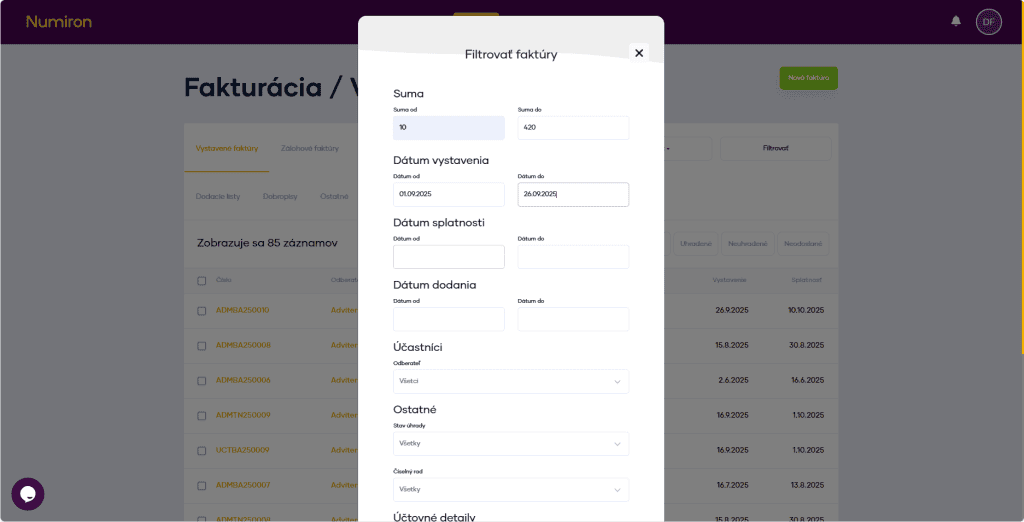
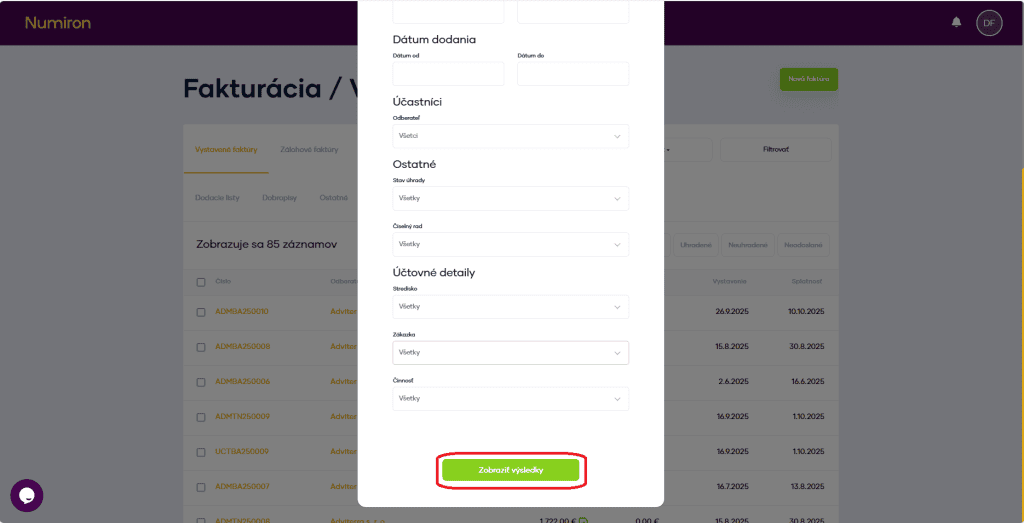
To apply the filter, click on the green button Show results.
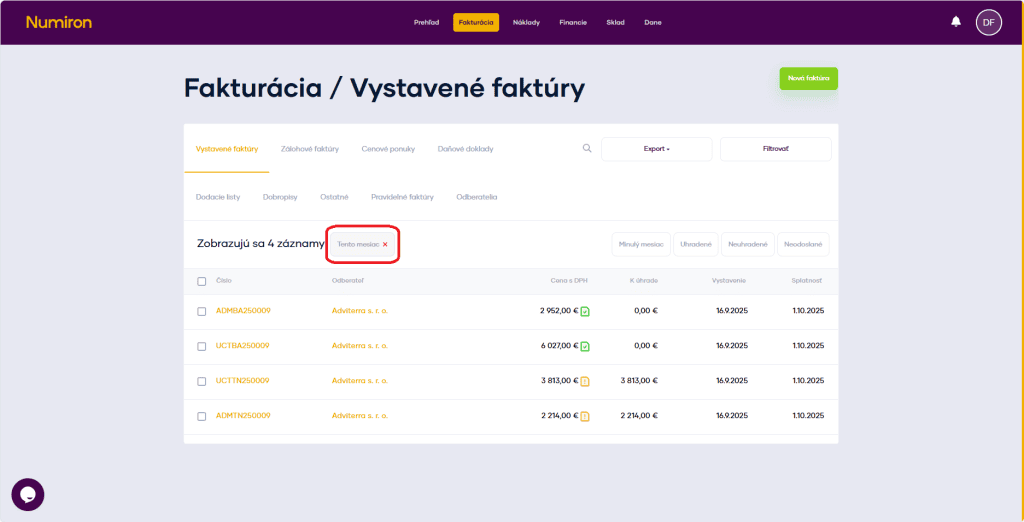
When you click on the quick filter, the filter is applied immediately. Filters can also be combined.
To cancel the filter, click on x to the right of the number of records displayed.
Contact us if you haven't found the answer
Mon - Fri from 08:00 - 16:00


Features
About us
Information

Copyright © 2026 Numiron s.r.o.
Website by


