Numiron support
Numiron Support & FAQ


Numiron Support & FAQ
Contact us if you haven't found the answer
Mon - Fri from 08:00 - 16:00
Other receivables represent claims for payment that do not arise from the normal sale of goods or services. In Numiron, you can create them quickly, clearly and precisely according to your needs.
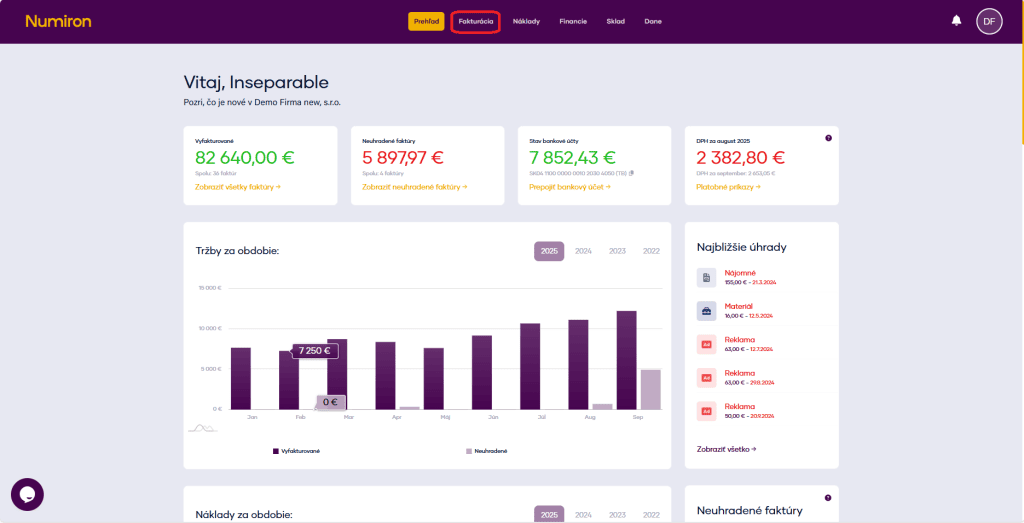
1. Where to find other claims
In the main menu, click on Invoicing and select Other.
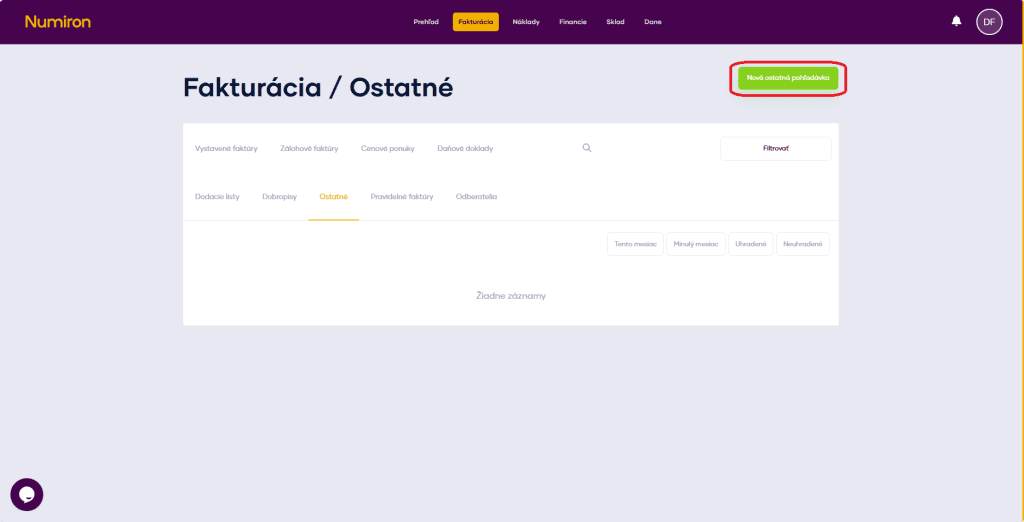
2. Creating a new claim
Press New other receivable at the top right of the screen.
3. Basic data
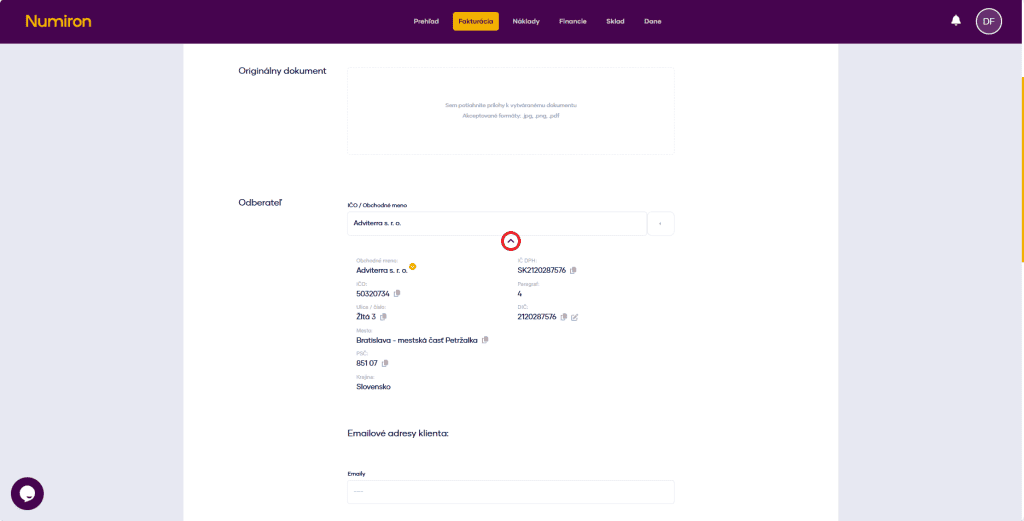
Numeric range - select a preset range or enter document numberManual.
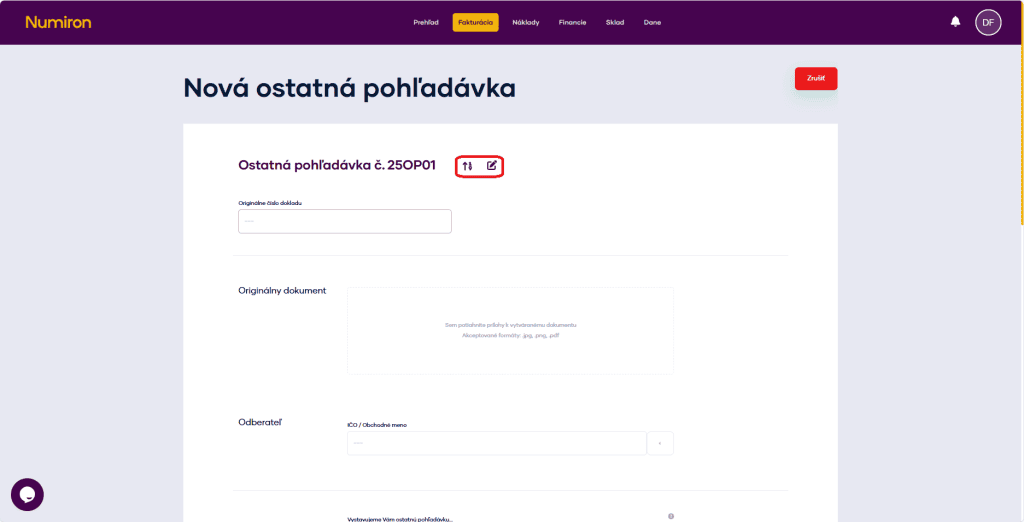
Original document number -enter the original document number.
Original document -insert original document in .jpg, .png, .pdf format in the upload field.
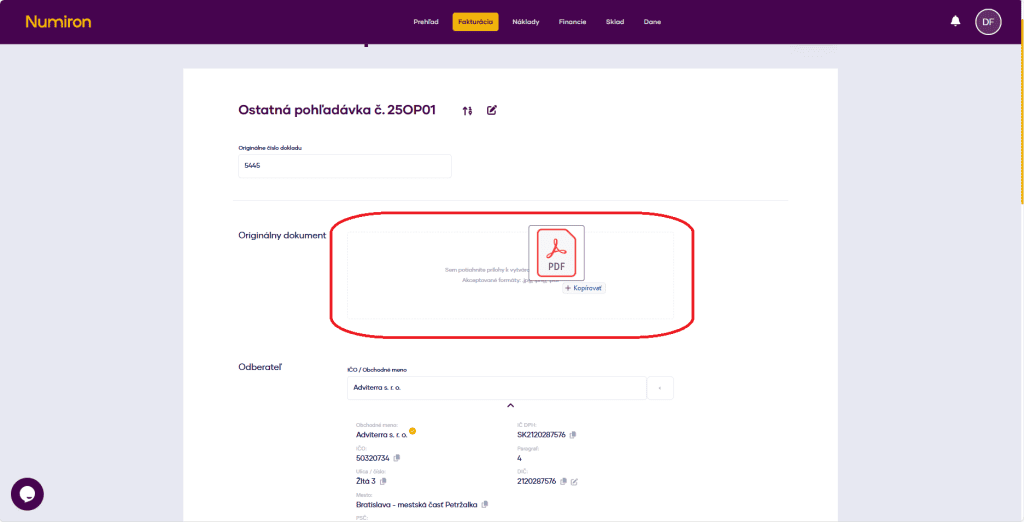
Subscriber - enter the company ID or name, or select from the saved contacts. Use the arrow below the name to check the details.
We are sending you the last claim... - fill in the text that appears in the PDF header.
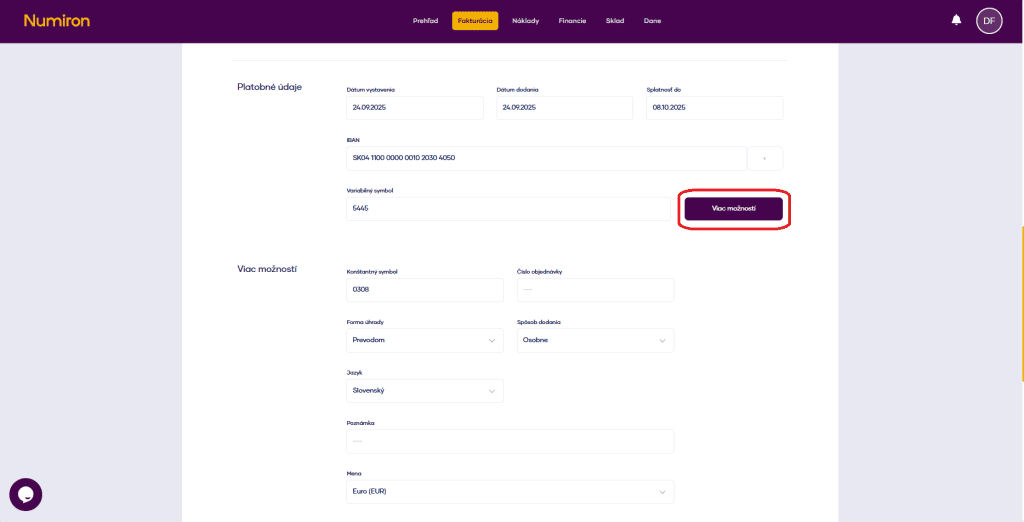
4. Select dates and payment details:
5. Multiple options (optional)
Click on More options and add:
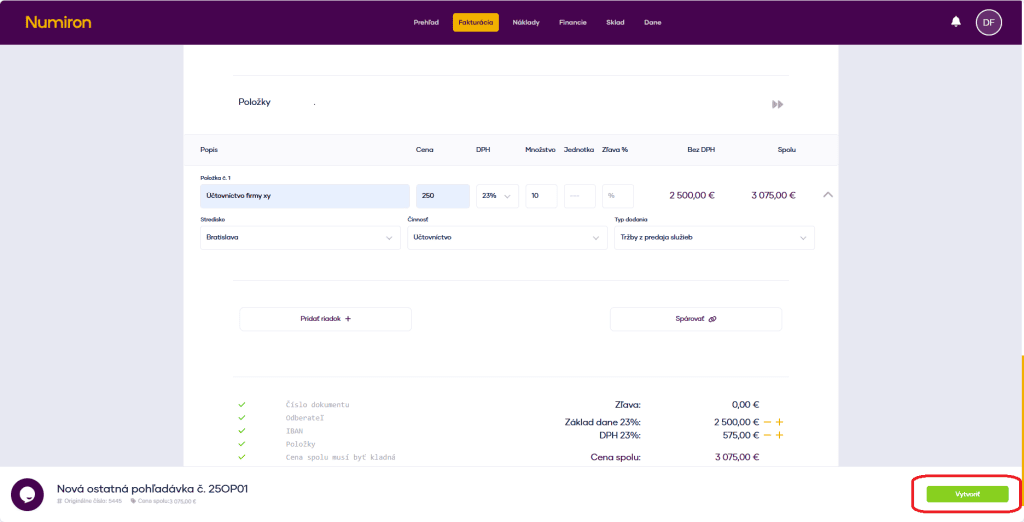
6. Items of other receivables
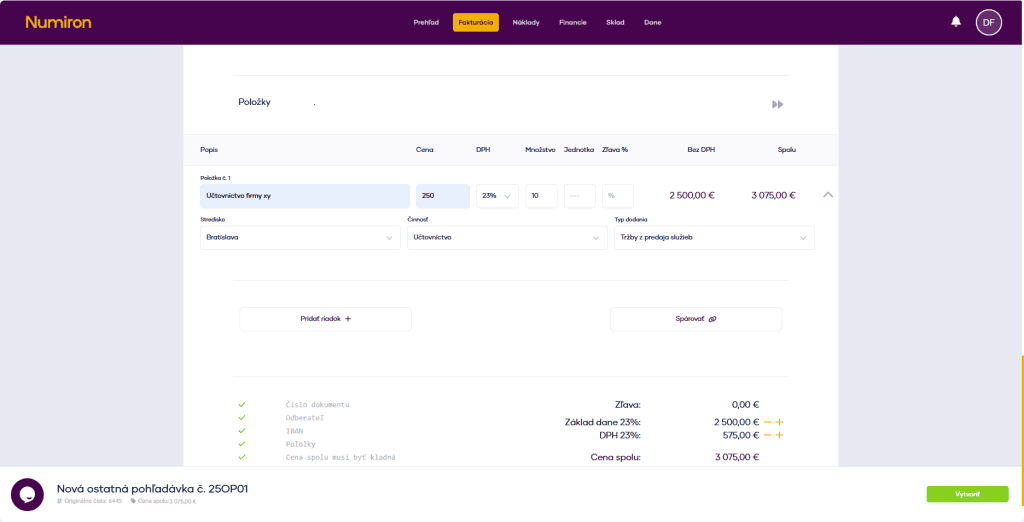
For each item, click on Add row and fill in:
You can optionally add:
Centre, activity, contract, type of delivery - this data is used in reports and graphs.
7. Pairing with another document
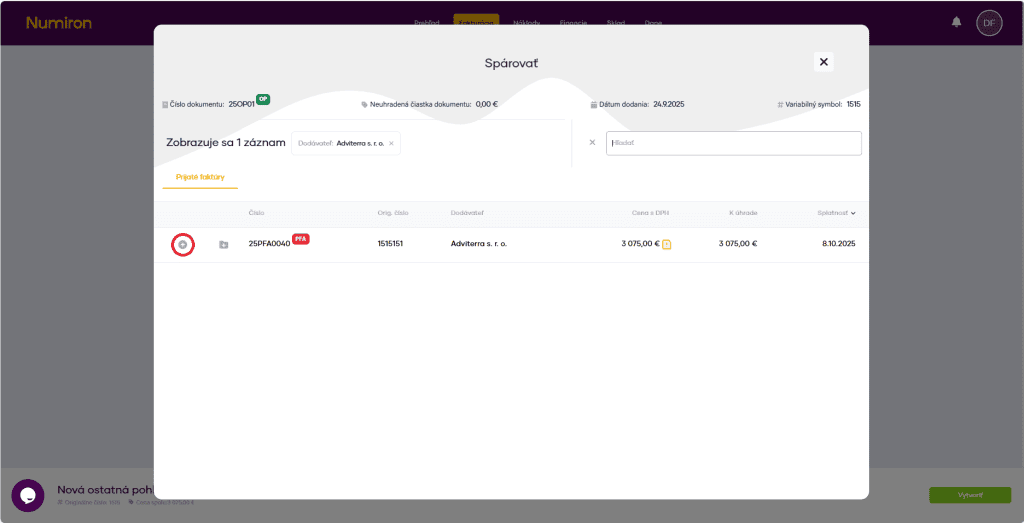
When you have completed the entries, press Pair up. You will then see the matching mode, where you can match the other receivable with the received invoice.
8. Complete the creation
When you have everything filled in, press Create.
Contact us if you haven't found the answer
Mon - Fri from 08:00 - 16:00


Features
About us
Information

Copyright © 2026 Numiron s.r.o.
Website by


