Numiron support
Numiron Support & FAQ


Numiron Support & FAQ
Contact us if you haven't found the answer
Mon - Fri from 08:00 - 16:00
/
/
/
Numiron allows you to divide your documents by centres, contracts, activities and business focus (SK NACE). This gives you a better overview of your income and expenses, and makes it easier to manage reports and accounting documents.
1. Activation of zoning
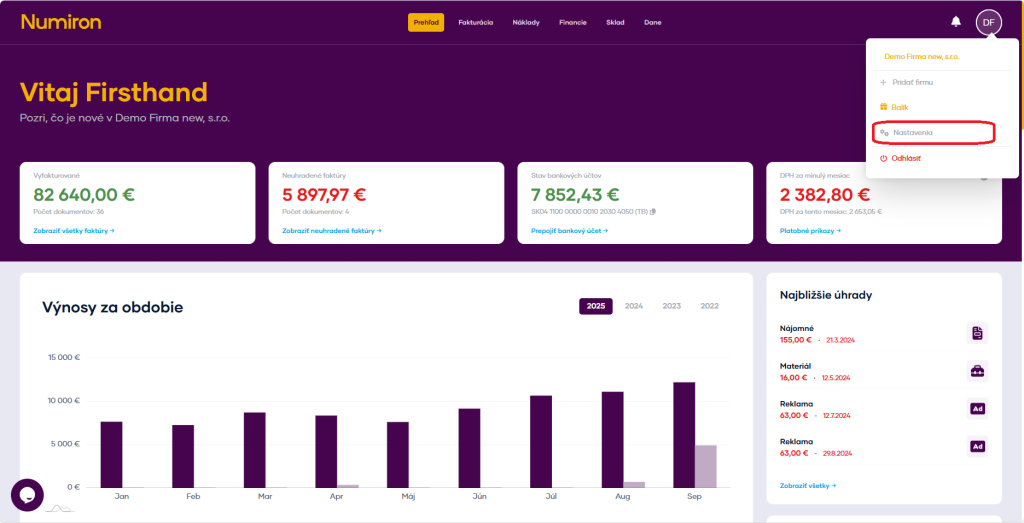
In the top right corner, click on the icon of your Profile, Select Settings and switch to the section Accounting.
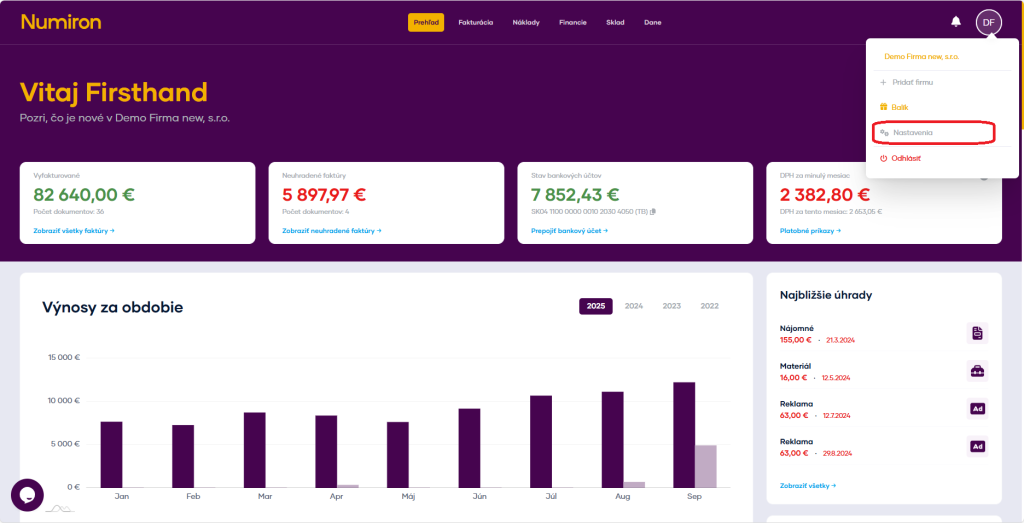
In the section Resorts click on Add.
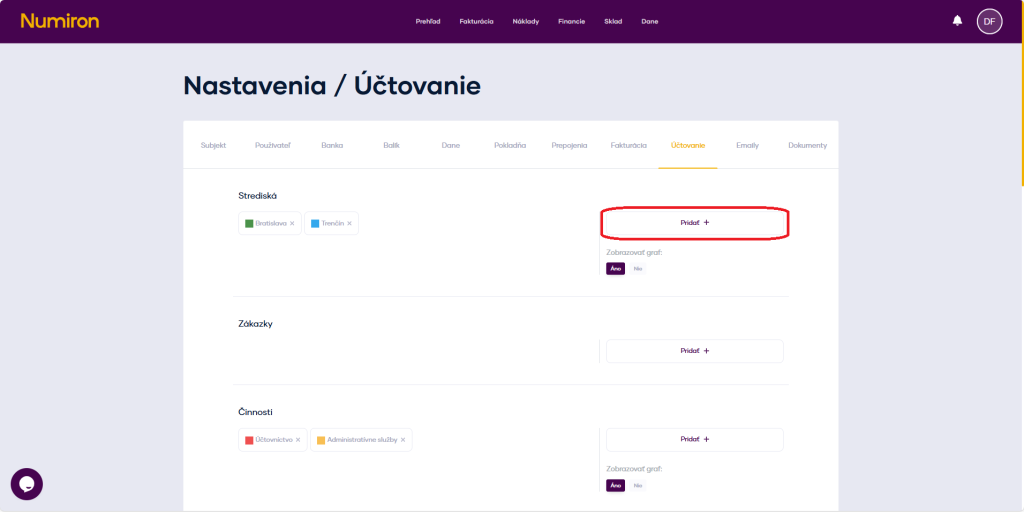
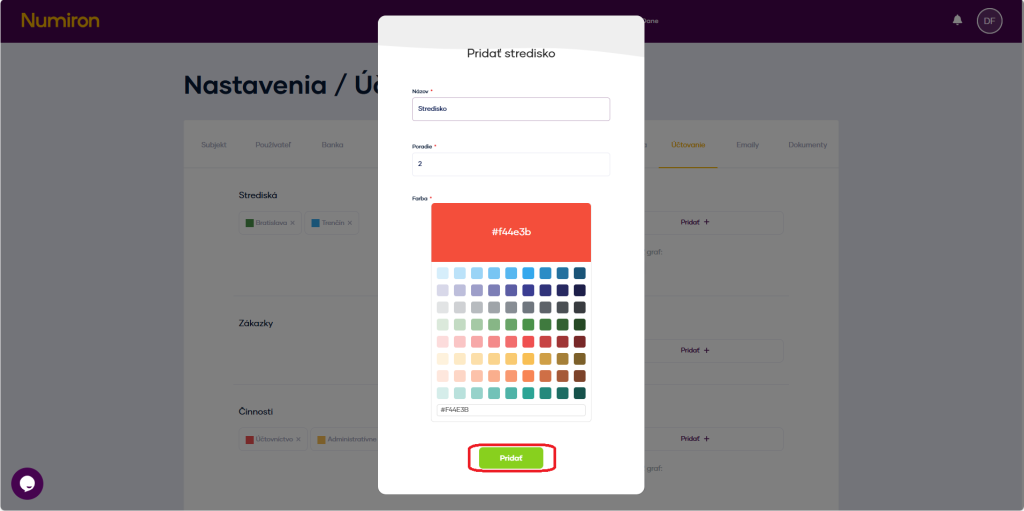
Enter title centres (e.g. „Marketing“, „Service“).
Select color, in which the resort is displayed in the graphs.
Press Add.
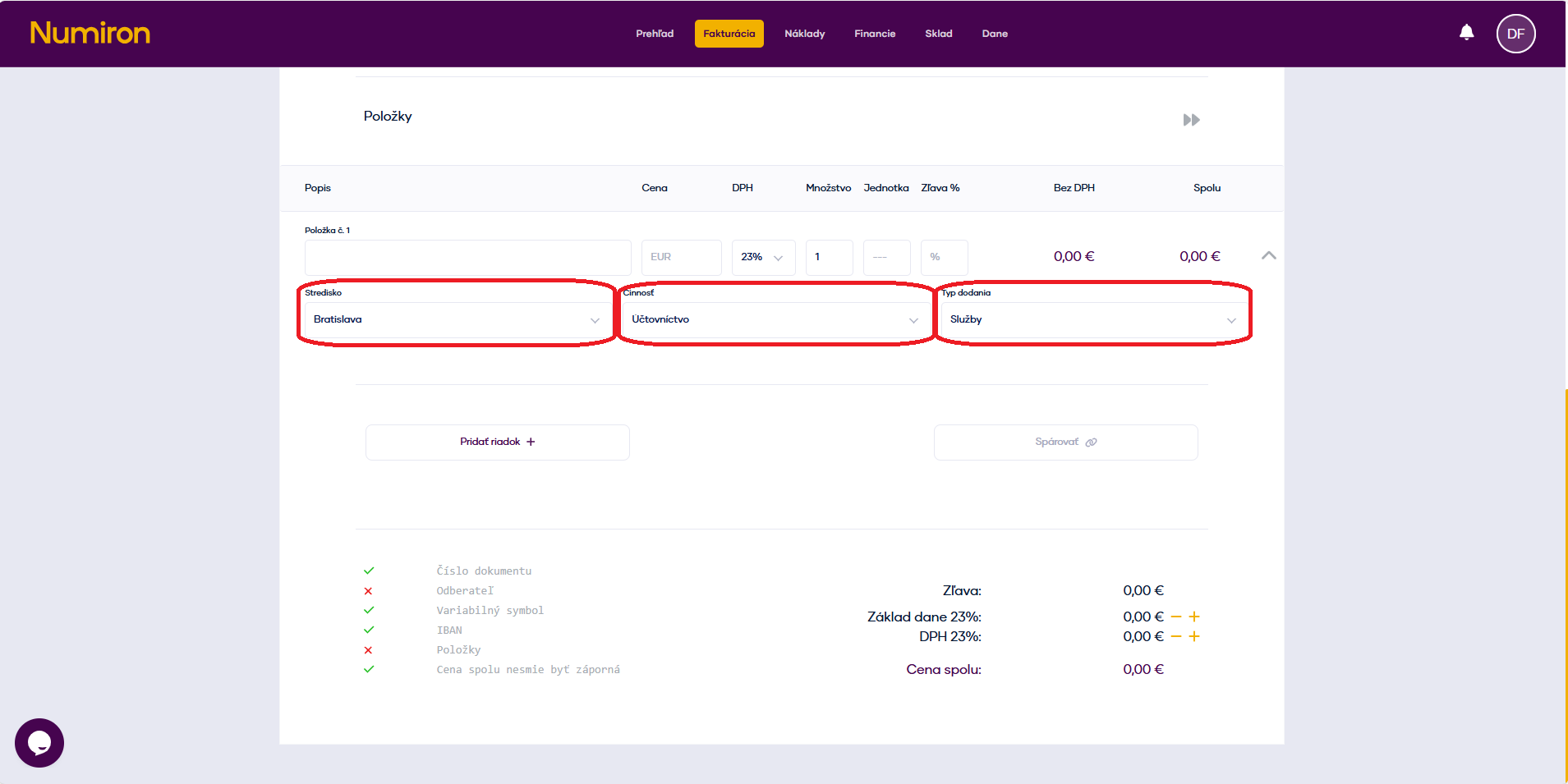
Activate and create in the same way: Contracts (projects, clients) and activities (e.g. „Advice“, „Installation“).
Once saved, these fields will appear whenever you create an invoice, freight or cash receipt, where you can assign the appropriate centre, order or activity.
2. Filling in the business focus (SK NACE)
These settings are mainly used for FO tax returns.
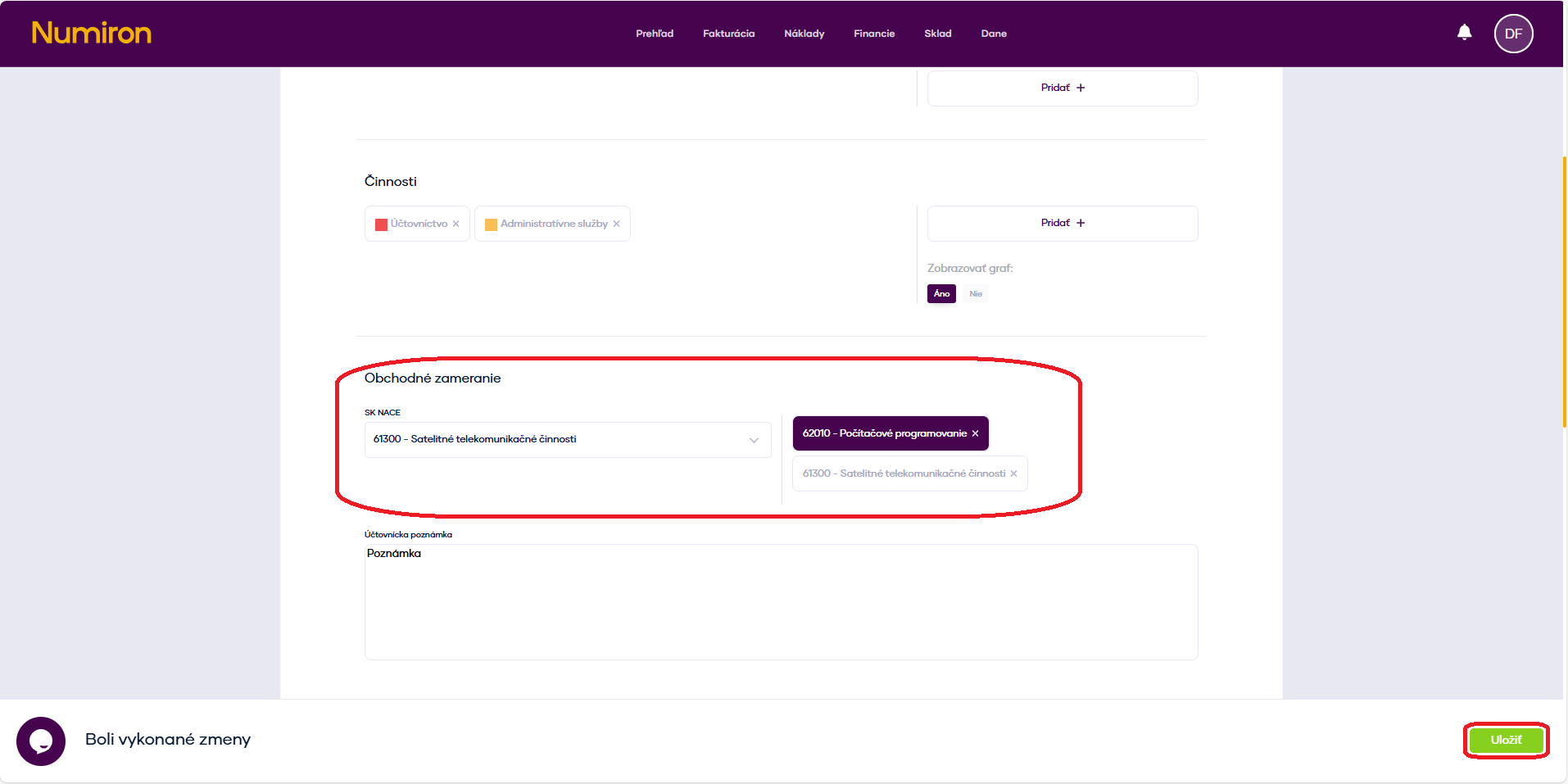
In the top right corner, click on the icon of your Profile, select Settings and switch to the section Accounting. Then scroll down to the section Business focus.
In the field, search and select the correct EN NACE code (e.g. 62010 - Computer Programming).
Then specify the main category of income according to your business and optionally add an accounting note (e.g. main activity of the company). Confirm the changes by clicking on Save.
Contact us if you haven't found the answer
Mon - Fri from 08:00 - 16:00


Features
About us
Information

Copyright © 2026 Numiron s.r.o.
Website by


