Numiron support
Numiron Support & FAQ


Numiron Support & FAQ
Contact us if you haven't found the answer
Mon - Fri from 08:00 - 16:00
In this section you can set global defaults for all new documents, or choose to use the data stored directly for a specific customer or supplier for invoices and expenses.
1. To open the default settings
In the top right corner, click on the icon of your Profile, Select Settings and switch to the section Accounting.
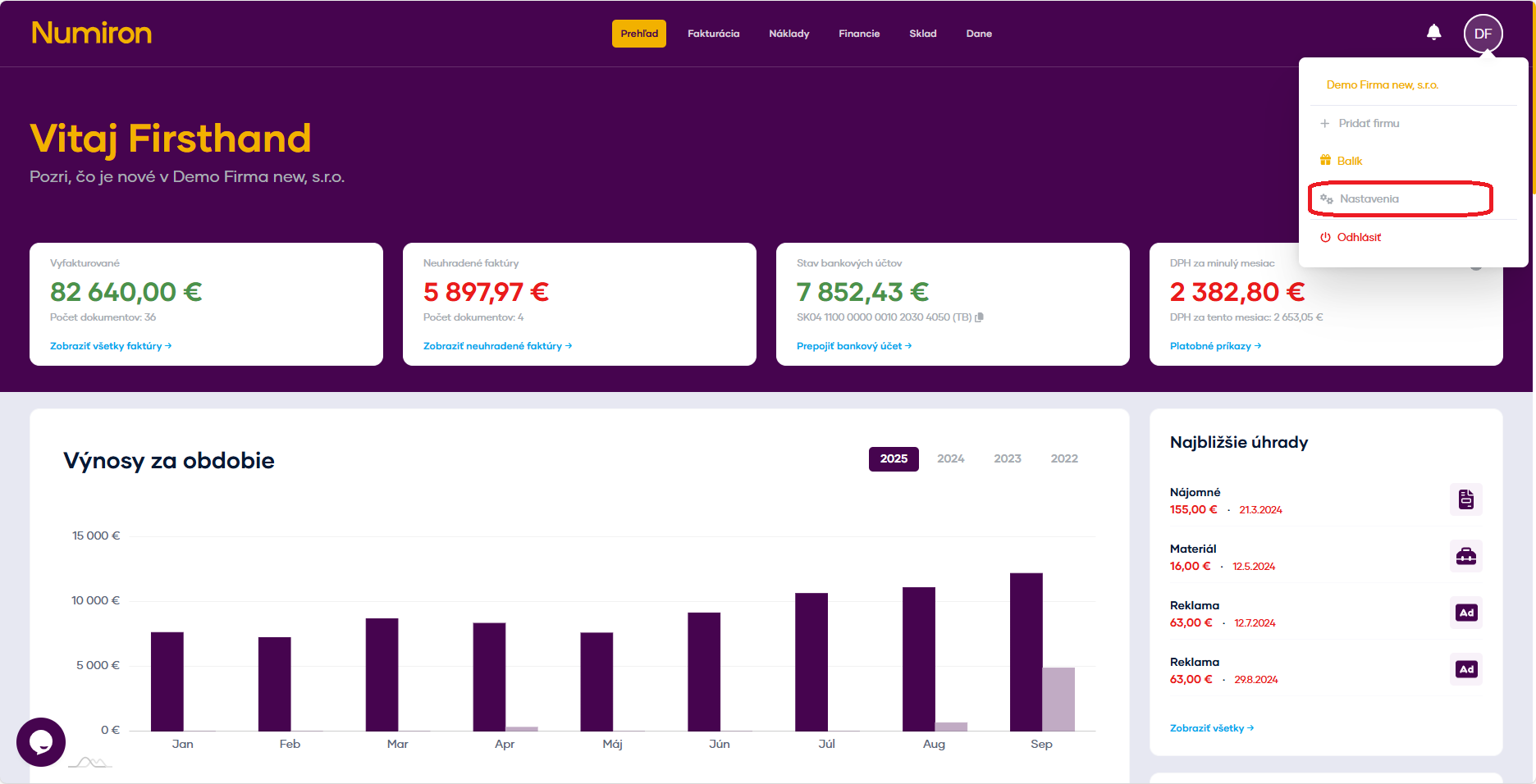
2. Configure presets
You have two options for each of the items:
Rad - will be used automatically for all new documents.
Client - The data stored directly at subscriber level shall be used.
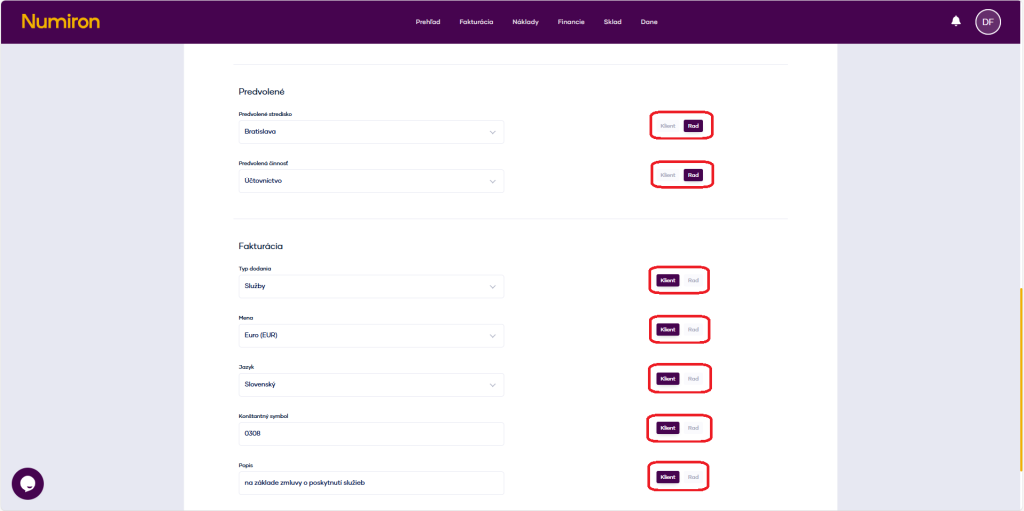
Available fields:
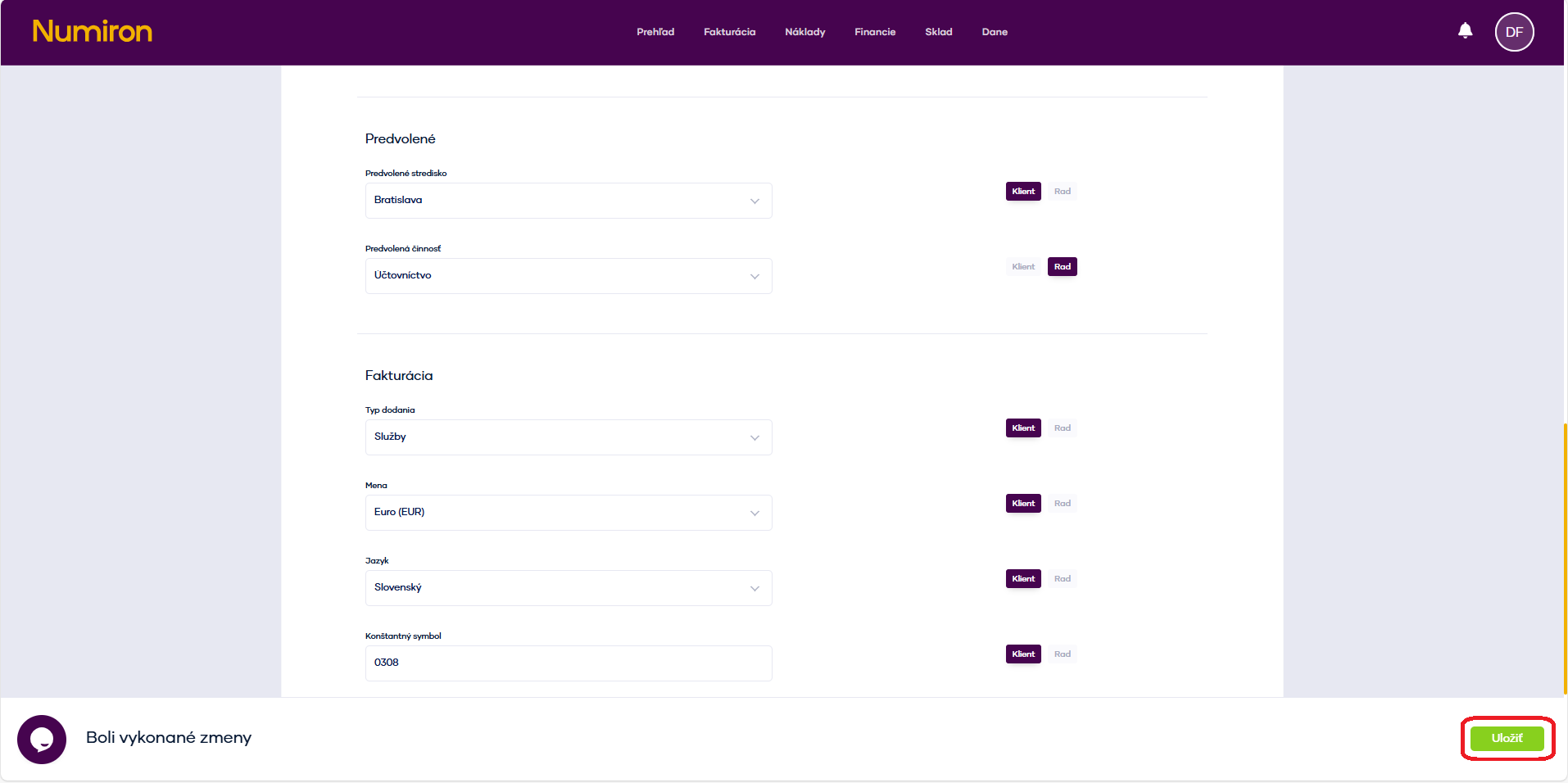
3. Saving changes
Once you have set all the items, remember to click on Save, to activate the preferences for all new documents.
Contact us if you haven't found the answer
Mon - Fri from 08:00 - 16:00


Features
About us
Information

Copyright © 2026 Numiron s.r.o.
Website by


