Numiron support
Numiron Support & FAQ


Numiron Support & FAQ
Contact us if you haven't found the answer
Mon - Fri from 08:00 - 16:00
In Numiron, you can easily connect the entire sales process. From the first quotation, through the advance invoice to the final invoice. In this way you avoid repeated data entry and everything is clearly linked.
1. Creating a quotation
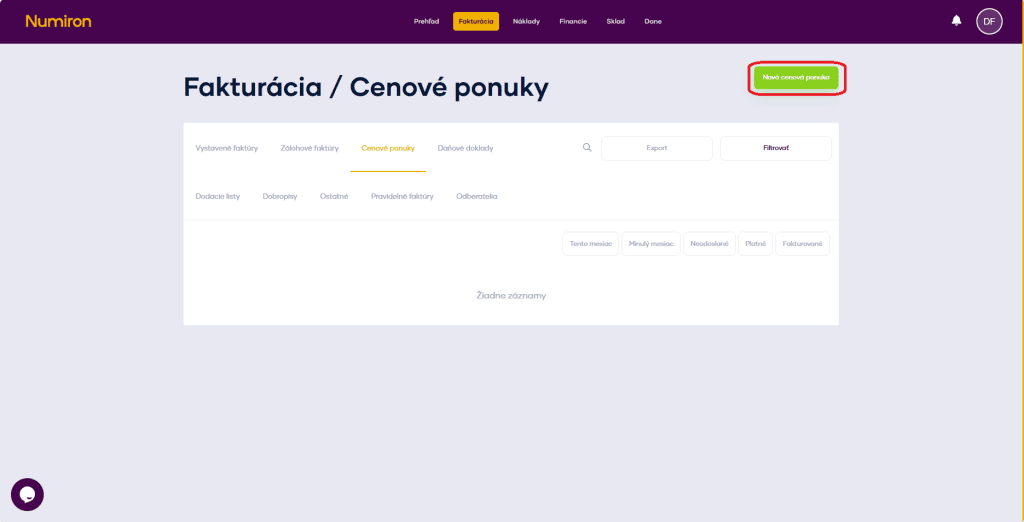
In the menu, go to the agendaInvoicing - Quotationsand click on the buttonNew price offer.
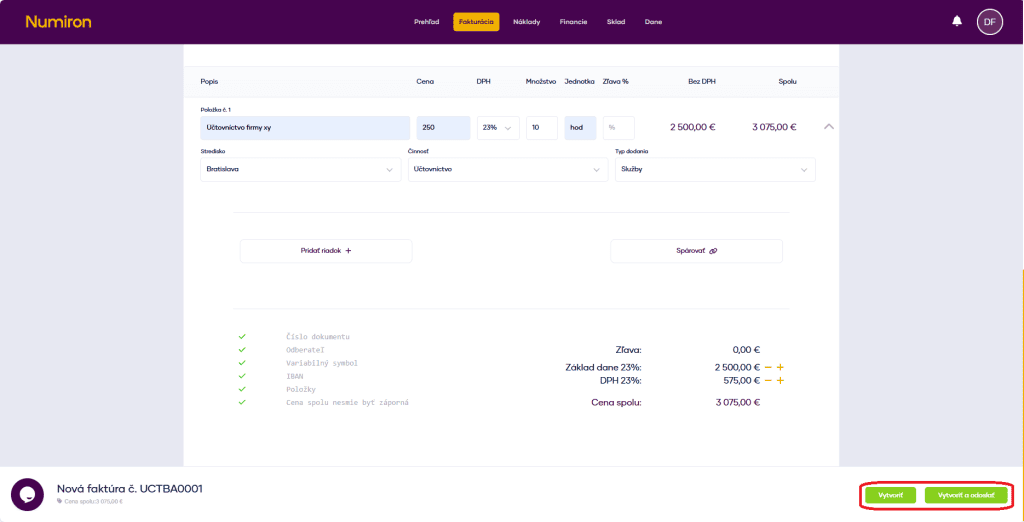
In the form you enter the customer, the date of issue, the validity of the offer and fill in the items with price, quantity and VAT. After checking the data, create the offer.
2. Issuing an advance invoice from the quotation
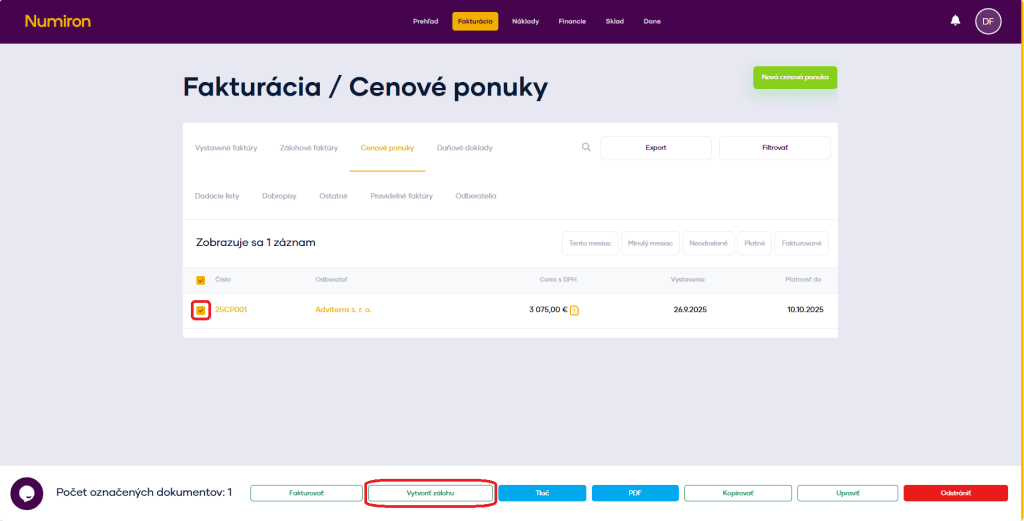
In the list of offers, select the one you need and at the bottom of the screen selectCreate a backup.
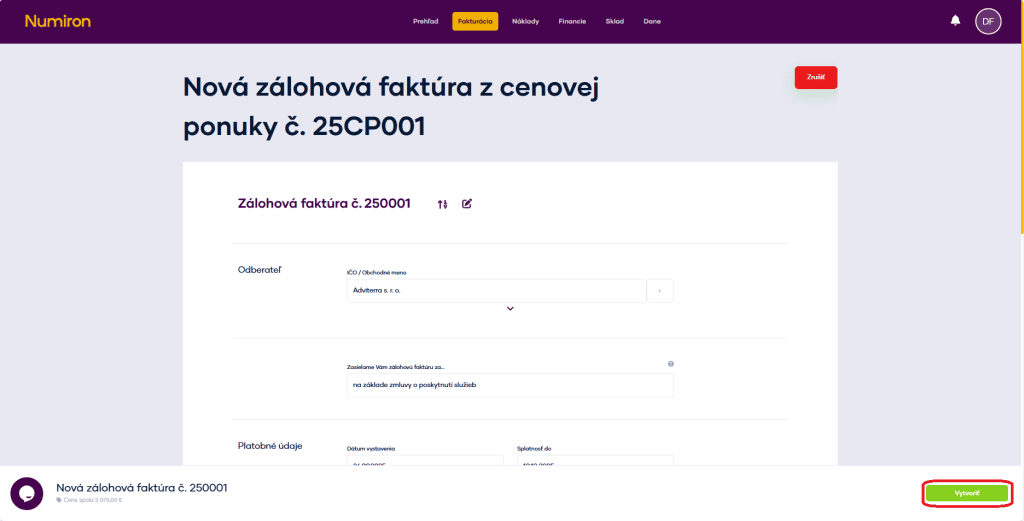
This will open the form with all the data from the offer already pre-populated. Just check them and confirm the creation. At this point, the documents will be automatically linked.
3. Transfer to invoice
Once the advance invoice has been paid, you can transfer it to the invoice issued. Highlight the document and selectInvoice.
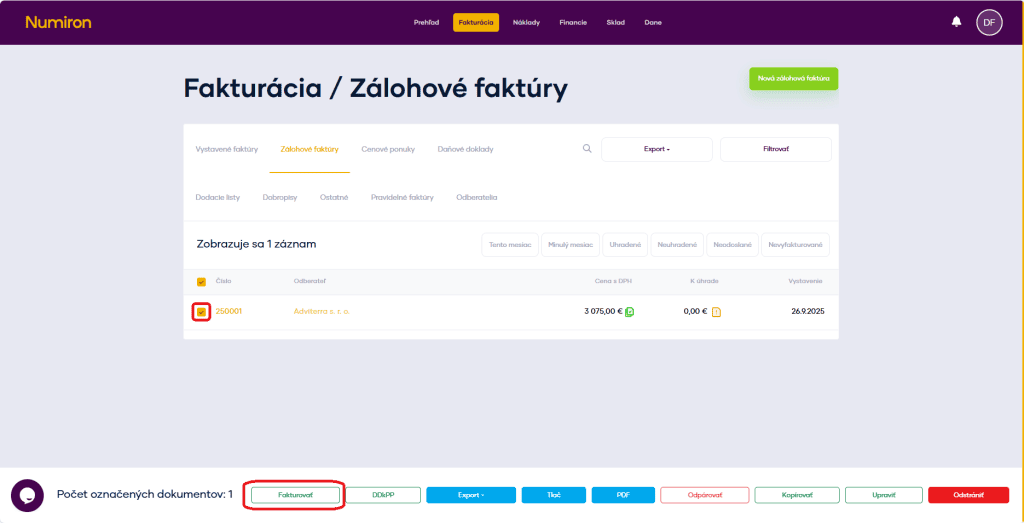
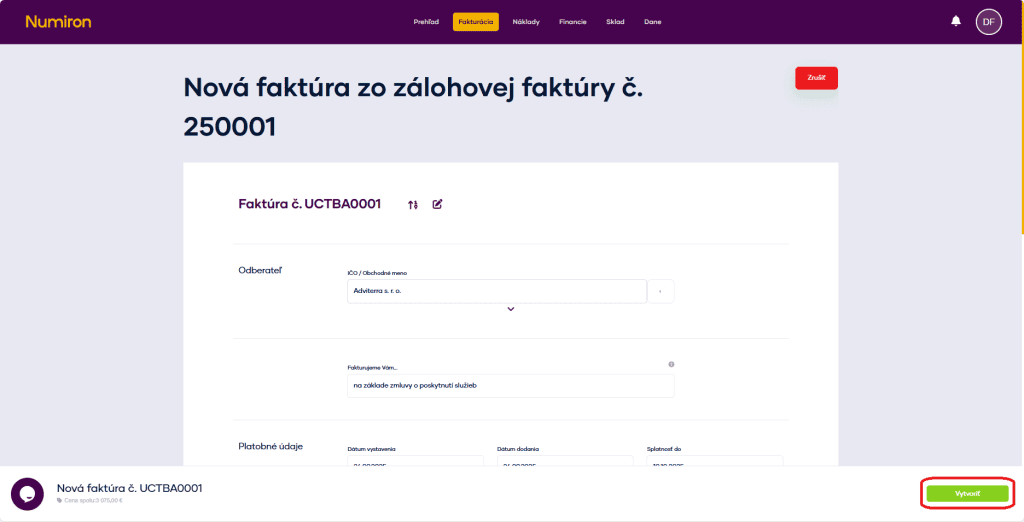
This will open a form with pre-populated data. You just check them and confirm the creation.
Contact us if you haven't found the answer
Mon - Fri from 08:00 - 16:00


Features
About us
Information

Copyright © 2026 Numiron s.r.o.
Website by


