Numiron support
Numiron Support & FAQ


Numiron Support & FAQ
Contact us if you haven't found the answer
Mon - Fri from 08:00 - 16:00
The advance invoice is used to receive payment before delivery of the goods or services.
In the system Numiron you can create it quickly and easily. Just follow the steps below.
1. Where to find advance invoices
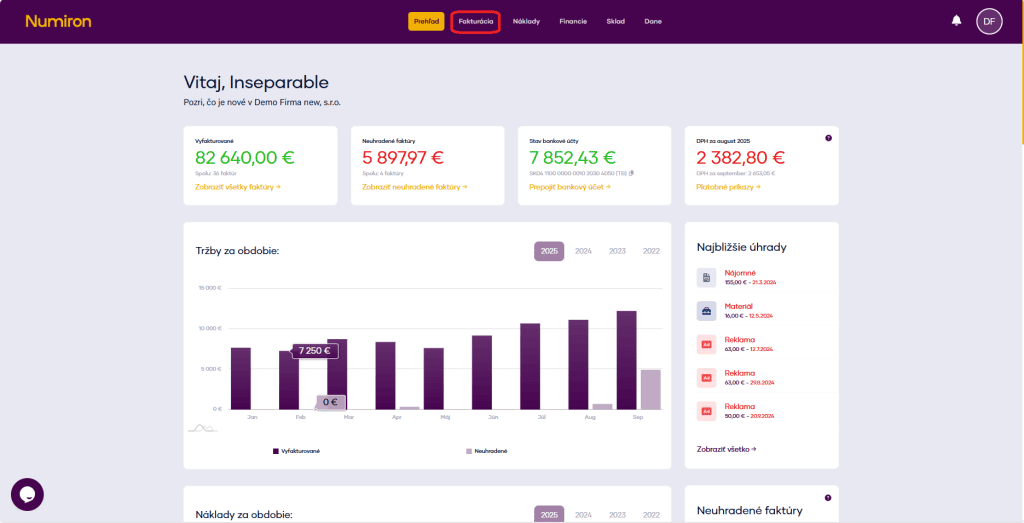
In the main menu, click on Invoicing and select the section Advance invoices.
2. Create a new advance invoice
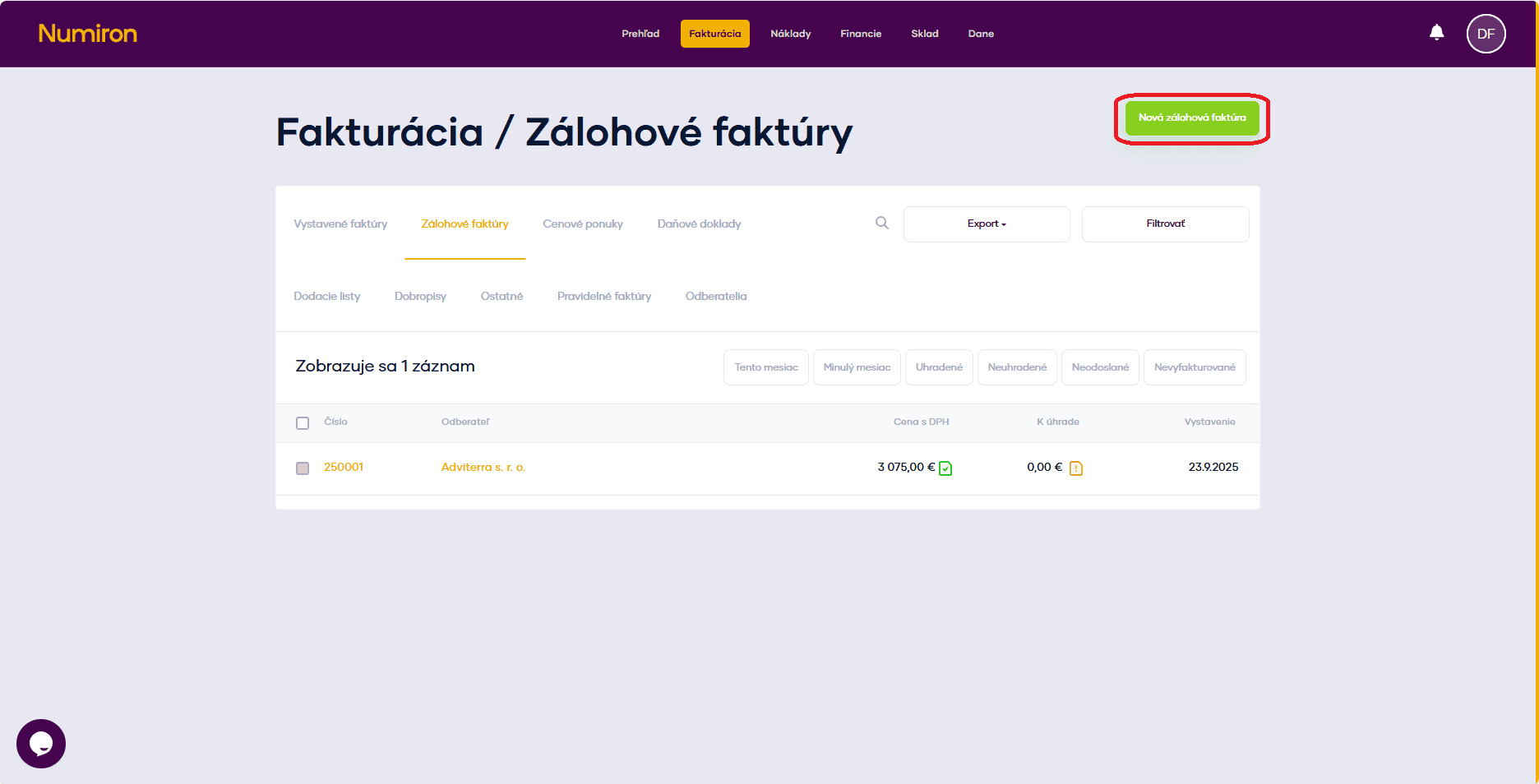
Click the button on the top right New advance invoice. This will open a form for you to fill in your details.
3. Basic data
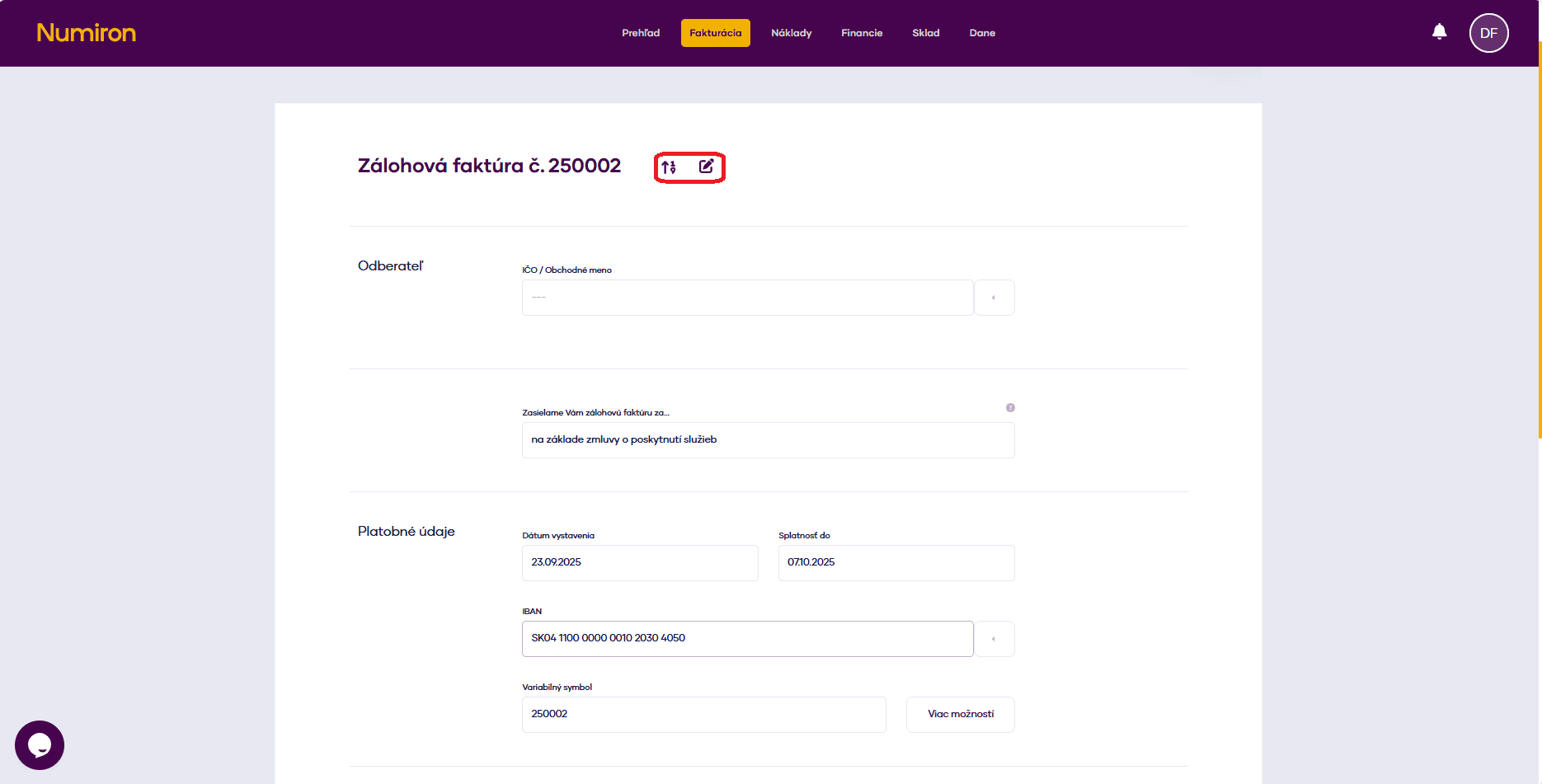
Numerical series: Choose from the default rows via the arrow or click on the pen icon and enter the number manually by clicking on the Pen.
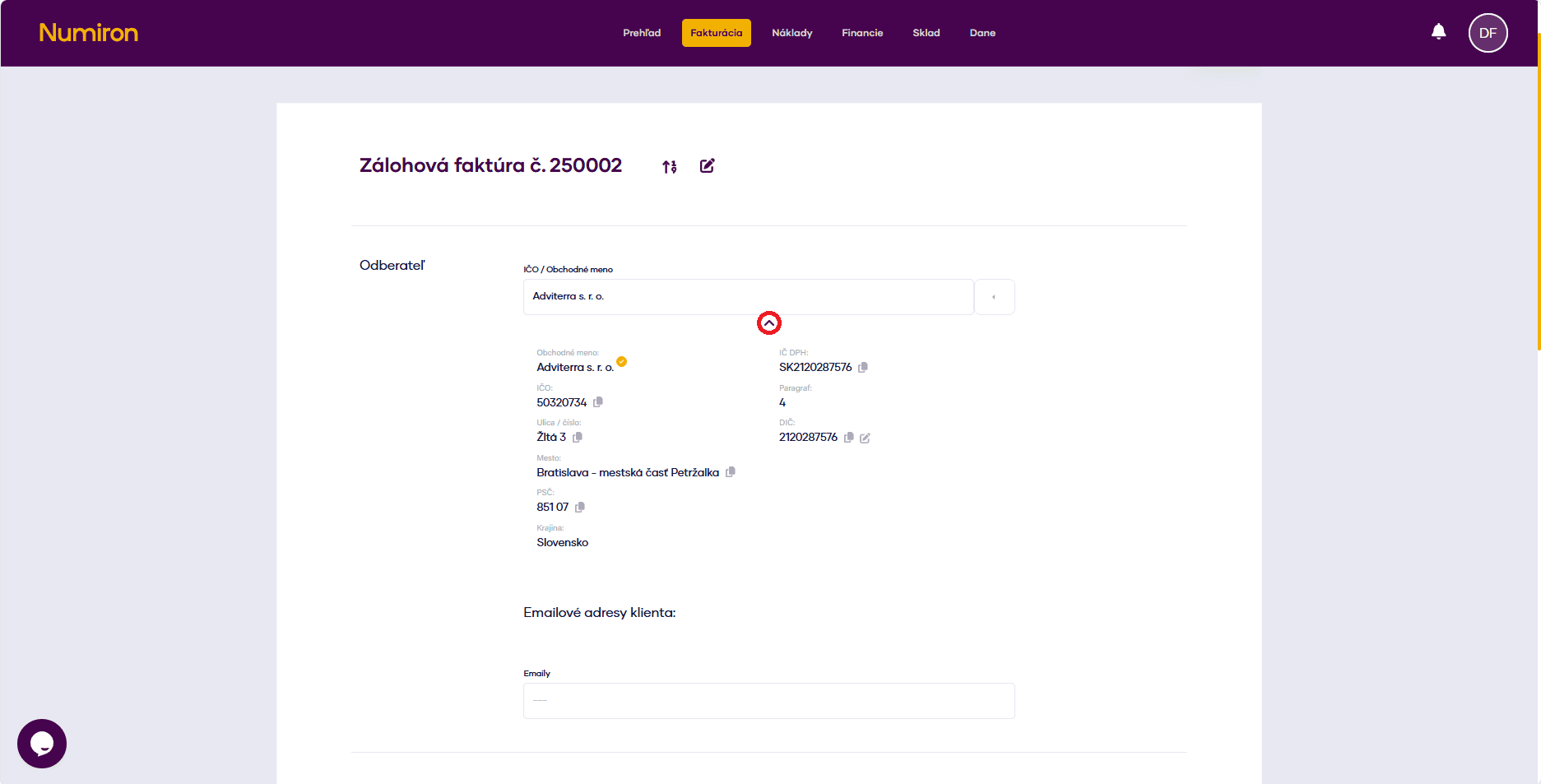
Subscriber: Enter company ID, company name or select the customer from the list. Click on the arrow below the name to verify their details and add an email.
We are sending you an advance invoice for... - fill in the text that appears in the PDF header.
Date of issue
Maturity to - pre-populated according to settings, manually editable.
IBAN: The system will automatically add the bank account you have saved. You can change it or add a new one.
Variable symbol: To be pre-filled by invoice number. You can modify it if necessary.
4. Other optional data
Click on More options and fill in:
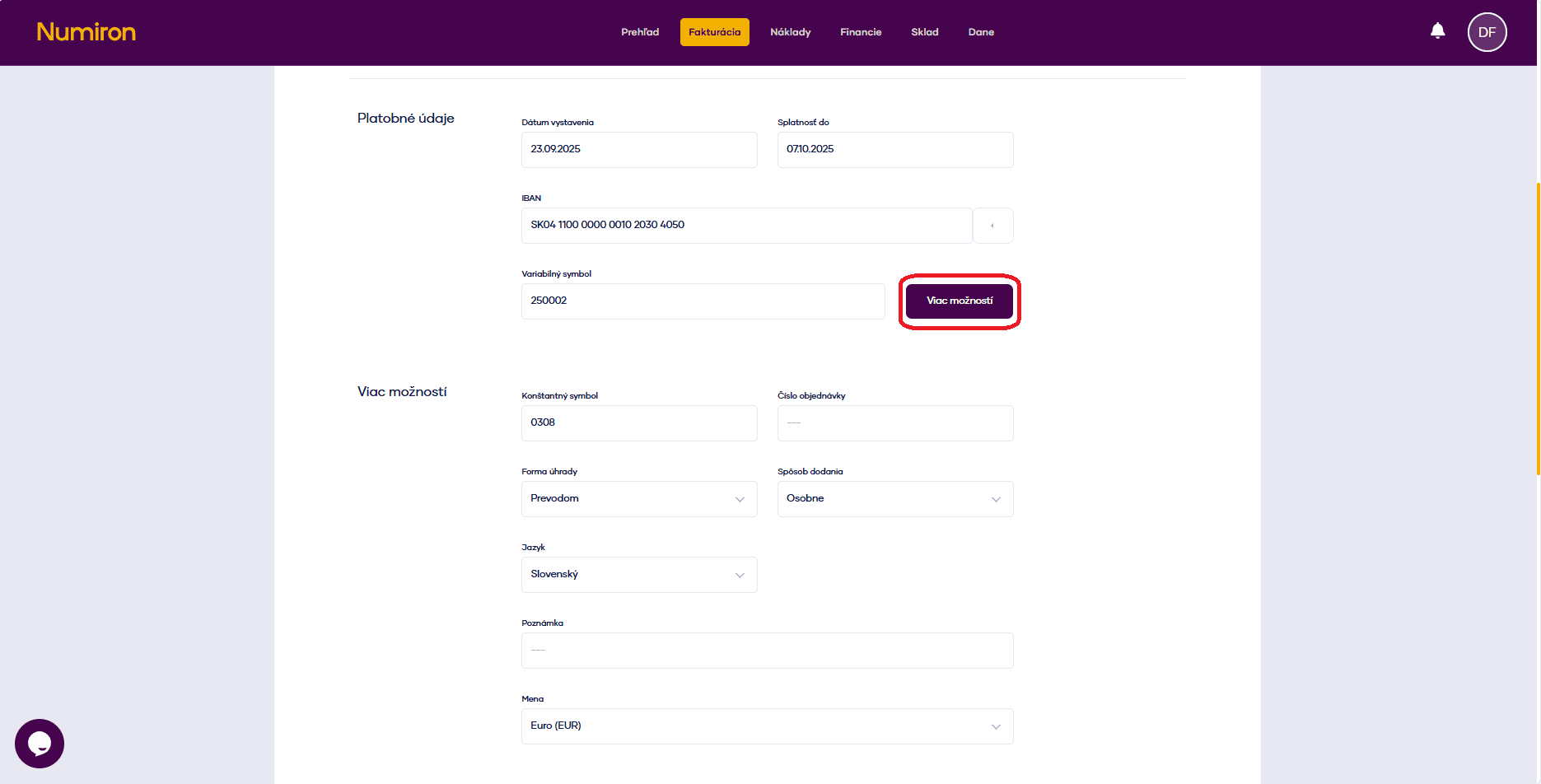
5. Invoice items
For each item, click on Add row and fill in:
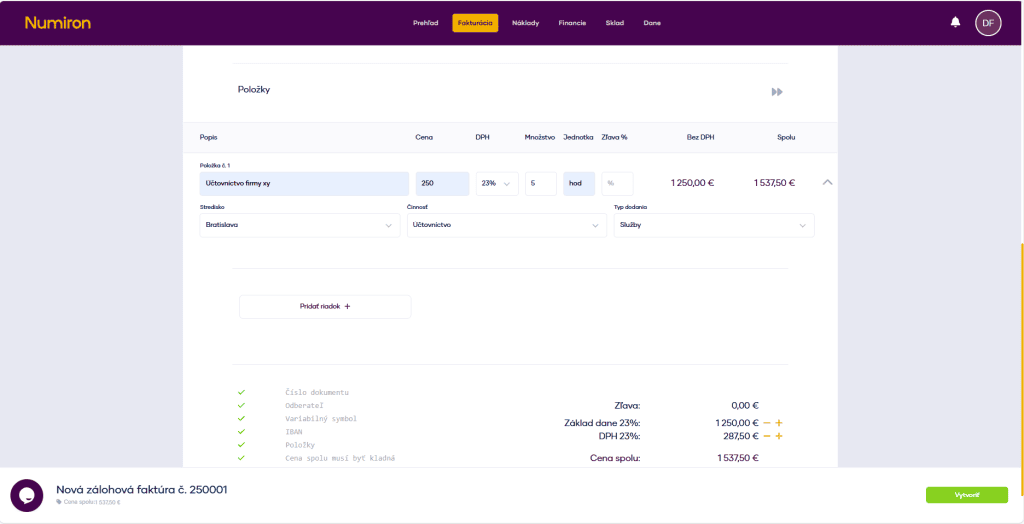
6. Completion and dispatch
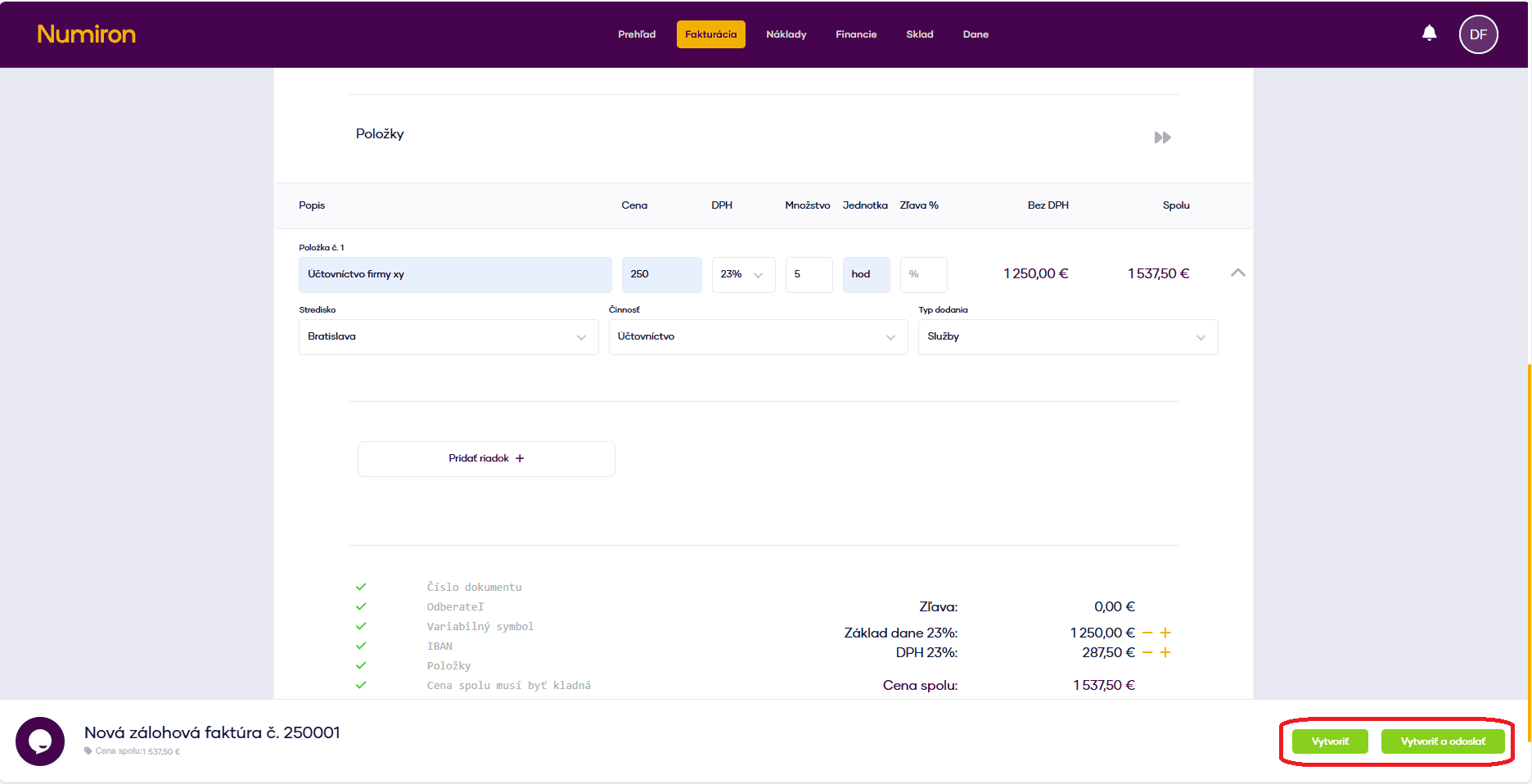
When you have everything filled in, click on:
Create - saves the advance invoice in the system.
Create and send - saves the advance invoice and sends it by e-mail at the same time.
Contact us if you haven't found the answer
Mon - Fri from 08:00 - 16:00


Features
About us
Information

Copyright © 2026 Numiron s.r.o.
Website by


