Numiron support
Numiron Support & FAQ


Numiron Support & FAQ
Contact us if you haven't found the answer
Mon - Fri from 08:00 - 16:00
If you are a self-employed person, an individual or an entrepreneur, you will need a so-called "tax remittance" to pay your taxes. OUD (Personal Taxpayer Account). Based on this, Numiron will automatically generate specific IBANs for each type of tax so that you always use the correct account when making payments.
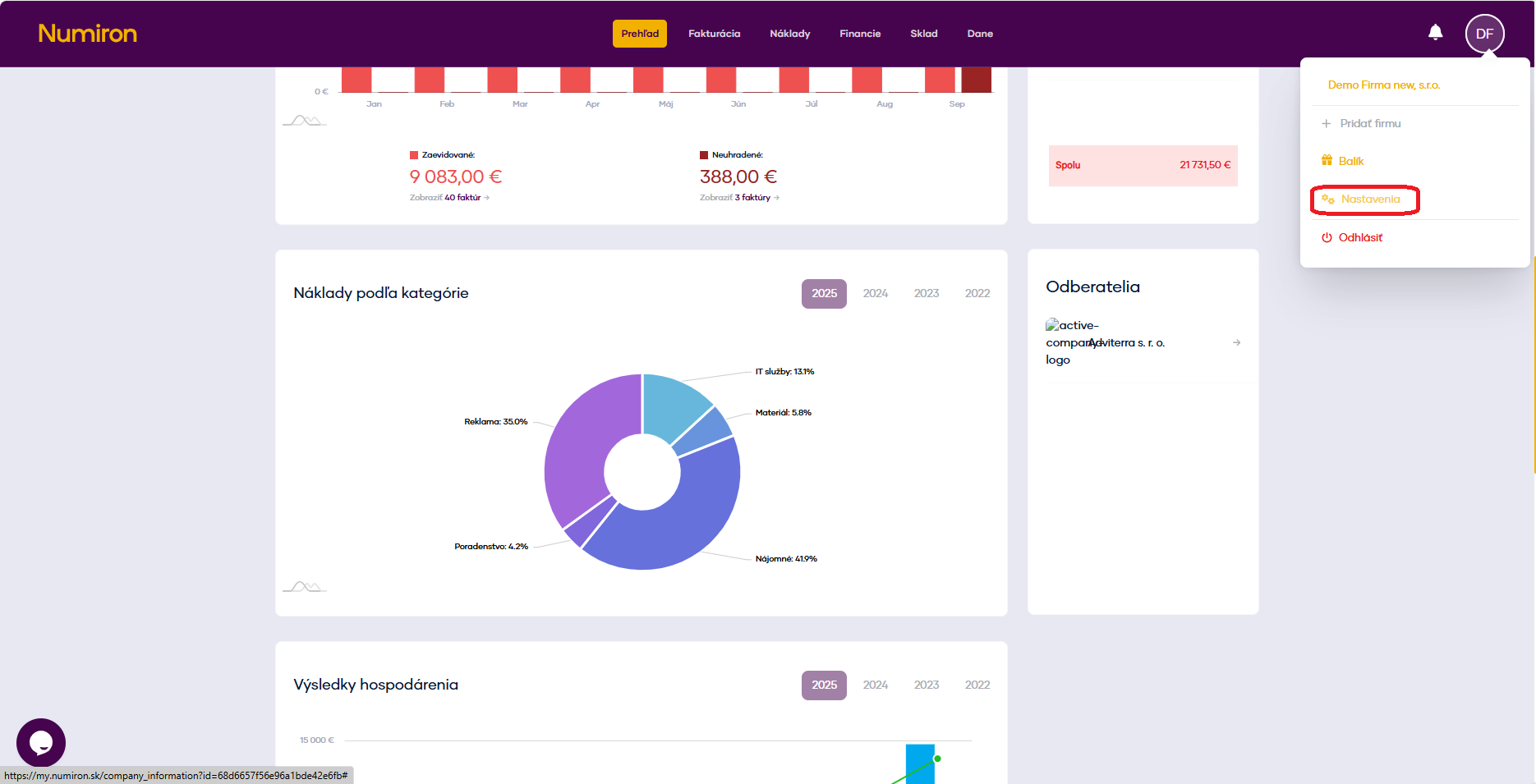
1. Open tax settings
In the top right corner, click on the icon of your Profile, Select Settings and switch to the section Data
2. Inserting the OUD
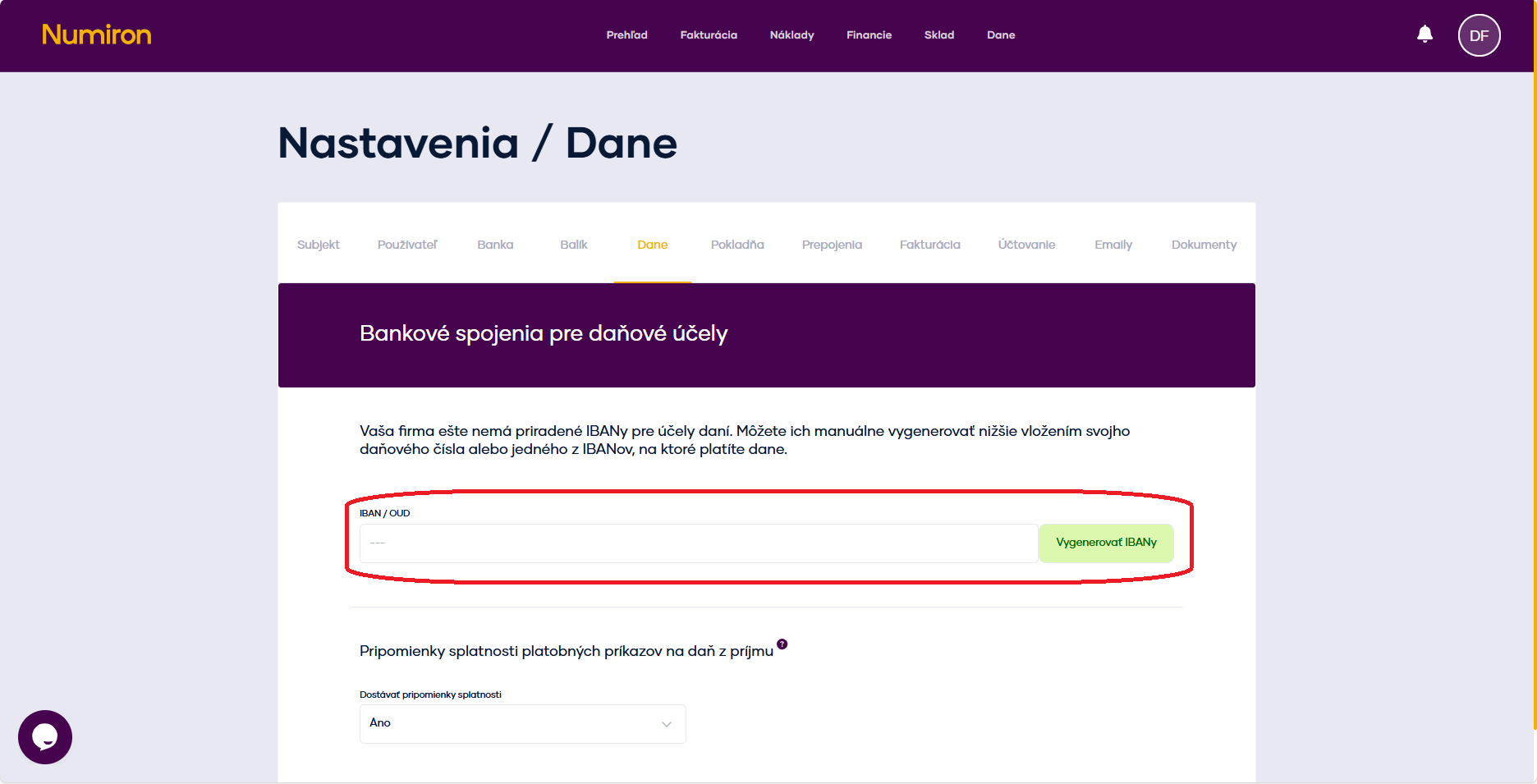
The IBAN/OUD field is located at the top. This is where you enter your OUD number.
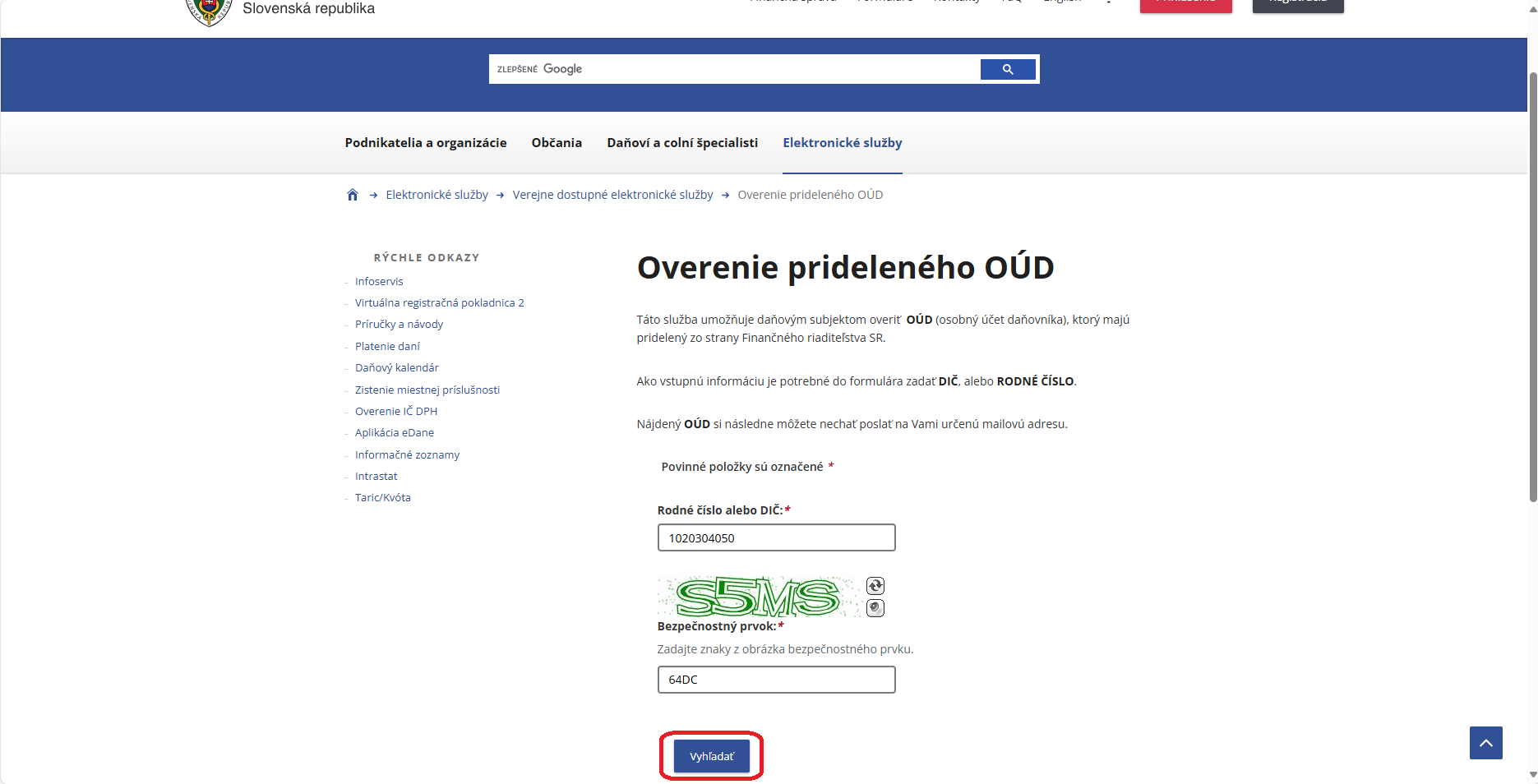
If you don't already have one, generate OUD on the portal of the Financial Administration
3. Regeneration of IBANs
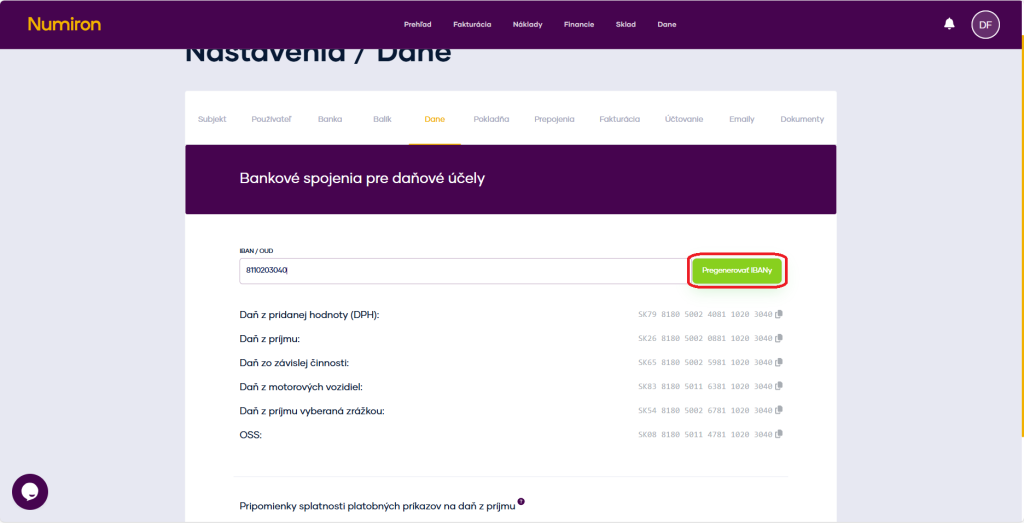
After adding the OUD, click on Regenerate IBANs. Numiron creates specific accounts for each type of tax (e.g. VAT, income tax, levies) and assigns them to the appropriate categories.
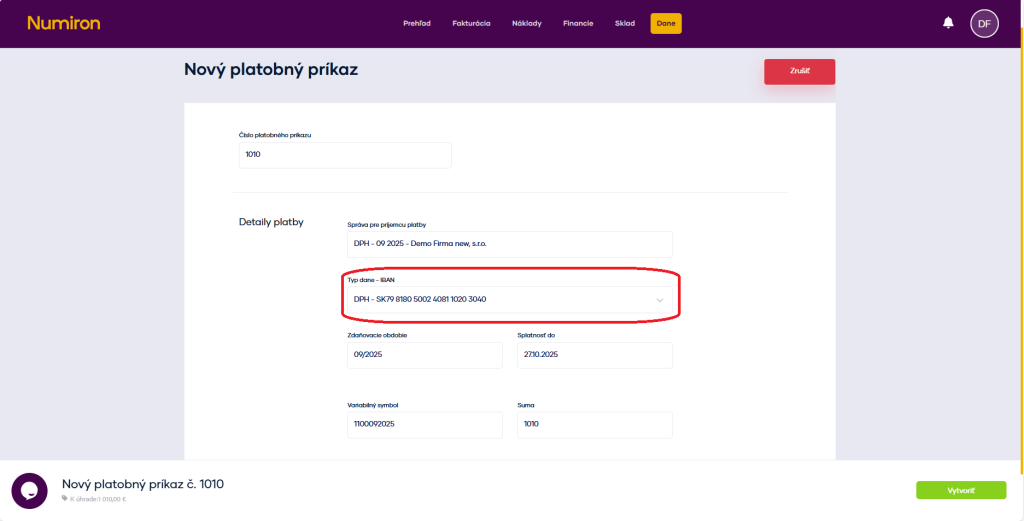
4. Use of IBANs when creating payment orders
When you create tax payment order, the correct IBAN will be automatically filled in according to the tax type you have selected. You no longer need to search for it or copy it from external sources - everything is ready for you directly in the system.
Contact us if you haven't found the answer
Mon - Fri from 08:00 - 16:00


Features
About us
Information

Copyright © 2026 Numiron s.r.o.
Website by


