Numiron support
Numiron Support & FAQ


Numiron Support & FAQ
Contact us if you haven't found the answer
Mon - Fri from 08:00 - 16:00
The cash register in Numiron is used to record all receipts and expenses paid in cash. Thanks to it, you always have an up-to-date overview of your cash register balance and movements without the need for external software.
1. How to set up a cash register
In the top right corner, click on your profile icon, select Settings and select the section Checkout. Go here to the section Cash registers.
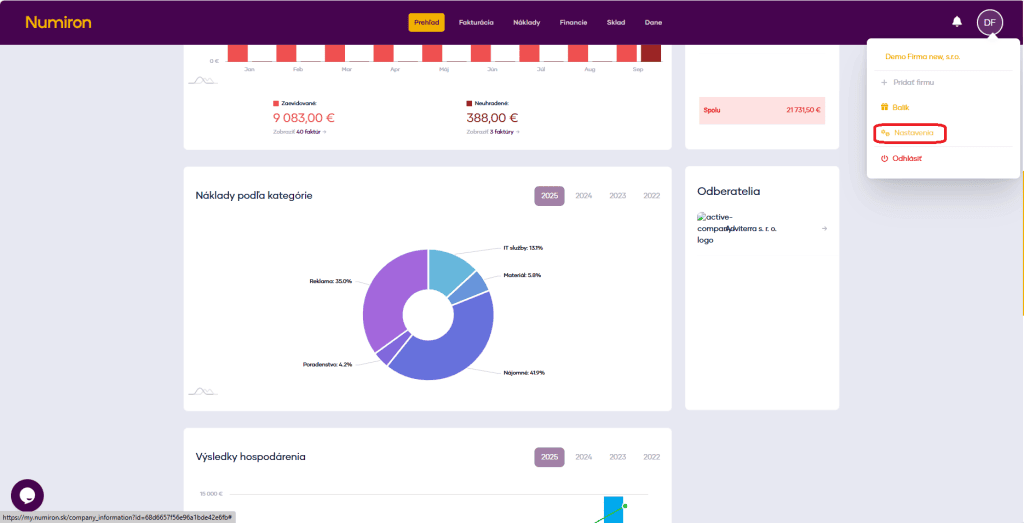
Then click Add and fill in:
To save your settings, click on Create.
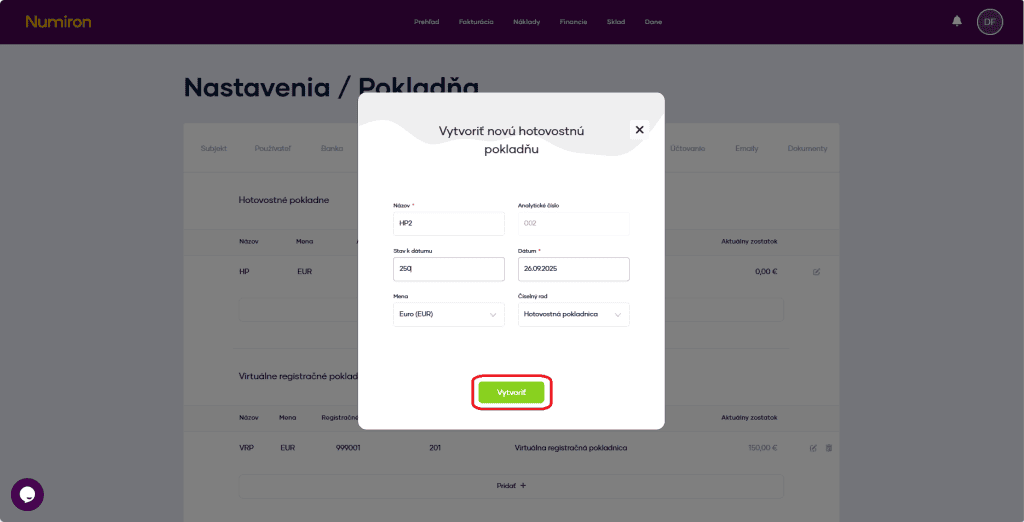
The cash register is then displayed in the agenda Finance in section Checkout.
2. Receiving and dispensing cash
A) Creating a transaction
In the agenda Finance in section Checkout click on New transaction.
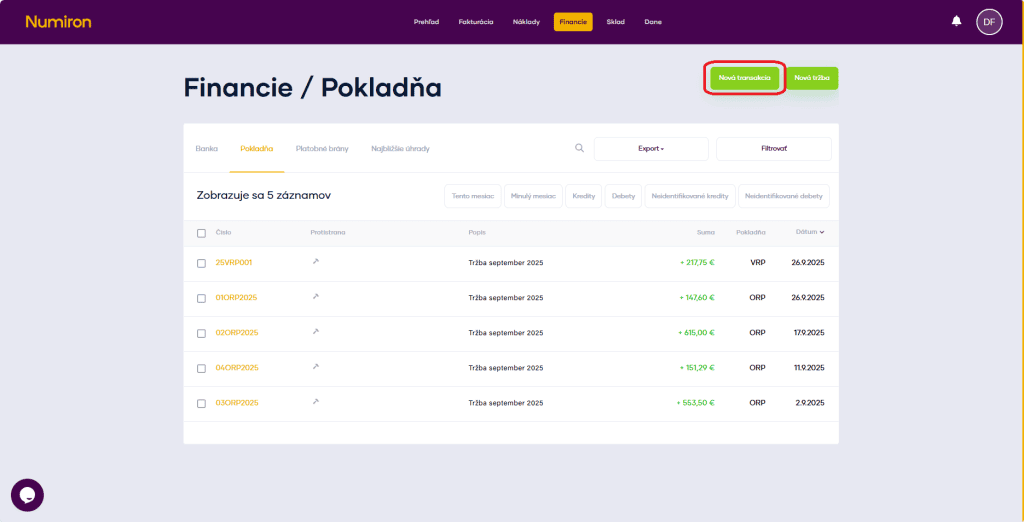
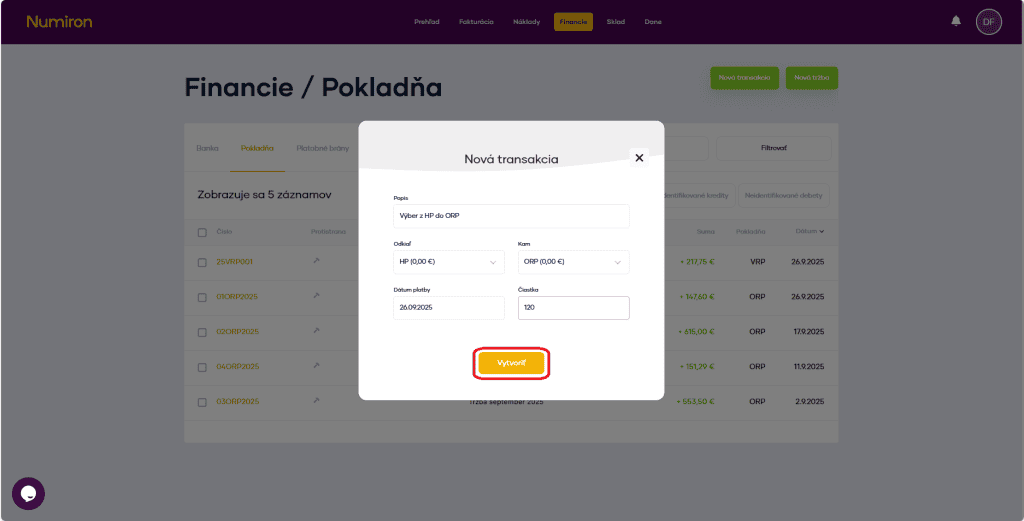
In the form fill in:
Click on Create and the transaction is saved.
B) Posting of the payment of the invoice to the cash register
If you receive payment of an invoice in cash, you can simply register it:
In the agenda Finance in section Nearest reimbursements mark the invoice you want to pay.
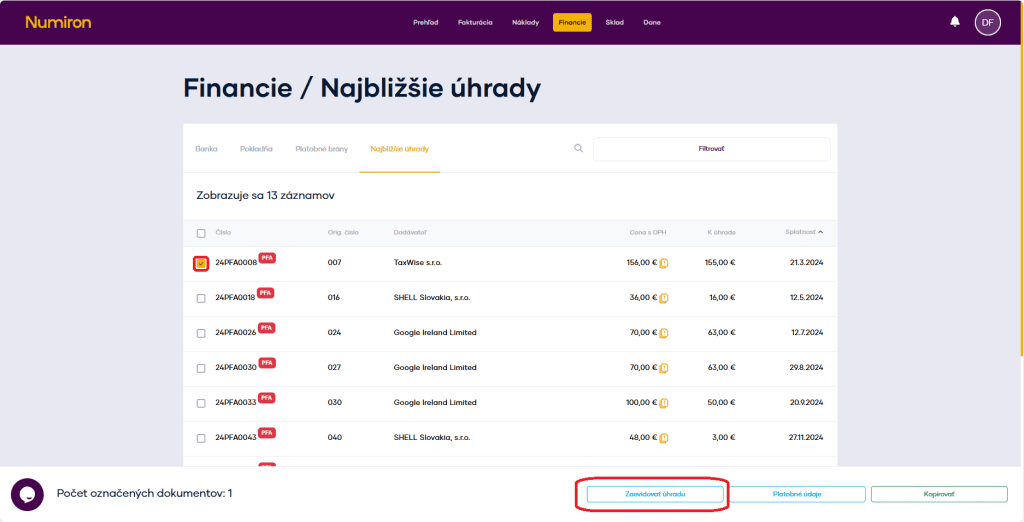
Click on To register the payment and select as payment method Checkout.
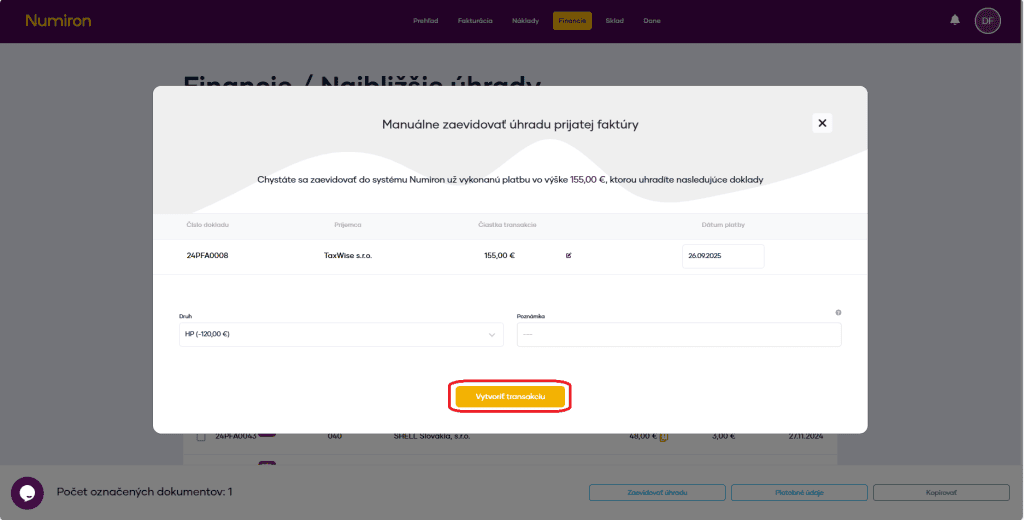
Select the cash register to which the income belongs.
Check the date and amount, add a note if necessary.
Confirm by clicking on Create a transaction.
Contact us if you haven't found the answer
Mon - Fri from 08:00 - 16:00


Features
About us
Information

Copyright © 2026 Numiron s.r.o.
Website by


