Numiron support
Numiron Support & FAQ


Numiron Support & FAQ
Contact us if you haven't found the answer
Mon - Fri from 08:00 - 16:00
Automatic reminders help you to have your invoices paid on time. In Numiron, you can set up predefined or custom email reminders to be sent when documents are unpaid.
1. Activation of reminders
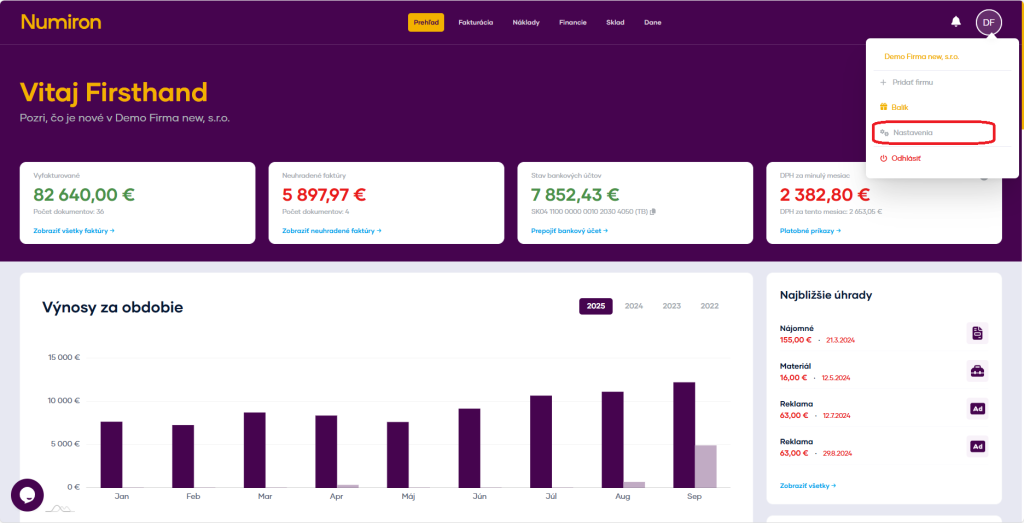
In the top right corner, click on the icon of yourProfile, SelectSettingsand switch to the sectionBilling.Then scroll all the way down to the reminder section.
You can choose from a list of predefined reminders by clicking Add from list or create your own.
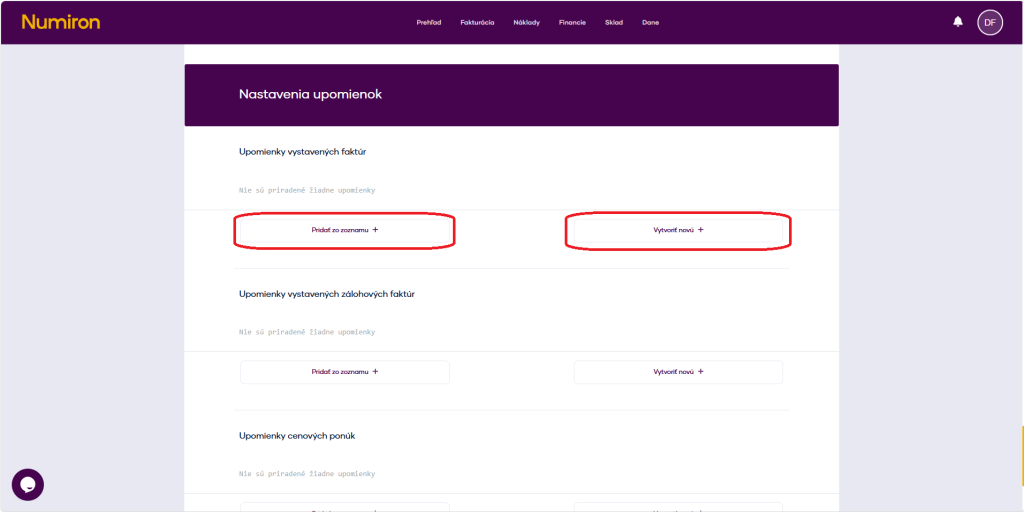
2. How to create a custom reminder
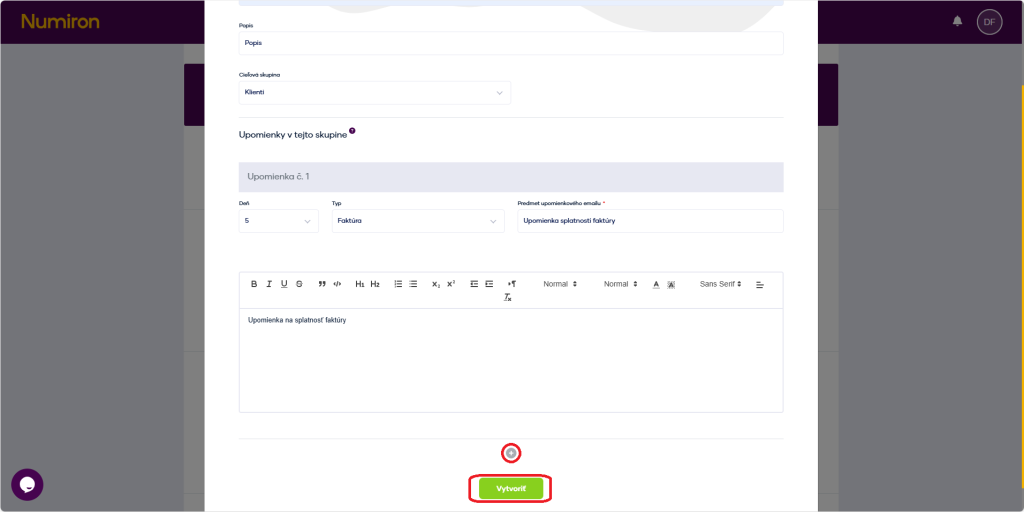
You click on the plate Create a new + and fill it in:
Using the button + you can set up multiple reminders in a row.
After setting up, click on Create.
Numiron sends emails to clients automatically according to the selected interval.
3. Management of reminders
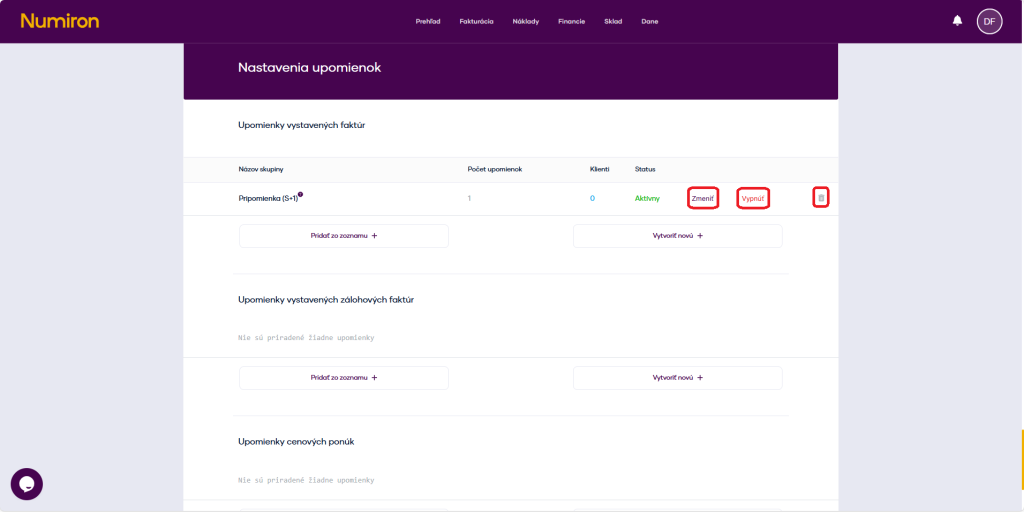
In the Reminders list you have the option to Enable/Disable sending reminders.
Contact us if you haven't found the answer
Mon - Fri from 08:00 - 16:00


Features
About us
Information

Copyright © 2026 Numiron s.r.o.
Website by


