Numiron support
Numiron Support & FAQ


Numiron Support & FAQ
Contact us if you haven't found the answer
Mon - Fri from 08:00 - 16:00
If you delete an invoice or other document, the number series may skip one number. To make the next document follow up correctly, just edit the number series in the settings.
1. Check the last valid number
In the top right corner, click on the icon of your Profile, Select Settings and switch to the section Billing.
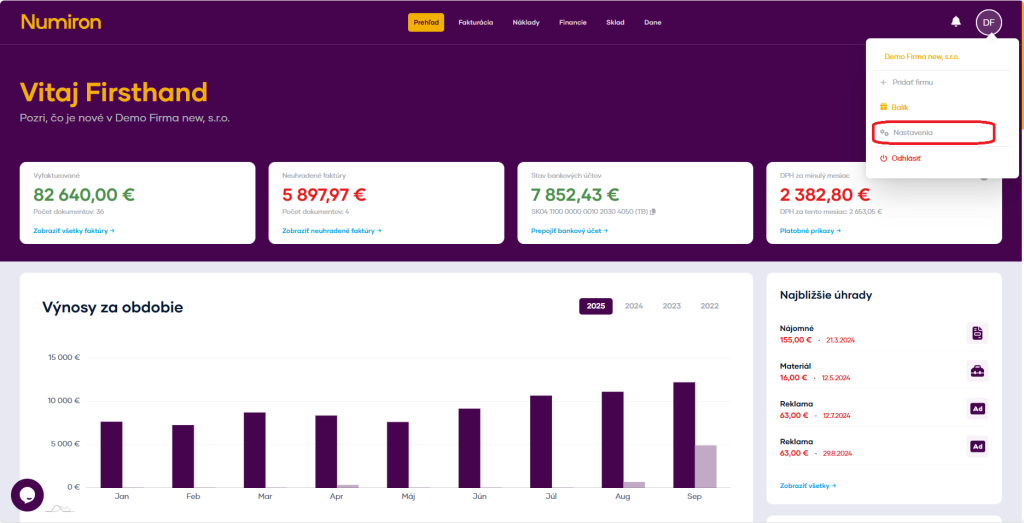
Then scroll down to the section corresponding to the documents for which you want to correct the number series.
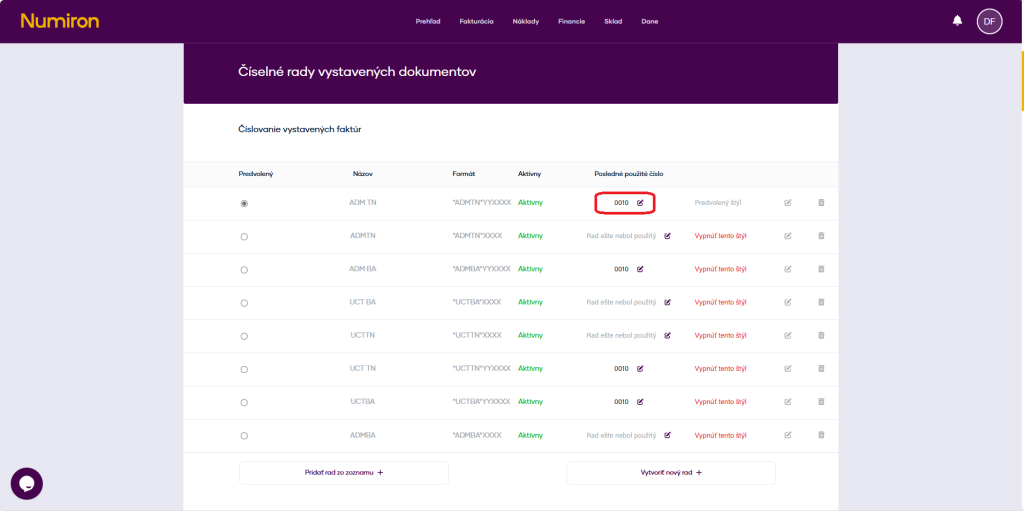
2. Modification of the „Last used number“
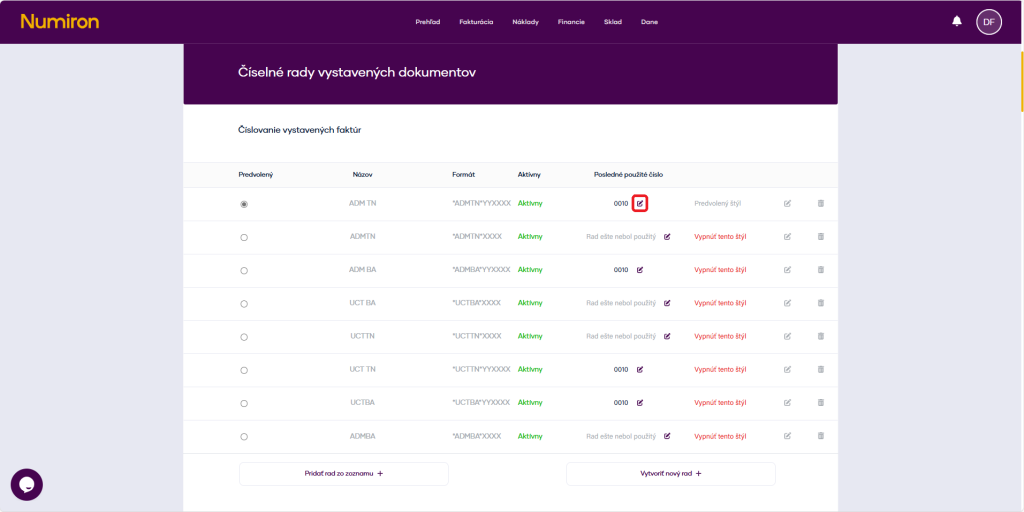
Click on the icon Pen for a specific number series.
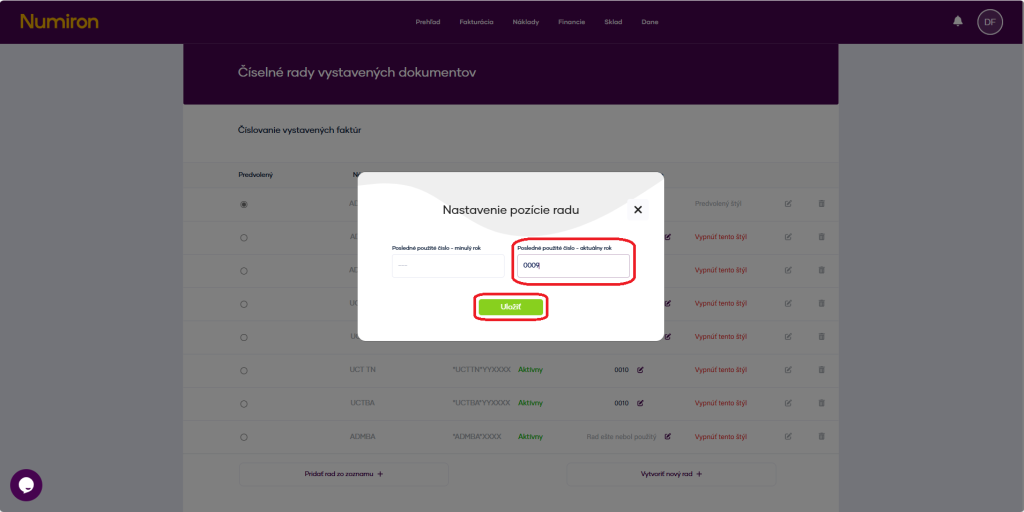
In the field Last used number enter number Before the deleted document (e.g. 0009) and press Save.
Contact us if you haven't found the answer
Mon - Fri from 08:00 - 16:00


Features
About us
Information
Sign up for our newsletter and receive regular updates on news, useful tips, interesting facts, and important updates directly to your email inbox. We only send content that is truly valuable and will help you not miss anything important.

Copyright © 2026 Numiron s.r.o.
Website by


